You may need to set up a wildcard subdomain, and this can be done within your cPanel account. A wildcard DNS record is a record that matches requests for non-existent domain names. A wildcard DNS record is specififed by using the * symbol to create a record for the *.yourdomain.com. The most common applications for a wildcard subdomain is for use with SSL or WordPress MU.

Creating a Wildcard Subdomain

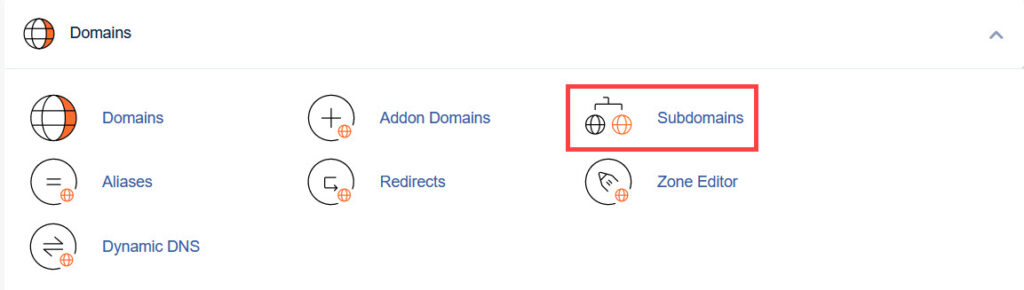
First, log into your cPanel account and under the "Domains" section select "Subdomains"

sub1

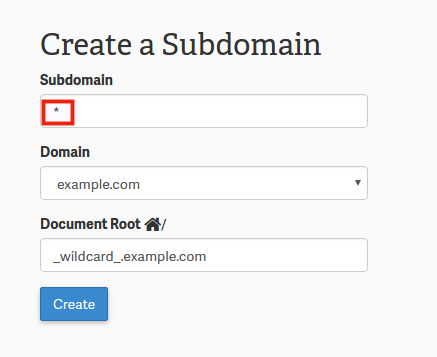
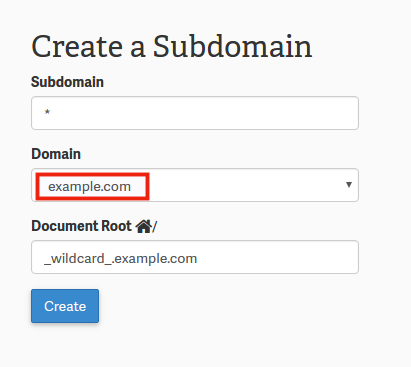
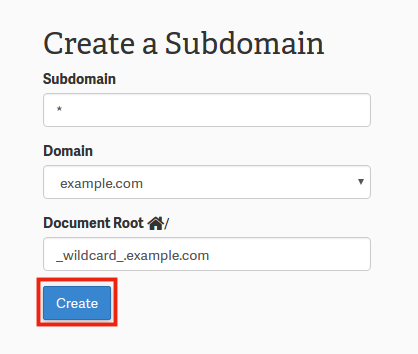
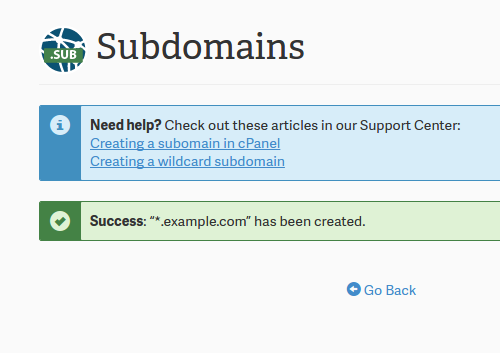
Next, in the first open field, place a * symbol there signifying that you are creating a wildcard subdomain and click "Create".

wild1

Congratulations! You have now successfully set up your account for wildcard domains. You still may need to modify your .htaccess file. However, if you have set up wildcard subdomains for WordPress Multisite, it will automatically configure the .htaccess file for you. 

Please check the next article on Modify an Add-on domain's document root in cPanel. If you missed our previous article, please see the Setting up a Redirect for a Domain in your cPanel tutorial. For more information on this course please visit Managing your Domains in cPanel.

Like this Article?
Teebird 2012-02-06 3:52 am
Article should be updated to cleary state that only "Pro" InMotion Hosting Plans can ustilize WildCard subdomains & WildCard DNS entries. Thanks :)

Login to comment.

Your Opinion Matters

... but we need to know what you're thinking!

I'm Brad Markle, your friendly Community Support technician, and I wrote the article you're looking at now. I like to think it's perfect, but I'm sure you have some suggestions. Please, let me know what they are!

Feedback
Your Email Address
Because we'd like to talk with you!

Latest Questions

If you need some help, submit your question to our Community!
We guarantee a response within 60 minutes (8am - 9pm EST, Monday - Friday)
Ask a Question!
Recent Questions
  1. Cpanel license is expired
  2. How do I provide a truly secure FTP site for my client to upload files with sensitive data (PHI - Personal Health Information, as referred to by HIPAA)?
  3. styles are not rendering on initial page load

Need more Help?

Search

Ask the Community!

Get help with your questions from our community of like-minded hosting users and InMotion Hosting Staff.

Current Customers

Chat: Click to Chat Now E-mail: support@InMotionHosting.com
Call: 888-321-HOST (4678) Ticket: Submit a Support Ticket

Not a Customer?

Get web hosting from a company that is here to help. Sign up today!