In the event that you need a file restored and you have no local backup, you may be able to use Google’s cache as an alternative. When Google crawls your website, it takes a snapshot of your page. That snapshot shows what your site looked like when Google crawled it, and is available to see Read More >
Backups and Restorations
 Remote Paid Backup Service
InMotion Hosting Shared, VPS Hosting, Dedicated Server, and Reseller hosting plans feature a Remote Paid Backup Service. When enabled, multiple instances of your Home Directory and MySQL/pgSQL databases are stored remotely. You can manage and restore the backups using the Backup Manager interface in cPanel.
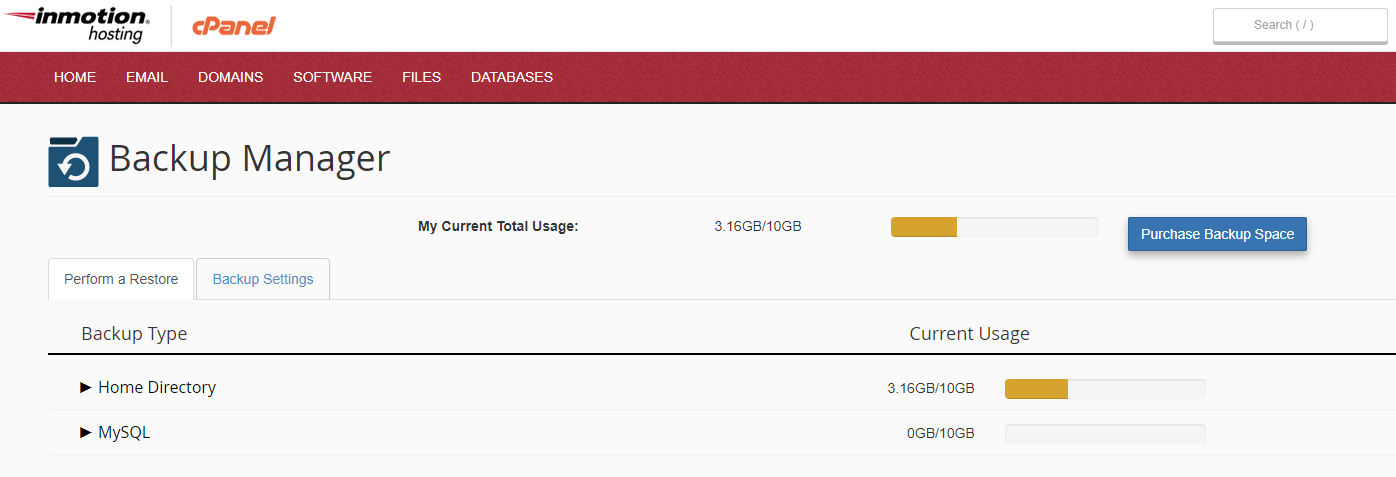
 InMotion Hosting’s Backup Manager
InMotion makes backups and restorations simple to manage! Our exclusive Backup Manager plugin for cPanel enhances this service and provides the ability to:
- Generate and restore full, partial, or individual file backups – no more need to contact support!
- Queue multiple restoration requests and view their progress live.
- Set custom retention and backup generation schedules – meaning no more 24-36 hour time-frame restrictions!
- Be alerted if your account(s) are nearing or over their backup quota via AMP and email notifications.
- Purchase additional backup space directly from AMP Marketplace.
- Manage backups using cPanel and/or the Command Line Interface (CLI).
 Backup Guides
 Restore Guides
How to Create a Backup Using FTP
Backing up your website is a necessary step for all users. When you use an FTP client to backup your files to a local folder on your computer, you can summarize the process in three basic steps: access and select your files with FTP, create or find a directory for your backup, download your website Read More >