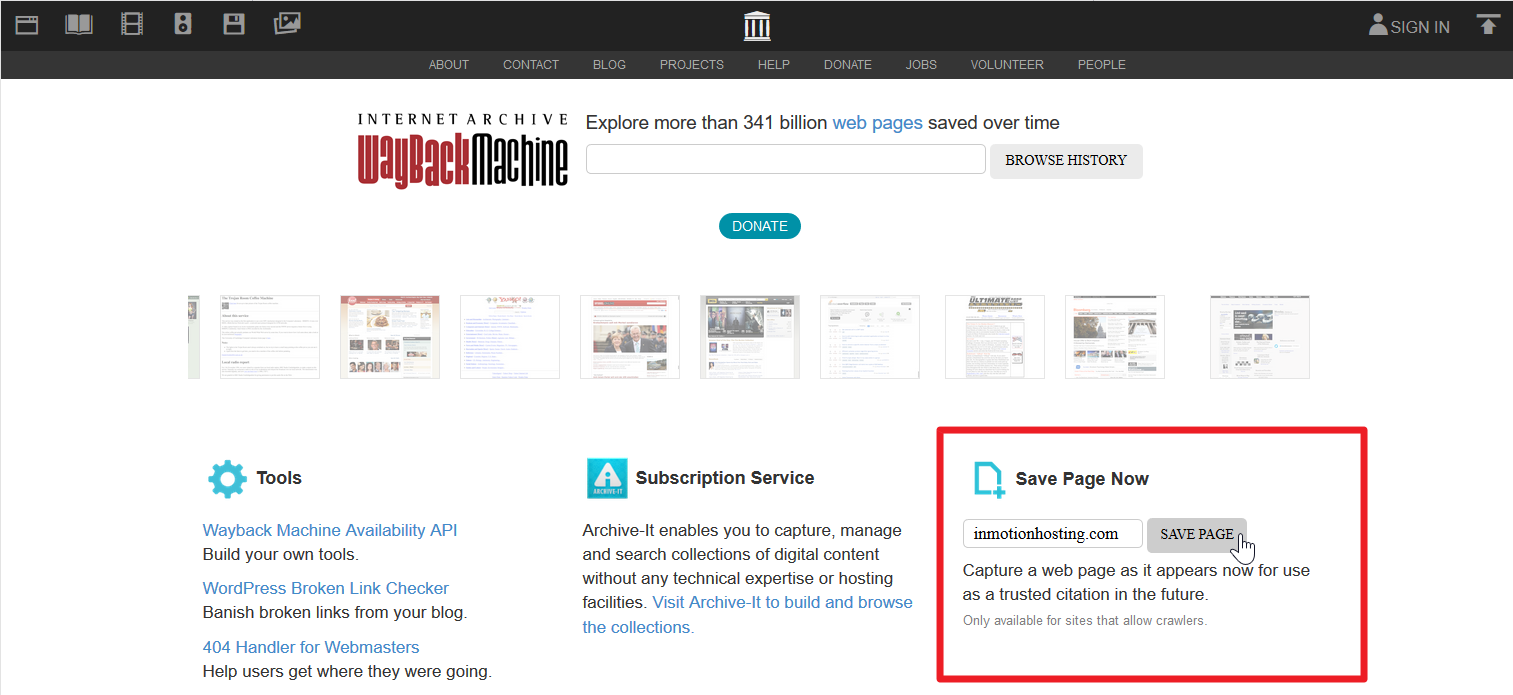
Archive Your Website with WayBack Machine Updated on November 19, 2021 by InMotion Hosting Contributor 0 Minutes, 33 Seconds to Read Archive.org is a website from The Internet Archive that crawls and archives digital content since 1996. Jetpack does this in WordPress automatically. However, below we cover how to manually archive a single webpage with the WayBack Machine. Archive Your Website Visit https://Web.Archive.org. Type in the specific webpage URL and press Save Page. Once complete, you’ll be redirected to a page showing the archived webpage. At the top is a horizontal banner where you can view previous captures with dates. Below is a screenshot of InMotionHosting.com from October 2006. Now, next time you need to restore a hacked website, you’ll have another backup source that doesn’t require you to login cPanel. Share this Article InMotion Hosting Contributor Content Writer InMotion Hosting contributors are highly knowledgeable individuals who create relevant content on new trends and troubleshooting techniques to help you achieve your online goals! More Articles by InMotion Hosting Related Articles Intro to Migrating your WordPress Site Data Migrating your WordPress Database Migrating WordPress Files Configuring WordPress After a Migration Testing your WordPress website after Migration How to Move WordPress from a Subfolder to the Root Directory What to expect during a mass server migration Move Your WordPress Site to a New Server Moving Websites Built with Older Technology into WordPress How to Export Your WordPress Sites