
InMotion Central makes it easy to upgrade or downgrade your UltraStack VPS as your budget and performance needs change. When you upgrade or downgrade your server tier, it will change all of your server’s resources including Disk Space, RAM, vCPU Cores, and Bandwidth. However, you cannot currently change your subscription length (monthly or yearly) with this tool.
How to Resize Your Server
- Log into InMotion Central.
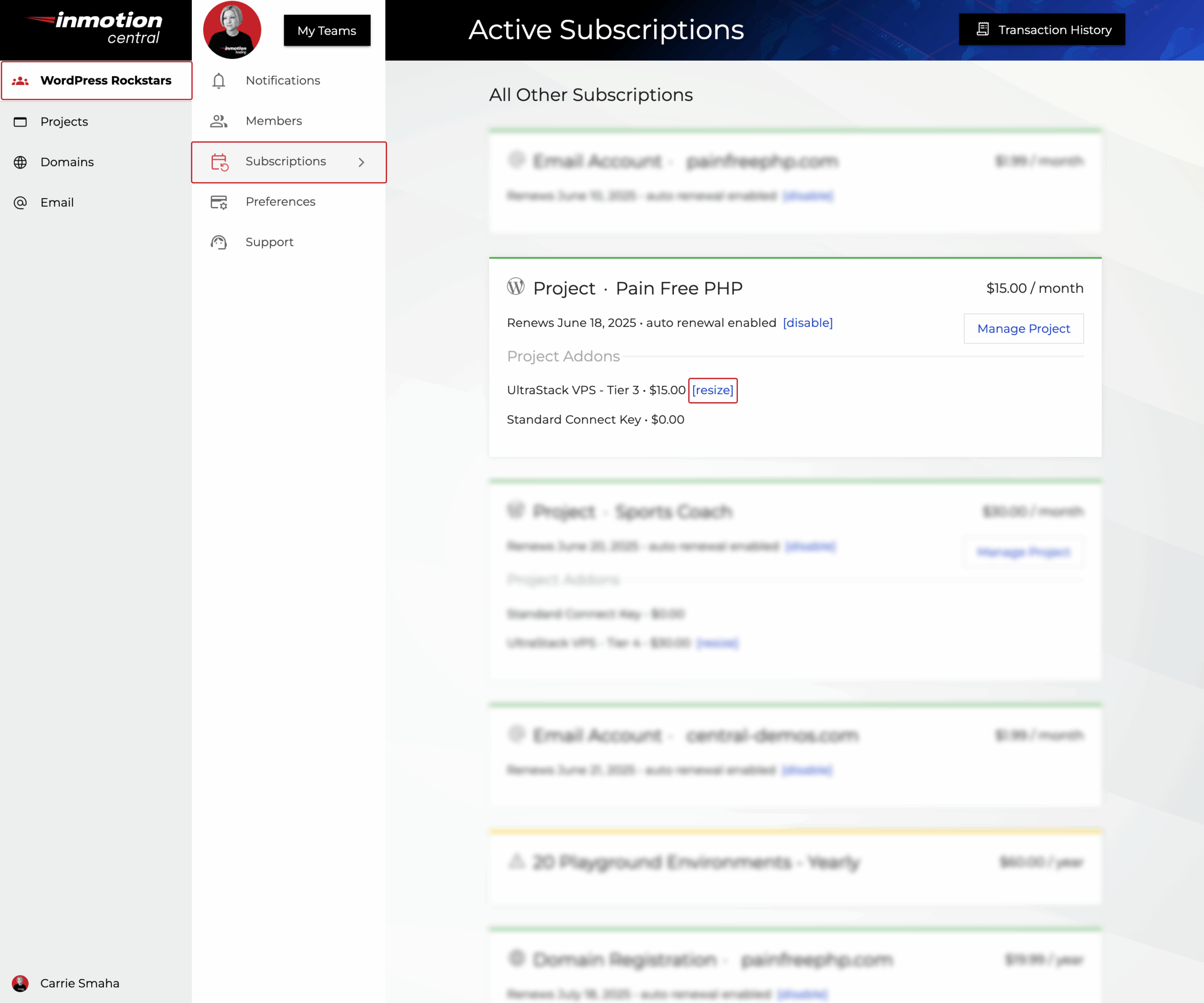
- In the top left-hand menu, navigate to the Team Name where your website Project is located.
- From the Team page, click on Subscriptions.
- Locate the Project you’d like to upgrade or downgrade server resources for, and click Resize next to your current Tier.
- Use the slider to select the new Performance Tier you need for your server. You will be able to compare your current server’s resources to the new selection.
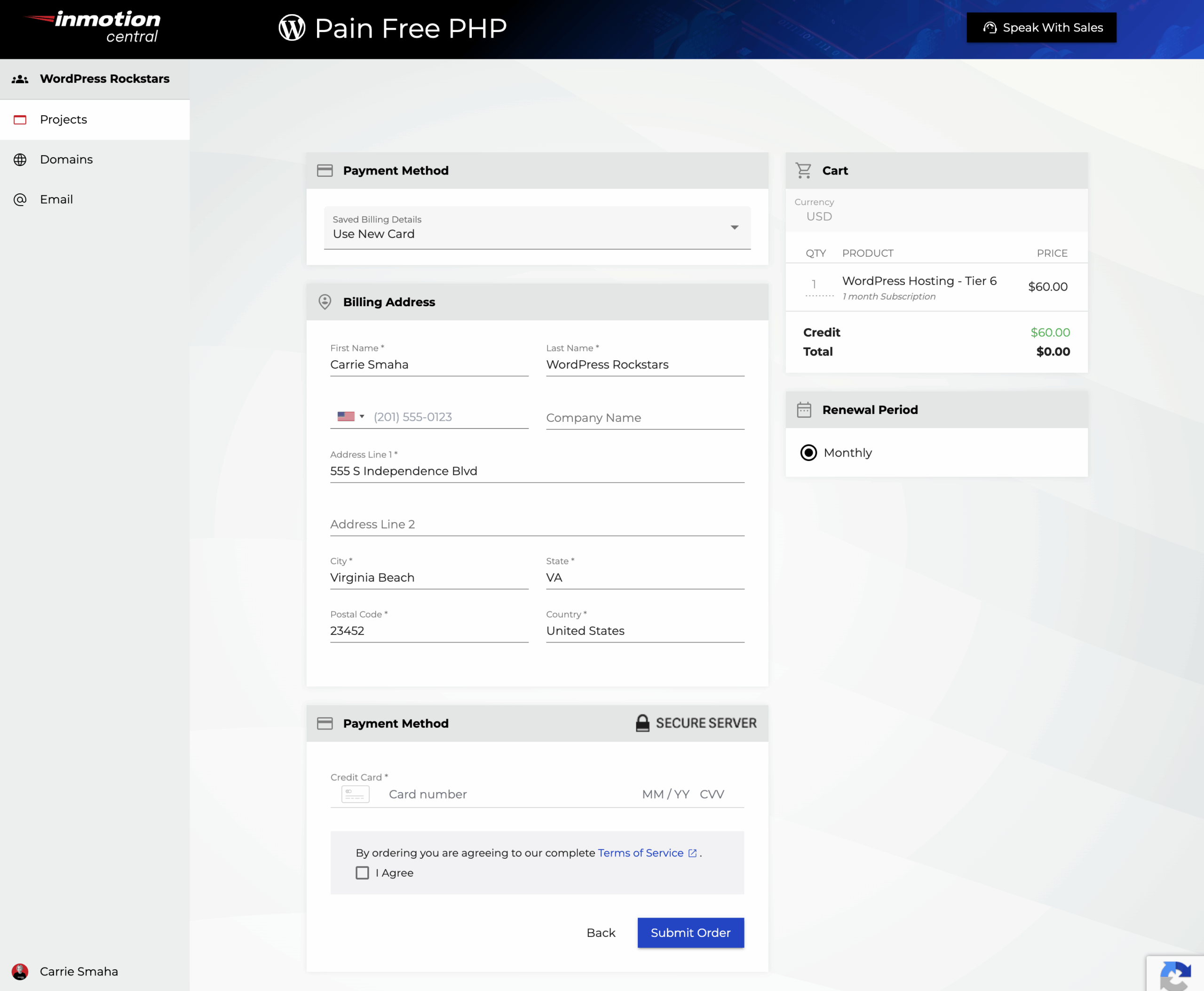
Click Next to proceed to the Payment screen.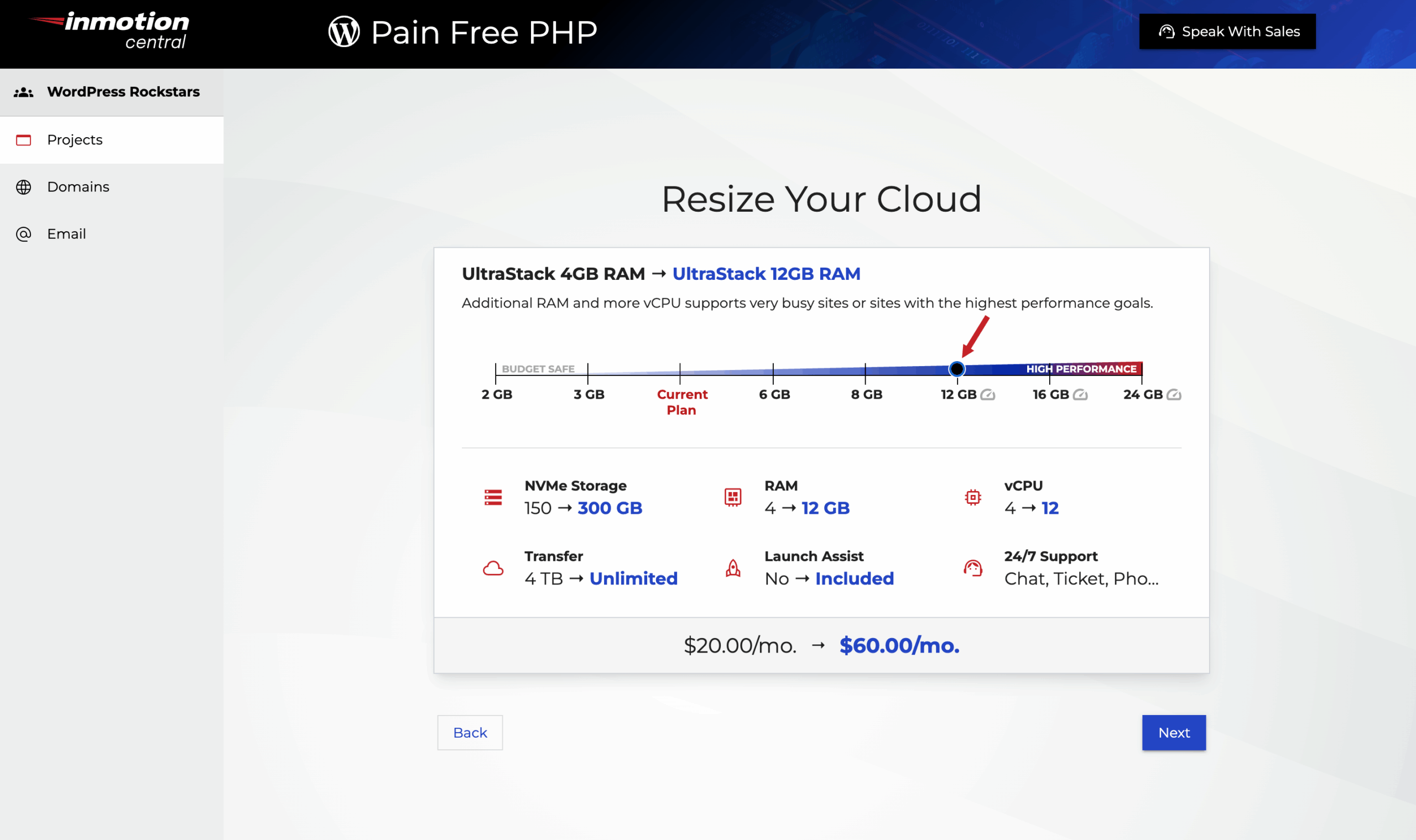 Note: If you are changing to a lower tier, you will only be able to proceed if your server is not using more disk space than the Tier you’ve chosen.
 - Finalize your server changes by entering your payment information and using the Submit Order button to complete the process.
How is my Billing Affected by Upgrading or Downgrading my Server?
For your initial purchase, you’ll be charged or credited a pro-rated amount based on your renewal schedule. At your next renewal, you’ll be charged the regular amount for your Performance Tier.
Congratulations! You now know how to upgrade or downgrade your UltraStack ONE VPS to meet your website’s growing needs!