There are times when you may need to view or change your email account settings in Thunderbird. This is especially helpful if you find yourself troubleshooting an email issue or if you want to view your settings to set up another account. In this tutorial, we will show you how to access and change your settings in Thunderbird. If you are setting up a new account in Thunderbird, please see our article on creating an email account in Thunderbird.
Changing Thunderbird Settings
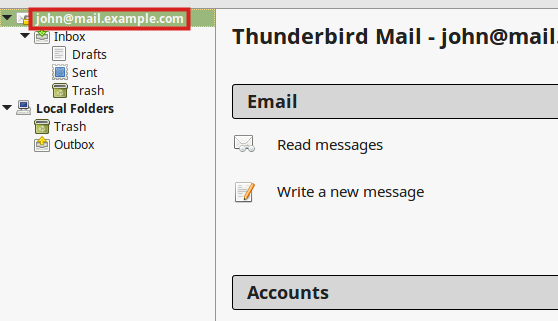
Open Thunderbird and right-click the account you want to access the settings for.
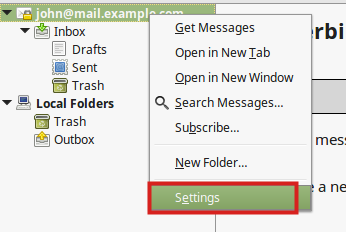
Click the Settings link in the menu.
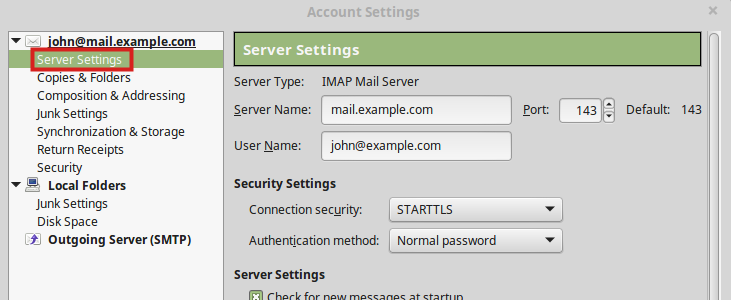
This will bring up the Account Settings window where you can then select the email account and click Server Settings to view or make changes if needed.
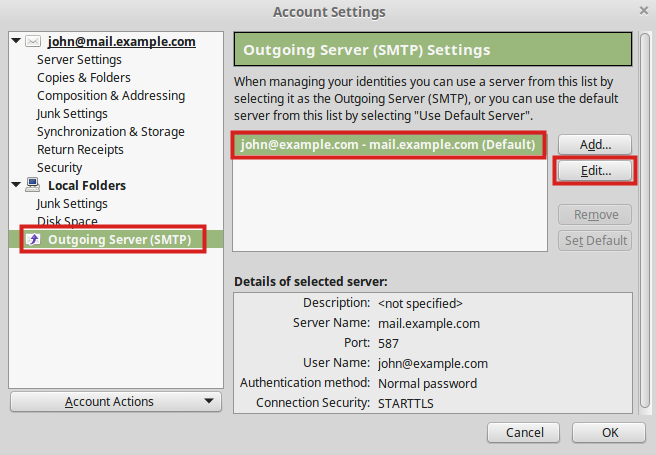
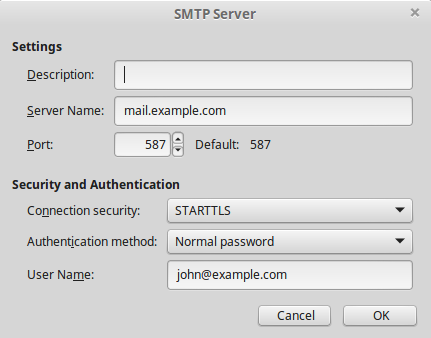
You can modify the SMTP settings by clicking Outgoing Server (SMTP) on the left side of the window, then selecting the account, and clicking the Edit button to bring up the SMTP Server window.
The SMTP Server settings page will look like this:
Congratulations, now you know how to change your email account settings in Thunderbird!