
You can change the primary domain in cPanel via the Account Management Panel (AMP). You should register your new domain name before switching your primary domain to avoid errors.
A Warning Before You Change Your Main Domain in cPanel
cPanel was originally designed assuming that a new primary domain would mean a new site. It’s easy to change your primary domain, but please note that cPanel software only changes the primary domain as listed in certain places in cPanel and not within the site files.
If you have an already existing site using modern site building software like WordPress, changing the primary domain will leave the old site files in place and likely break your site until you troubleshoot and update your WordPress installation.
If you are new to cPanel, you may be surprised by just how much you will need to manually edit. We cover what does and does not automatically change below, but if you’re new to cPanel the breakdown is not intuitive. Take your time, make backups beforehand, and only change your primary domain if you need to.
Your old primary domain’s site files will be in the same place as the new primary domain’s site files will go. If you want to create a new site, you must move or remove those old files.
What Does and Does Not Automatically Change
Before we proceed with instructions on how to have your main domain changed, it is important that you understand what does and doesn’t change. The following items are affected when you change your primary domain: email, website files, subdomains, and your search engine rank.
- Previous Domain Name: The previous main domain name on the account will be removed. If you still needed that previous main domain, you will need to log into your cPanel and add it as either a parked or addon domain name. Once the domain name has been changed, you will log into your cPanel via https://domainB.com/cpanel instead of https://domainA.com/cpanel.
- Subdomains: All of your subdomains.domainA.com will turn into subdomains.domainB.com. For example, sales.domainA.com will now be sales.domainB.com.
- Search Engine Rank: If you are changing your website’s domain name, keep in mind that this could affect your rank in search engines. Google recommends that you set up a 301 redirect — especially when keeping the old domain, which lets search engines know the website is permanently moving.
- Email: All of the email accounts created for domainA.com will turn into domainB.com accounts. [email protected] will now be [email protected]. If you still needed [email protected] then you will need to add domainA.com to your cPanel again as either a parked or addon domain name and recreate the email account.
If you have a parked domain that shares email usernames with your primary domain, changing your primary domain to that parked domain can cause errors and incorrect email transfer. Remove the extra email accounts and parked domain from cPanel first to avoid any errors. If you need to preserve the email in those accounts, transfer the emails to another address first.
What About WordPress and Other Software?
If you are using a content management system or other website software (e.g. WordPress) Please be aware that simply changing the main domain may only be the start of configurations you need to change. Please make sure that you double-check your software’s documentation on changing the domain name. For WordPress, here is our guide on changing the site URL and home settings.
Can I Remove the Primary Domain in cPanel?
cPanel requires a primary domain to function. You don’t have to actually use the primary domain, but something has to exist as the primary domain for cPanel to work. If you need to use a placeholder domain, simply put a random phrase, random numbers, or a domain you do not own. You can still login to your account using your server’s hostname or another domain name, and can even work on your site in browser if you use a hosts file modification.
How to Change the Primary Domain in cPanel
Shared Hosting Accounts
If you have a Shared account, you can change the main domain name on your account through AMP:
- Log into AMP.
- Click the Change Primary Domain icon.

- The following page will explain everything that will be affected. You can continue at the bottom if you agree to the terms. Any current addon domains will be listed in the dropdown box. Select the addon domain you’d like to change your primary domain to, or choose “Enter Domain Name“ to type in a domain that’s not listed in the menu.
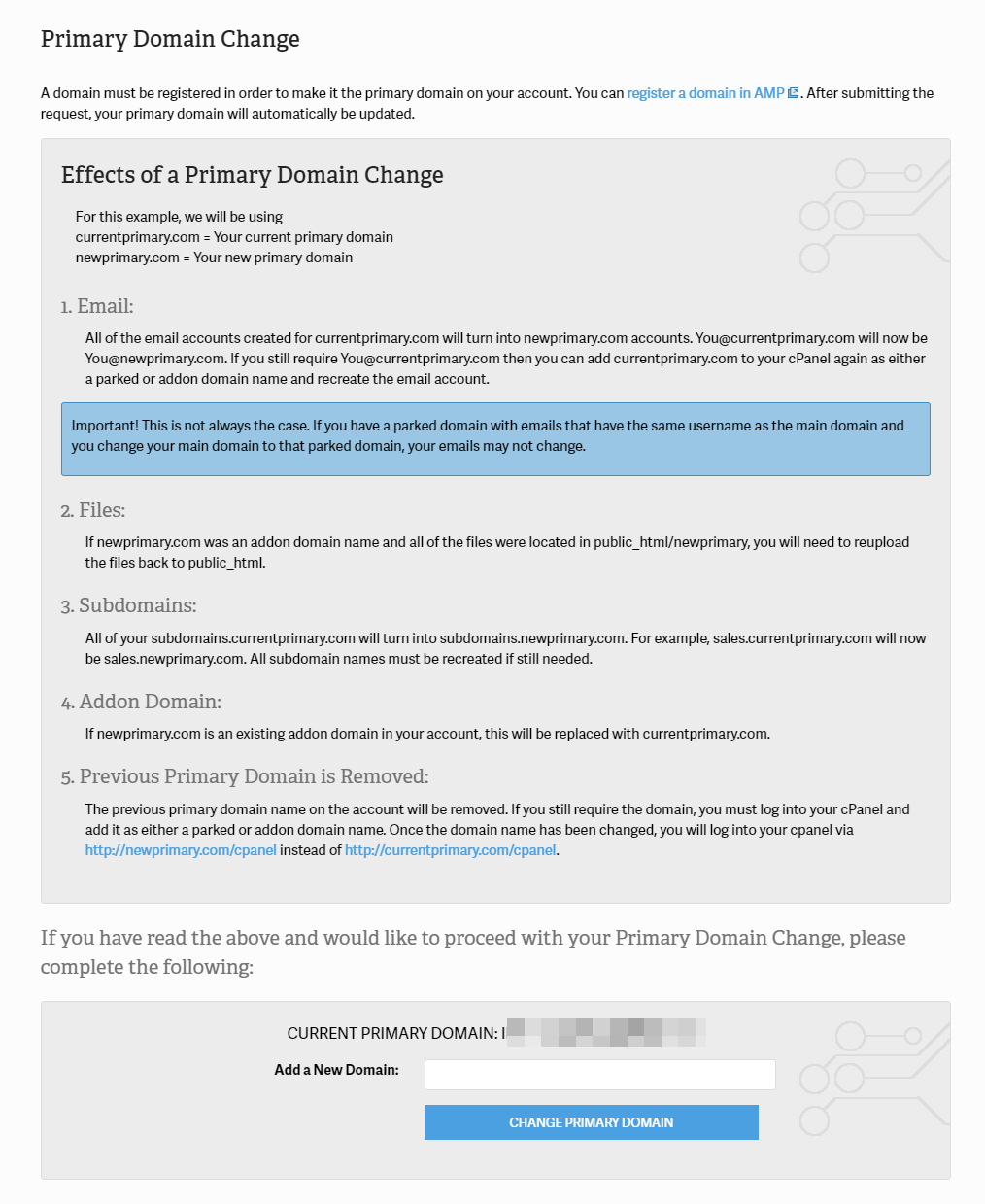
- Click “Change Primary Domain” once you’re done.
- You will see a confirmation in your AMP panel like “Your primary domain has been changed to your-new-domain.com“.
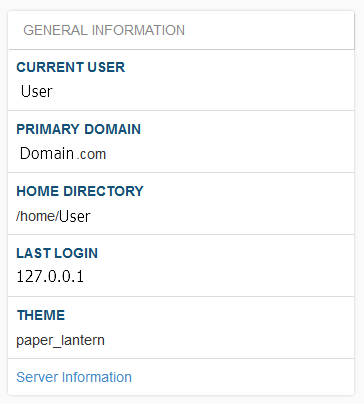
- You can then log into your cPanel to see the new domain in your cPanel stats.
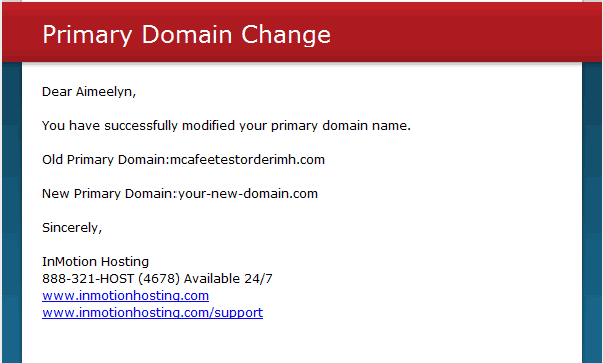
- You will also receive an email at your email account on file with a confirmation of the Primary Domain change.
Use WHM to Change Primary Domain
If you have a VPS or Dedicated Server hosting account, you can also change a cPanel account’s primary domain from within WHM.
- Log into WHM.
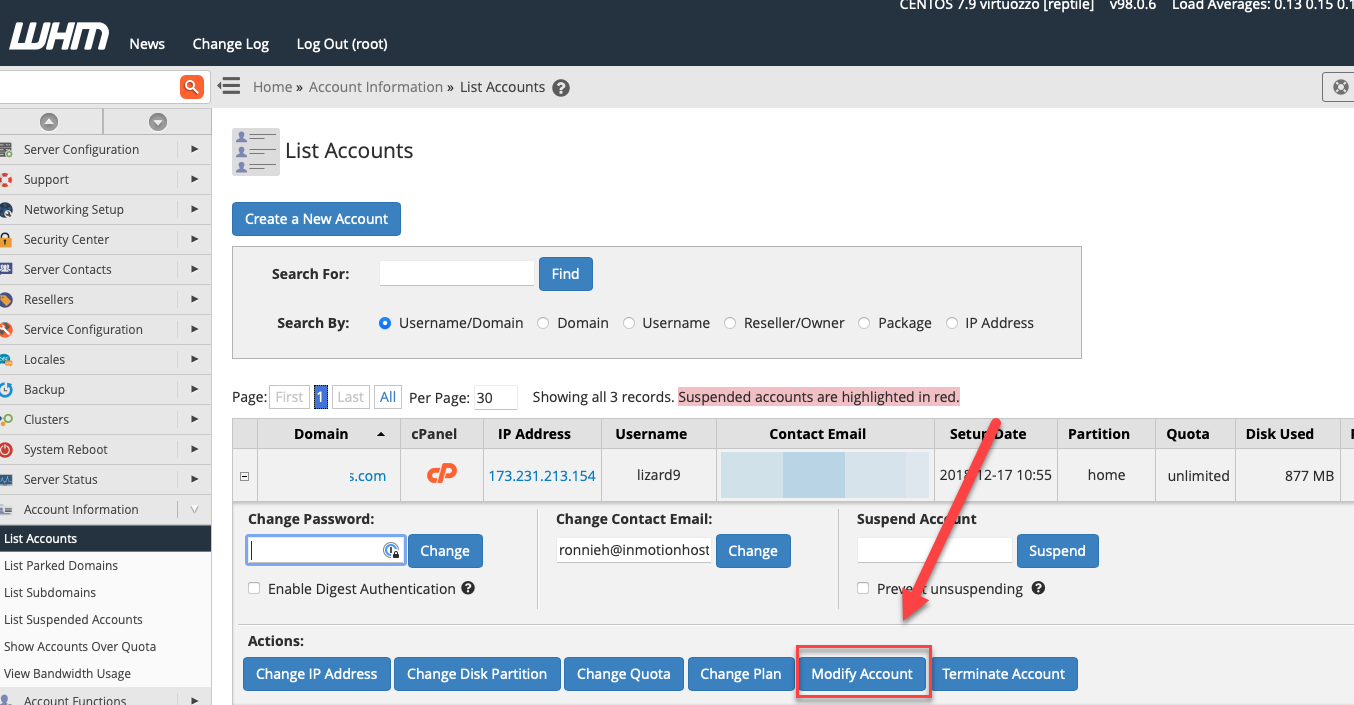
- Click on List Accounts.
- Click the plus sign by the account you want to change, then click on the Modify Account button.
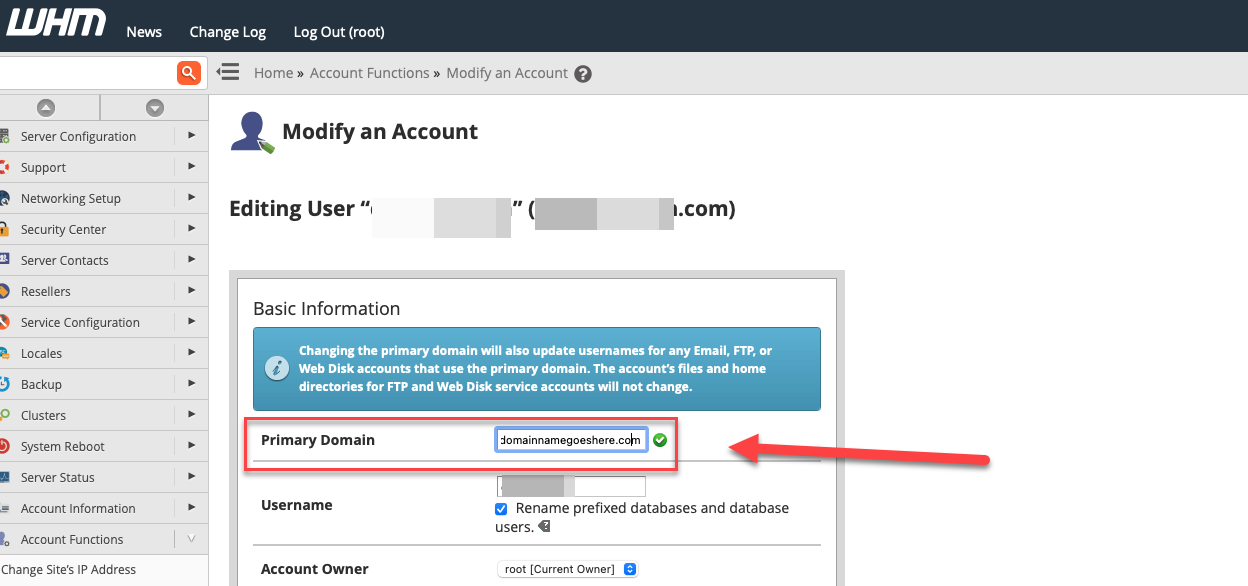
- Type the new Primary Domain in the box marked Primary Domain, then scroll all the way down to click on the Save button at the bottom of the page.
Reliable Shared Hosting for Growing Businesses
Get the performance your business website demands with NVMe SSD storage, industry-standard cPanel management, and direct access to hosting experts whenever you need assistance.
 Free Website Migration 24/7 Human Support 100% Money-Back Guarantee