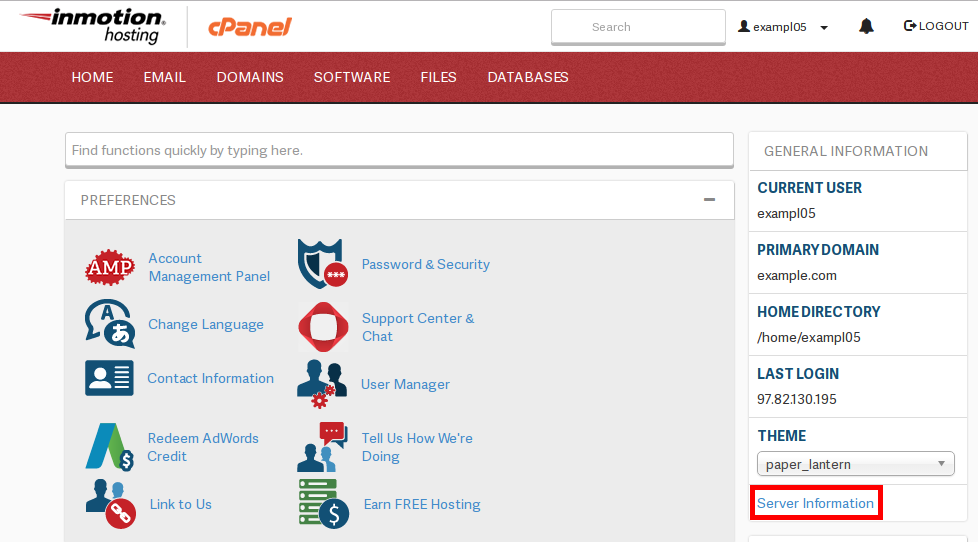
What Version of ______ am I Running? Carrie SmahaUpdated on January 2, 2020 1 Minute Read Our support department receives a large amount of contacts concerning verisons of Apache, MySQL, and PHP that are running on the servers. We have many different configurations so the server you’re on can have different combinations of versions. Finding out the information is quite easy. The first step is to log into your site’s cPanel and click on “Server Information” to the right-hand side of the screen: Once the Server Information page has loaded, the various details will be listed, as pictured below: Share this Article Carrie Smaha Senior Manager Marketing Operations Carrie Smaha is a Senior Marketing Operations leader with over 20 years of experience in digital strategy, web development, and IT project management. She specializes in go-to-market programs and SaaS solutions for WordPress and VPS Hosting, working closely with technical teams and customers to deliver high-performance, scalable platforms. At InMotion Hosting, she drives product marketing initiatives that blend strategic insight with technical depth. More Articles by Carrie Related Articles Intro to Migrating your WordPress Site Data Migrating your WordPress Database Migrating WordPress Files Configuring WordPress After a Migration Testing your WordPress website after Migration How to Move WordPress from a Subfolder to the Root Directory What to expect during a mass server migration Move Your WordPress Site to a New Server Moving Websites Built with Older Technology into WordPress How to Export Your WordPress Sites