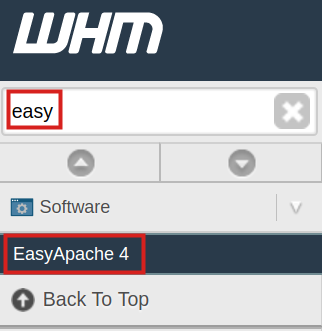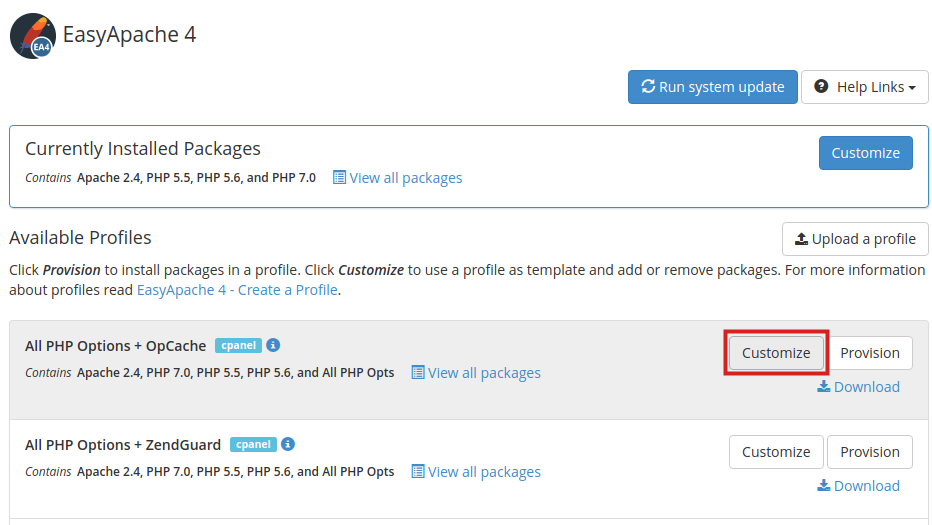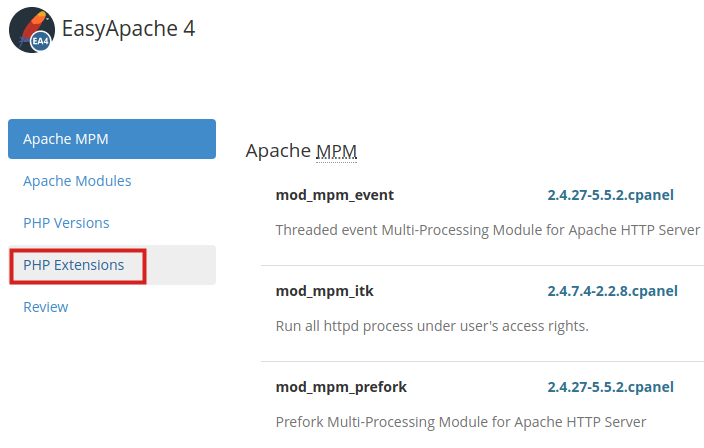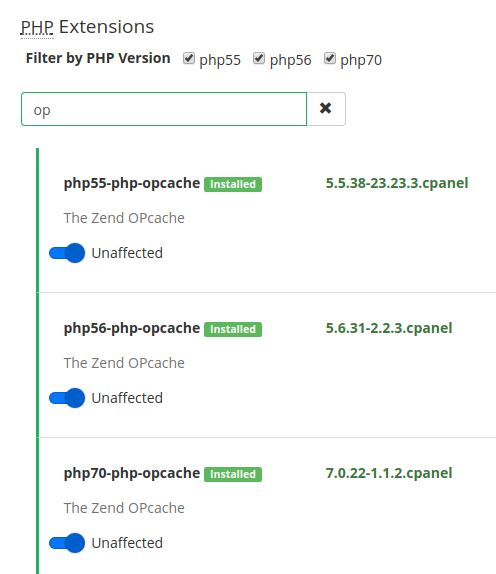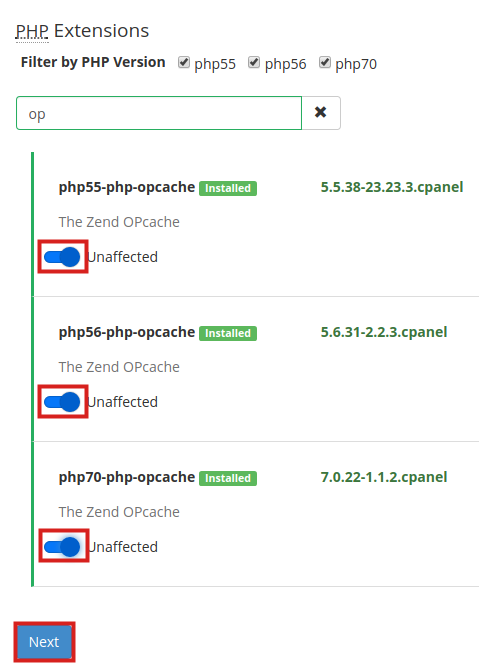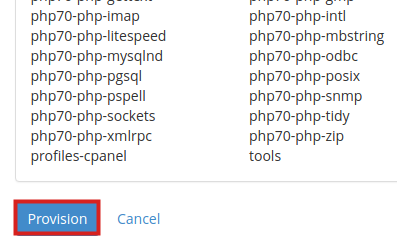
How to Remove OpCache from your Server InMotion Hosting ContributorUpdated on March 11, 2025 1 Minute Read In this tutorial we will show you how to remove OpCache from your your cPanel server. OpCache can easily be removed from your server via WHM using EasyApache 4 (EA4). **Note: This procedure requires “root” access, which you can get in a VPS hosting environment. If you need assistance making changes to your server, we offer professional Managed Hosting services. Removing OpCache Log into WHM as the ‘root’ user. Type ‘easy’ in the search field, then click the EasyApache 4 link in the Software section. You will see the All PHP Options + OpCache option listed, click the Customize button. You will then see a message stating “Loading packages …” This may take several minutes. On the next page, click the PHP Extensions link. In the search box, type ‘op’ and you will see the versions of OpCache installed. Flip the slider for each version of OpCache, then click the Next button. You will then be on a Review page. Scroll to the bottom and click the Provision button to remove OpCache from your server. Congratulations, now you know how to remove OpCache from your VPS or Dedicated server! We also have a helpful guide on how to install OpCache on your server. Summarize and Research with AIShare on Social Media InMotion Hosting Contributor Content Writer InMotion Hosting contributors are highly knowledgeable individuals who create relevant content on new trends and troubleshooting techniques to help you achieve your online goals! More Articles by InMotion Hosting Related Articles SSL Certificate Lifetimes Shrink to 47 Days by 2029 Installing SSLs and Generating CSRs in cPanel How to Upload Large Files Without FTP Timeouts eCommerce – Setup your Merchant Account Gateway How to Zip and Unzip Files on Windows 11 and Windows 10 How to Transfer and Backup Website Files with Rsync .htaccess File Reference List: Rules, Fixes, and Uses How to Force a File Download With .htaccess Redirecting Visitors to an Under Construction Page How to Force www and non-www on Your Domain with .htaccess