To set up your TikiWiki site to allow different languages, you will need to follow quite a few steps. The language functionality in TikiWiki is set within the administrator section. You do not need to edit any code in TikiWiki; however, you need to set Multilingual and install the Multilingual_Wiki profile. The following steps will guide your through the process of setting up multi-language functionality in your TikiWiki.
Steps to enable multi-language
- Log into TikiWiki.
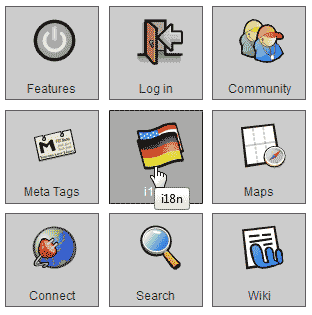
Click the Flag icon labeled i18n.
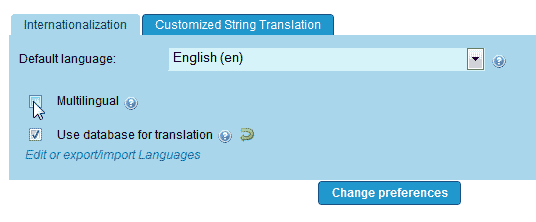
Click the multilingual check box.
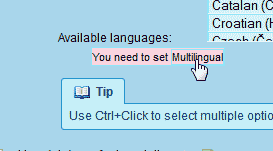
There will be a red warning stating “You need to set Multilingual” under the Available Languages text. Click the Multilingual link in the warning.
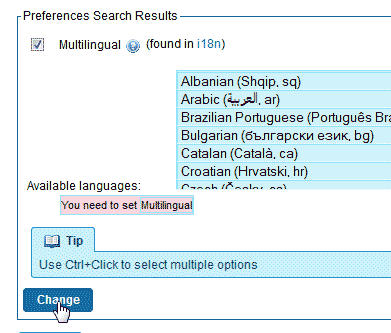
On the Preferences Search Results select the languages you want to have available from the list.
Check the Multilingual check box.
Click Change.
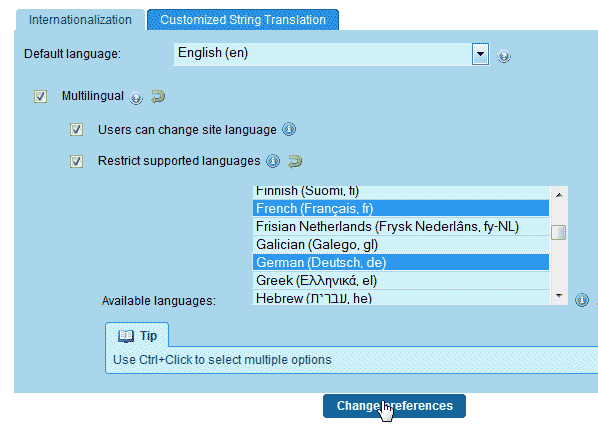
Go back to Admin > i18n. You will see the red warning gone now. Check the Multisite, Users can change site language, and Restrict supported languagescheck boxes.
Select the languages you want available on your TikiWiki.
Click Change Preferences.
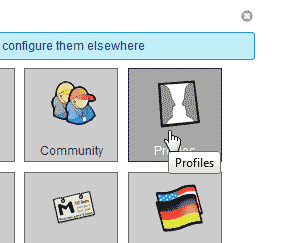
Now that the Multilingual module is enabled, you will need to install the Multilingual_Wiki profile.
Go to Admin > Profiles.
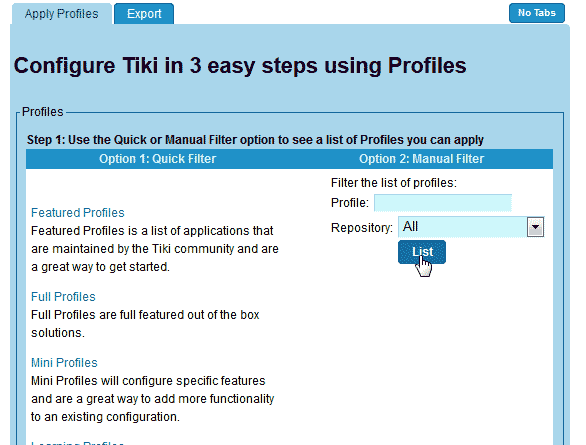
Click the List button.
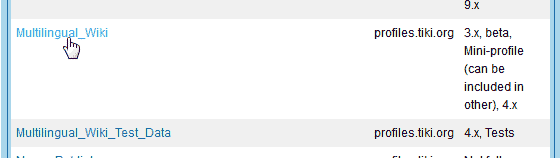
Select the Multilingual_Wiki profile from the list of available profiles.
Scroll towards the bottom and click Apply now.
When the “Are you sure you want to apply the profile Multilingual_Wiki” pop up appears, click Go.
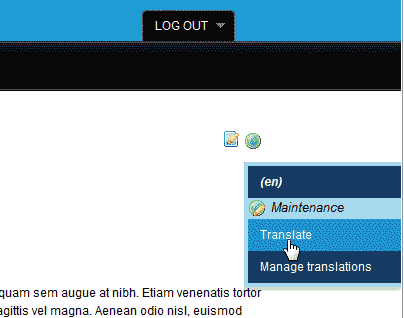
Now when you go to your TikiWiki site you will see the option to translate the page towards the top of the page.

At the bottom of each page there will be a translate option.
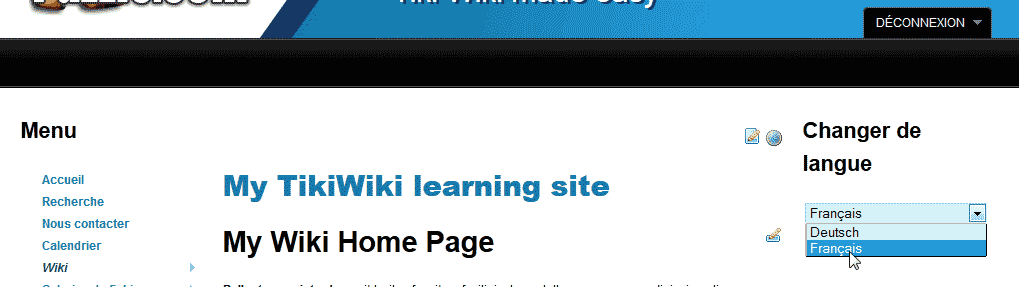
Also, the option for switching the language for the interface will show on the right hand side.
