Users may like to leave comments on your pages in order to express or share their opinions and thoughts with you. At times, they may make mistakes and need or want to edit their comment. This is not enabled by default. You may want to enable it because many users will simply add another comment with their corrected information. This can cause clutter over time. Enabling the ability for users to edit their comments in Drupal 7 can be done by performing the following:
Allowing users to edit their comments in Drupal 7
- Log into your Drupal 7 admin dashboard.
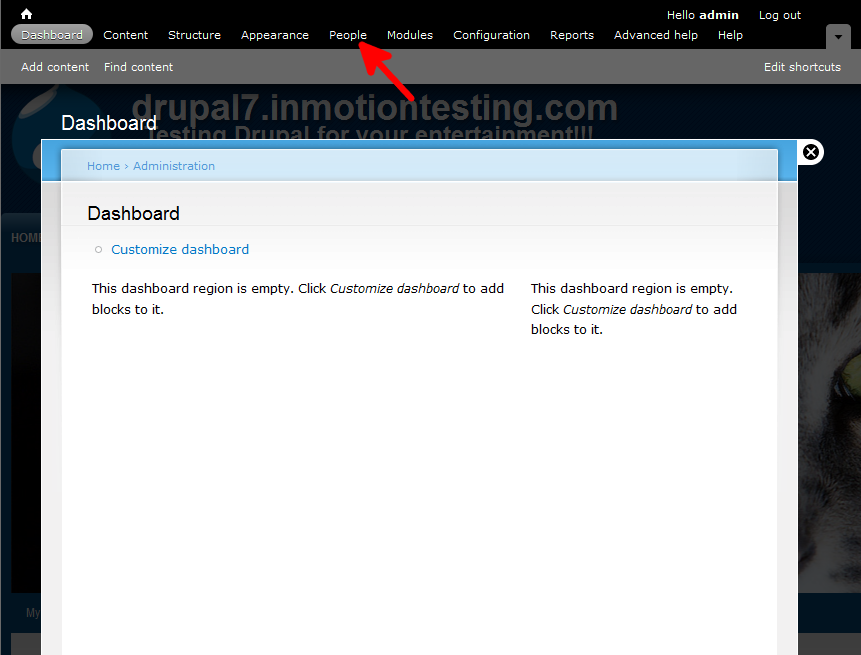
- From the top menu bar, locate the People option and click it
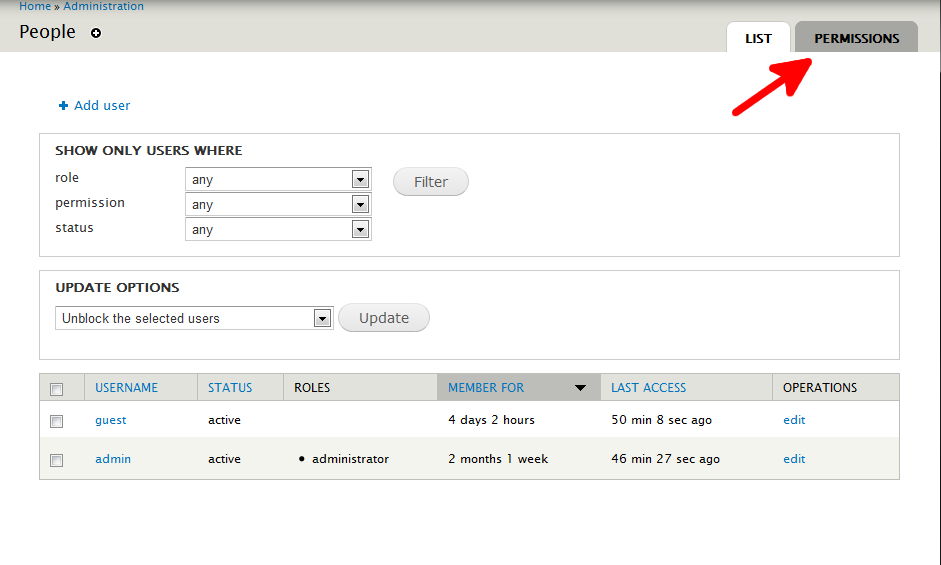
- Next, click on the Permissions tab found in the upper right corner
- From here, locate the Comments section and find the setting labeled Edit Own Comments. Check the box for the roles you want to allow editing. In this example, we will give the permission to all roles.
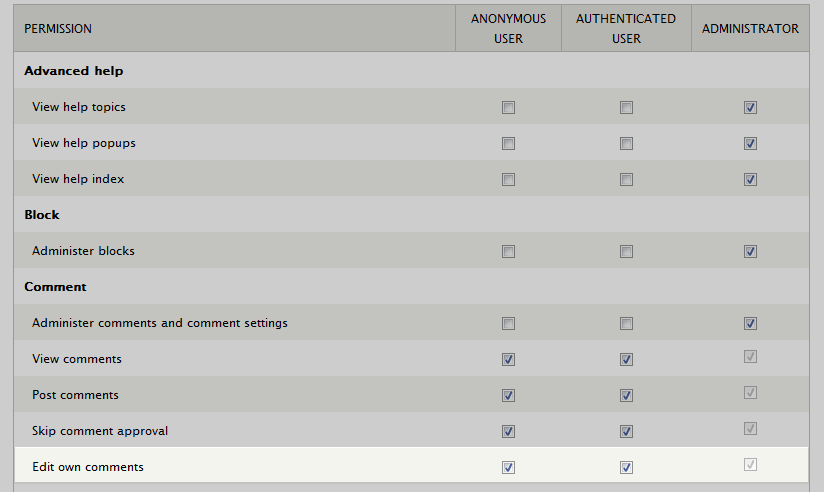
- Once completed, scroll down and select the Save Permissions button at the botto of the page. Now all users will be allowed to edit their comments after posting as you can see in the iamge below.

