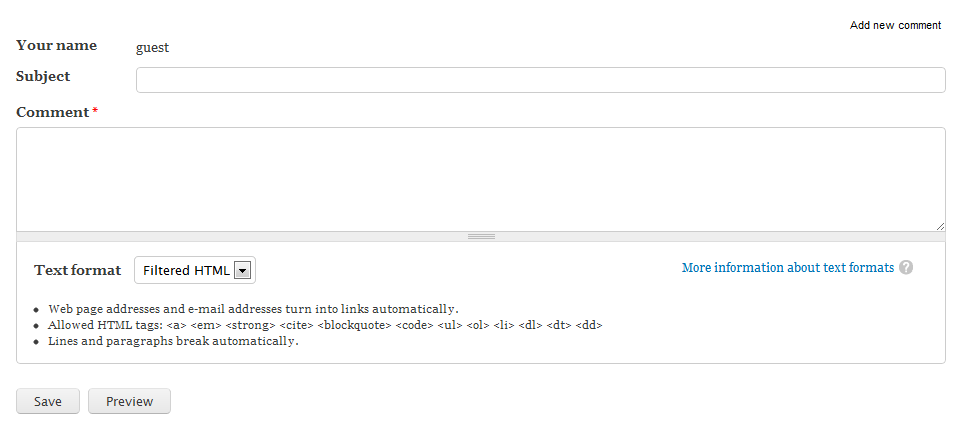
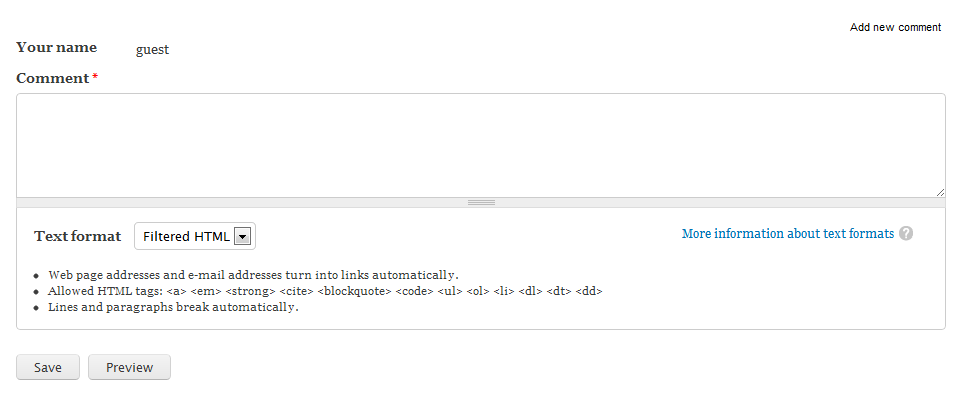
When working with comments, there are several settings you can use to customize the look and feel for your site. One of these is the comment title. Enabled by default, each comment has the ability to have an individual title. If no subject title is filled out it will default to the first 30 characters of the comment. You may want to disable this feature for your comments so that it only uses the default 30 characters. This feature is set for each individual content type, so you can set it so that you have comment titles for Articles, but not Basic Pages if you wish. Disabling the comment title setting for a content type is a very simple procedure and can be done by following the instructions below.
Removing a Comment title in Drupal 7
- Log into your Drupal 7 admin dashboard.
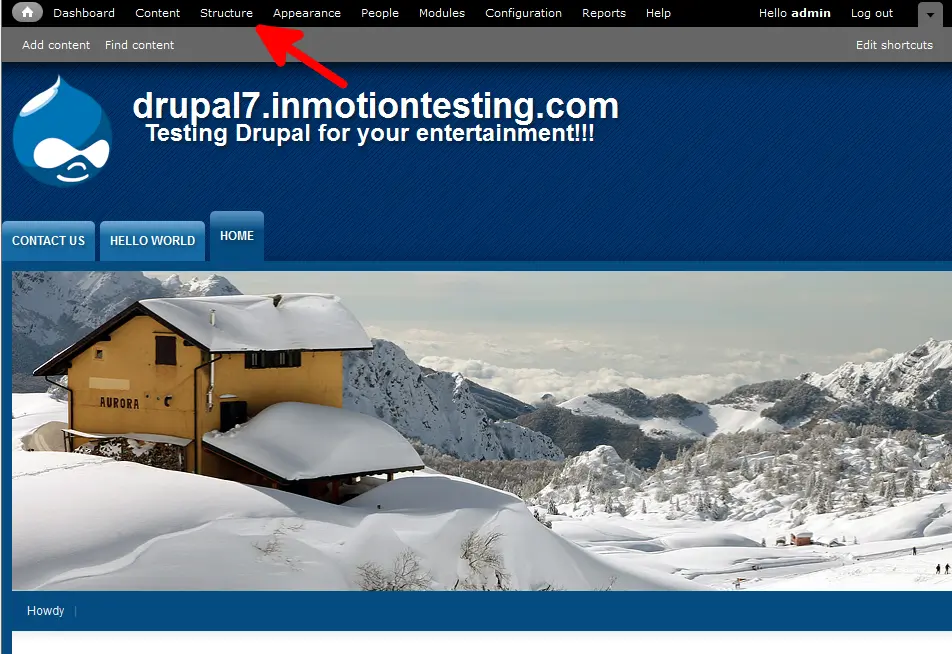
- From the top menu bar, locate the Structure option and click it.
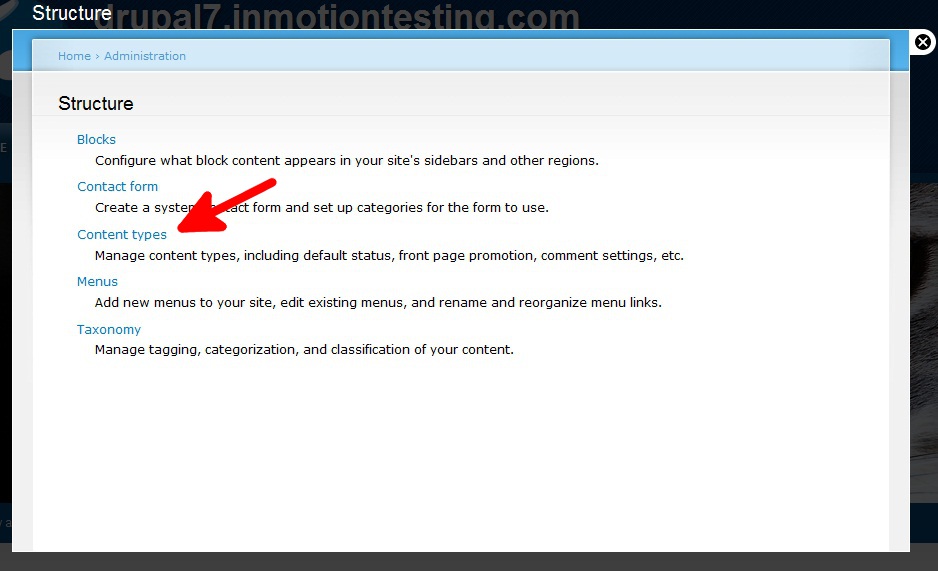
- Click on the Content Type option to move to the next screen.
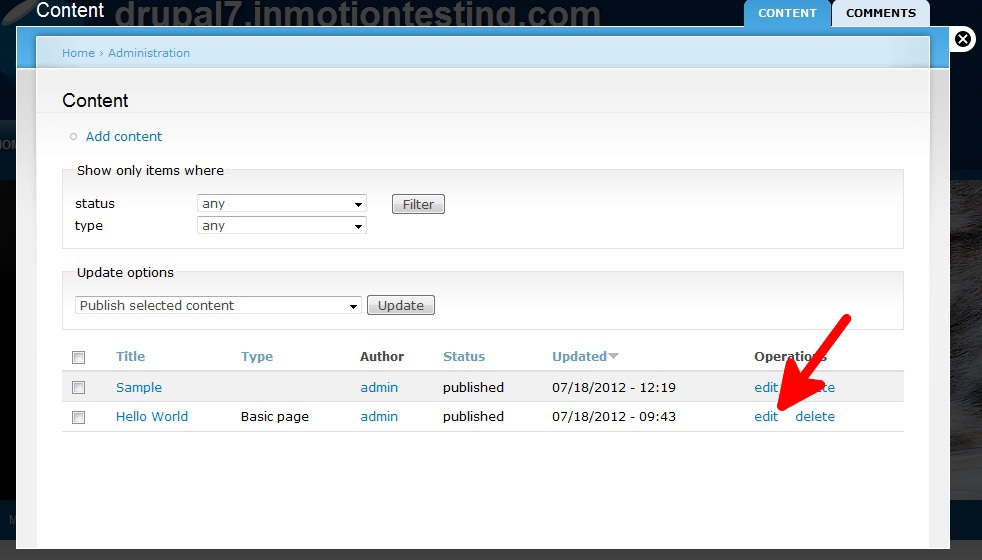
- You are now on the Content Type list screen. Choose the type of content you want to work with and click the Edit link to the right. For this article, we chose to work with the Basic Page content type.
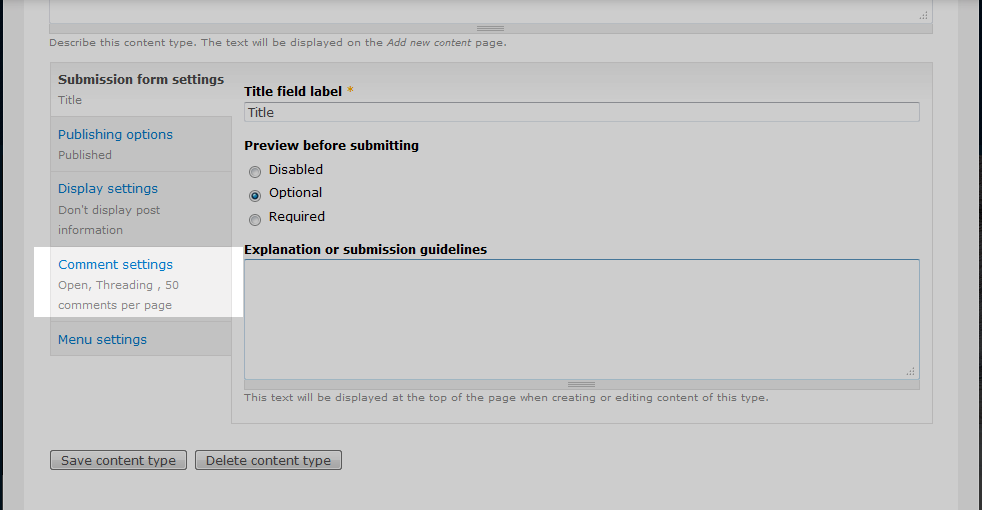
- Now that you are on the Basic Page settings page, scroll to the bottom and click on the Comment Settings, found on the left hand sidebar.
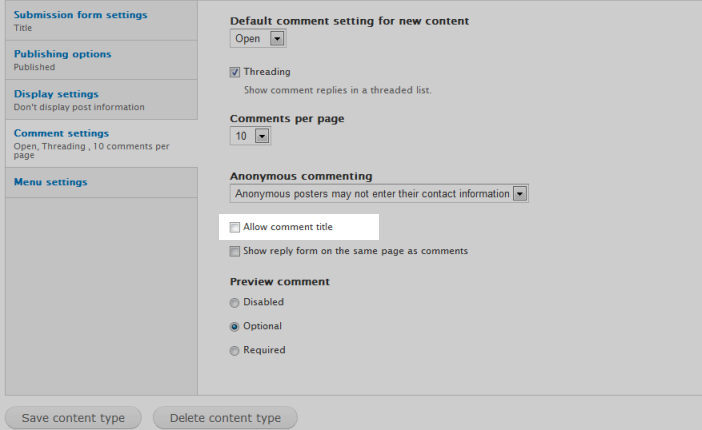
- This is the comment configuration panel. From here, you will see a checkbox labeled Allow Comment Title. Click the checkbox to uncheck the option. This causes the comment title to use the default 30 characters instead of allowing a custom title.
- Click on the Save Content Type button at the bottom to save your changes. Now, when you attempt to make a comment for that content type there is no longer a Subject field. Below shows the difference between the title being enabled and after we disable it.
Before After