When maintaining a domain name, sometimes the domain registrar and domain information needs to be retrieved. To retrieve the information of your domain, you will need to look up the WHOIS information. This can be done several ways. When looking up your WHOIS information , the information provided looks like the following (google.com was used for the WHOIS lookup):
Example of WHOIS Lookup
$whois inmotionhosting.com
[Querying whois.verisign-grs.com] [whois.verisign-grs.com] Domain Name: INMOTIONHOSTING.COM
Registry Domain ID: 61385593_DOMAIN_COM-VRSN
Registrar WHOIS Server: whois.tucows.com
Registrar URL: https://www.tucows.com
Updated Date: 2019-01-17T06:27:19Z
Creation Date: 2001-02-15T05:43:18Z
Registry Expiry Date: 2020-02-15T05:43:18Z
Registrar: Tucows Domains Inc.
Registrar IANA ID: 69
Registrar Abuse Contact Email:
Registrar Abuse Contact Phone:
Domain Status: clientTransferProhibited https://icann.org/epp#clientTransferProhibited
Domain Status: clientUpdateProhibited https://icann.org/epp#clientUpdateProhibited
Name Server: NS.INMOTIONHOSTING.COM
Name Server: NS2.INMOTIONHOSTING.COM
DNSSEC: unsigned
URL of the ICANN Whois Inaccuracy Complaint Form: https://www.icann.org/wicf/
The previous look up is basically how all domains are displayed when you look them up.
What is WHOIS?
The WHOIS (pronounced “Who Is“) of a domain is the publicly displayed information about a domains ownership, billing, technical, administrative, and nameserver information. Running a WHOIS on your domain will look thedomain up at the registrar for the domain information. All domains have WHOIS information.
For domains registered at InMotion, you can view your WHOIS information through your AMP. For information on viewing your domain WHOIS at InMotion please see our article on How to change your domain’s WHOIS information in AMP. The below sections will explain how to look up your WHOIS by using the Linux command line and using domaintools.com.
Lookup WHOIS Through domaintools.com
You can look up the WHOIS information on your domain be visiting the following free link.
https://whois.domaintools.com/
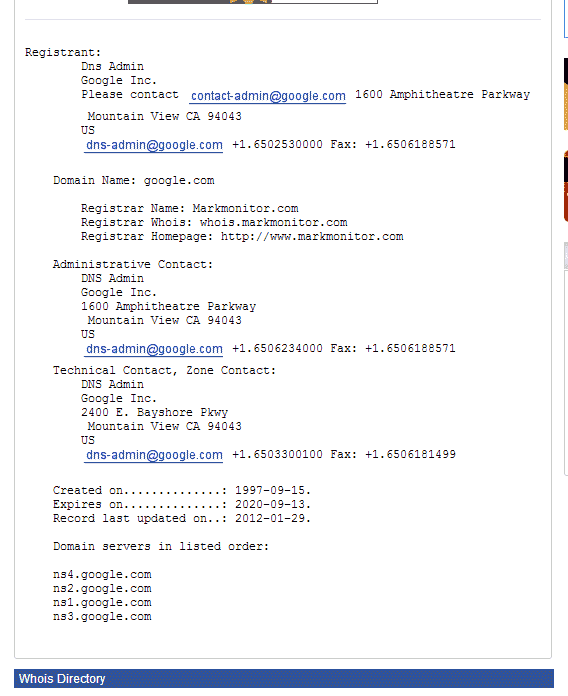
When you search your domain in their search you will have the information display for your domain. Please see the image to the right.
Using the WHOIS Command in the Linux Command Line
- Open up your SSH client.
- On the command prompt, type the following command. (Supplement example.com with the domain you want to look up.)
whois youir-domain.com
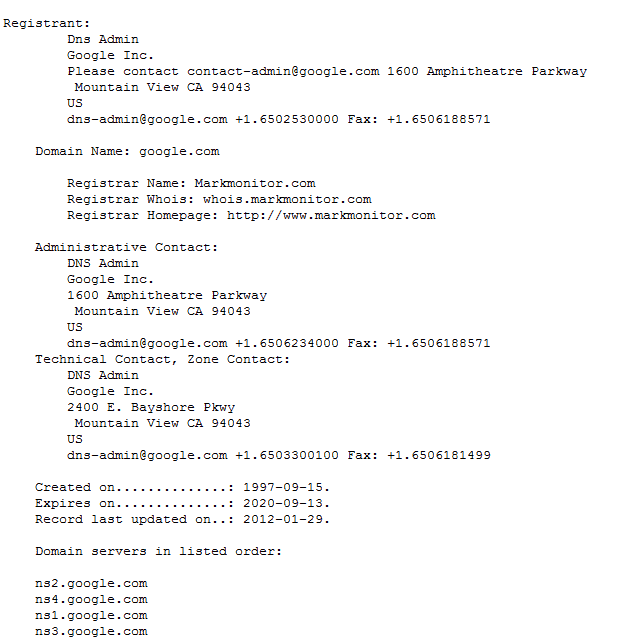
You will see the information about the domain on the screen. Please see the graphic to the right. The WHOIS information should look like the image to the right. (google.com was used in this example)