At times, you may find the need to change the server's time zone settings to reflect your timezone. This can be easily accomplished through WHM. If you're not familiar with WHM please review our VPS/ Dedicated WHM article. 

Please be advised, you must have root access to change the time zone on the server. 

  1. Log into WHM
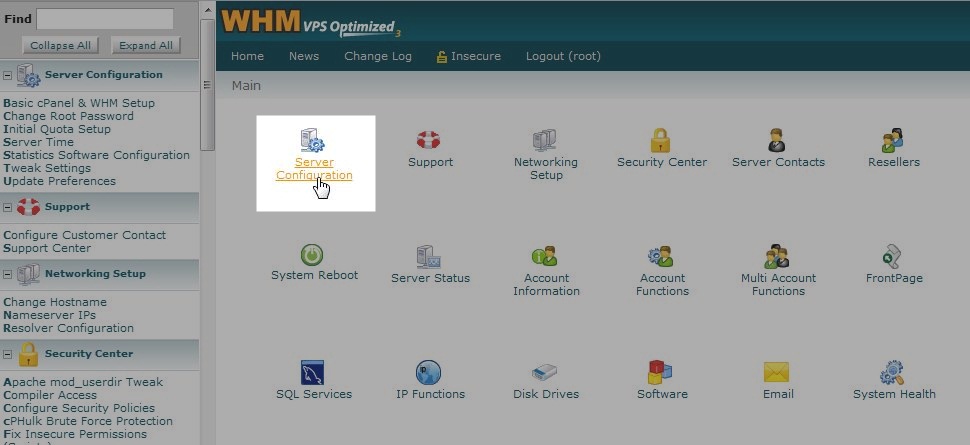
  2. From the Main Screen go to "Server Configuration"
  3. whm_1
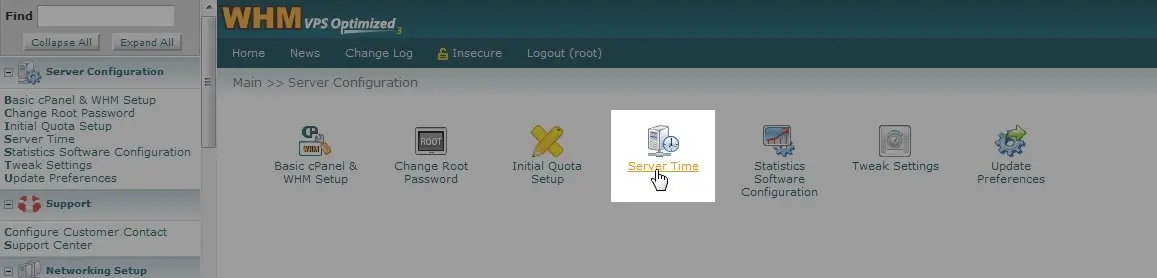
  4. Click on "Server Time"
  5. whm_2
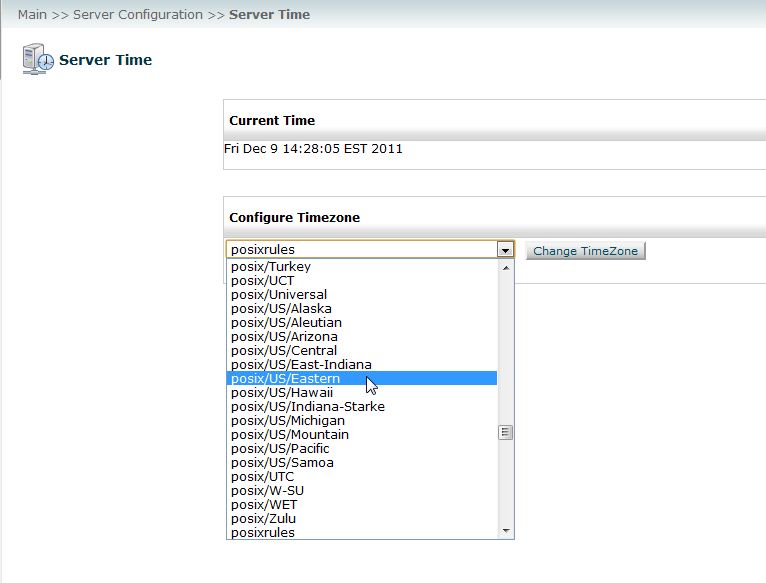
  6. From the dropdown menu, select the time zone you wish to change the server to.
  7. whm_3
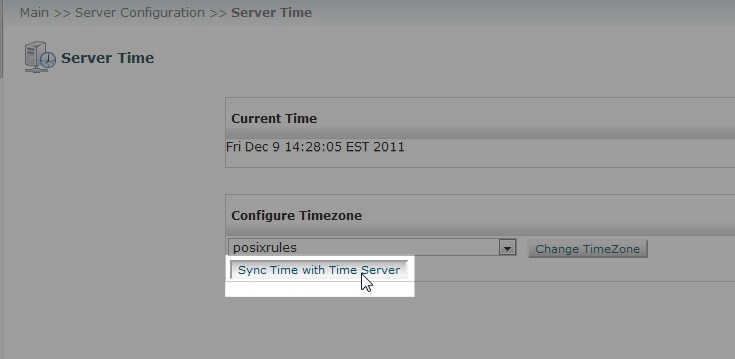
  8. If you have noticed your server time is out of sync you can select the "Sync Time with Time Server" option. If your server is configured correctly this should rarely need to be done. This will resynchronize your server with the Time Server to display the correct time for the time zone you have selected.
  9. whm_4

If you need further assistance please feel free to contact our support department.

Like this Article?

Login to comment.

Your Opinion Matters

... but we need to know what you're thinking!

I'm Tim Sisson, your friendly Community Support technician, and I wrote the article you're looking at now. I like to think it's perfect, but I'm sure you have some suggestions. Please, let me know what they are!

Feedback
Your Email Address
Because we'd like to talk with you!

Need more Help?

Search

Ask the Community!

Get help with your questions from our community of like-minded hosting users and InMotion Hosting Staff.

Current Customers

Chat: Click to Chat Now E-mail: support@InMotionHosting.com
Call: 888-321-HOST (4678) Ticket: Submit a Support Ticket

Not a Customer?

Get web hosting from a company that is here to help. Sign up today!