
WordPress was built with audience engagement in mind. Both posts and pages allow visitors to leave comments, fostering visitor interaction on your website. However, depending on the purpose of your website, you may not want or need site comments.
Because the comment feature is a default functionality of WordPress, toggling it on and off is a simple task. In addition, there are multiple ways you can configure the comment feature — allowing you to disable comments for only a few posts and pages, or globally across the entire website.
Continue reading to learn more about:
- Where Do Comments Live on a Page or Post?
- Considerations for Disabling Comments
- How to Disable Comments
Check out InMotion’s WordPress Hosting solutions for secure, managed, and optimized servers.

Where Do Comments Live on a Page or Post?
When comments are enabled for a post or page, they will typically appear at the bottom of the page. Website visitors will also see a field for adding a new comment, as well as replying to comments already posted. This functionality allows for discussion and engagement on your website.
Comments that are submitted can be viewed and managed via your WordPress dashboard. You can review, approve, and delete comments easily from one location.
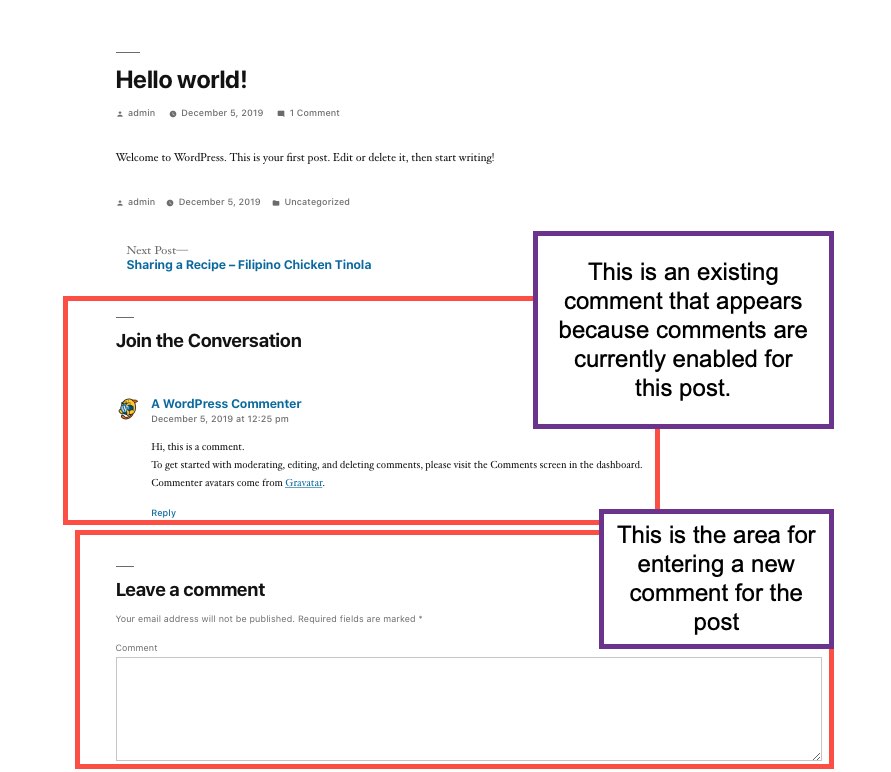
Example of comment on WordPress website. 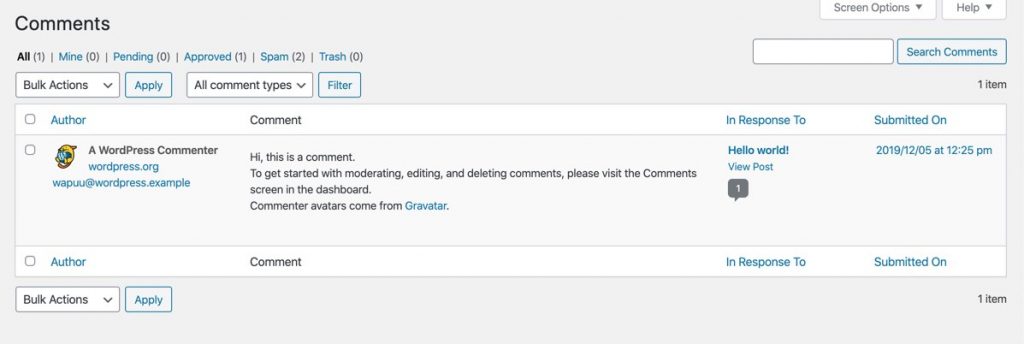
Comments management pane in the WordPress Dashboard
Considerations for Removing Comments
Aside from generally not needing or wanting comments on your website, another main reason most users remove the option is to combat spam. Like email spam, comment spam can cause performance issues and slow down your site.
Even with enabling the option to approve a comment before it’s visible, you still may have hundreds of comments in the queue waiting to be deleted — leading to a major management headache. There are many plugins that combat comment spam, but it may be easier to remove the comment option altogether.
However, comments are also a great way to allow visitors to interact with your website. Consider how disabling your comments will affect your website engagement — especially if your website thrives on audience interaction. For example, how will removing comments affect your visitors and your site engagement?
How to Disable Comments
There are a few ways you can disable comments in WordPress.
For Individual Posts or Pages
For individual posts or pages, you can toggle the option from both the All Posts or All Pages pane, or from within the editor of a respective post. To find either option:
From All Post or All Pages
- Login to your WordPress dashboard.
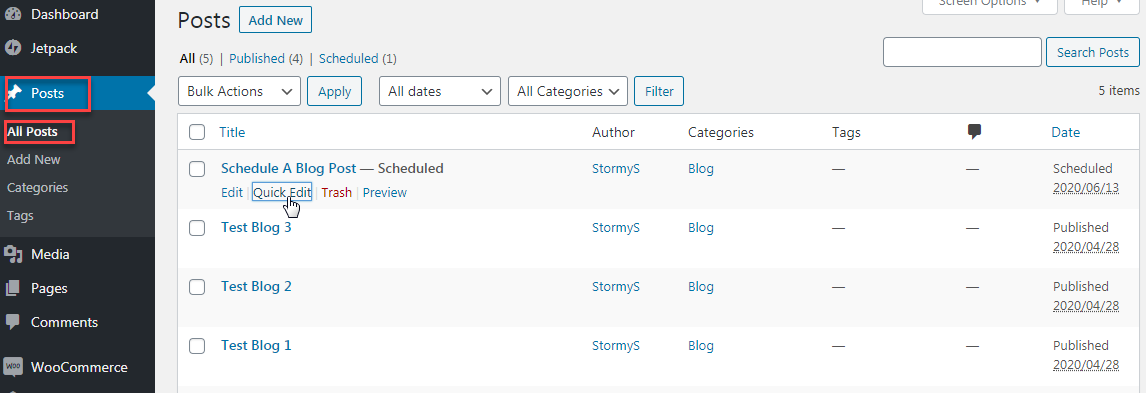
- Navigate to All Posts or All Pages depending where you want to disable the comments.
- Hover over the desired post or page, then click Quick Edit.
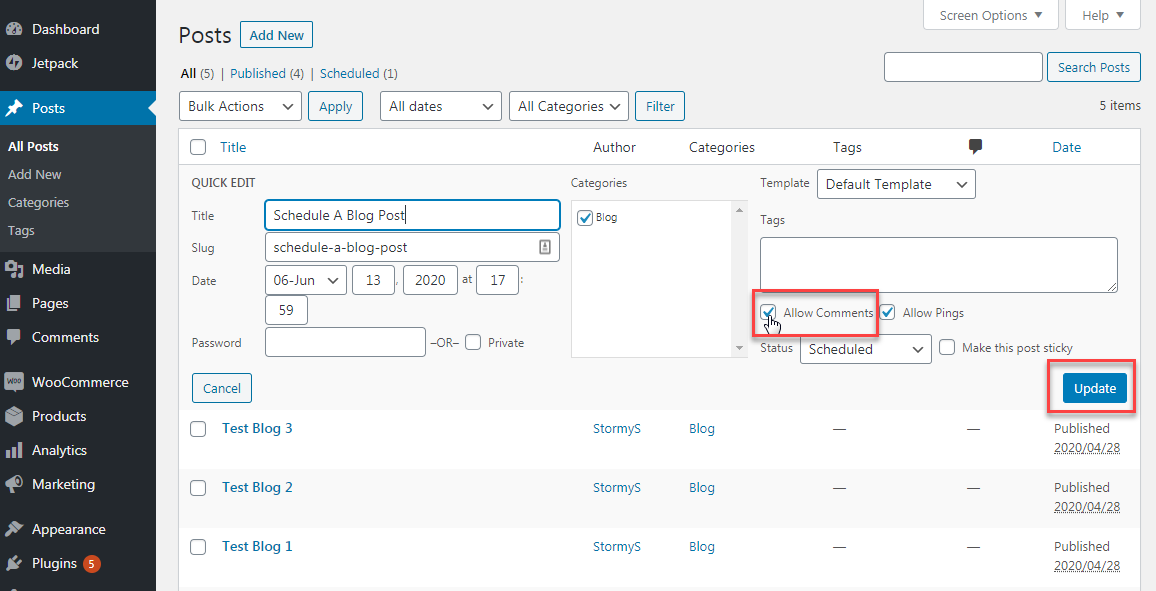
- Uncheck the Allow Comments box and click Update.
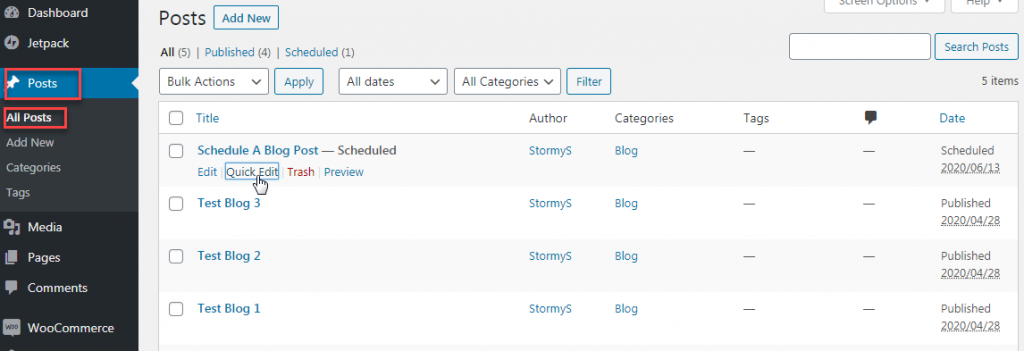
Hover over the desired post or page, then click Quick Edit 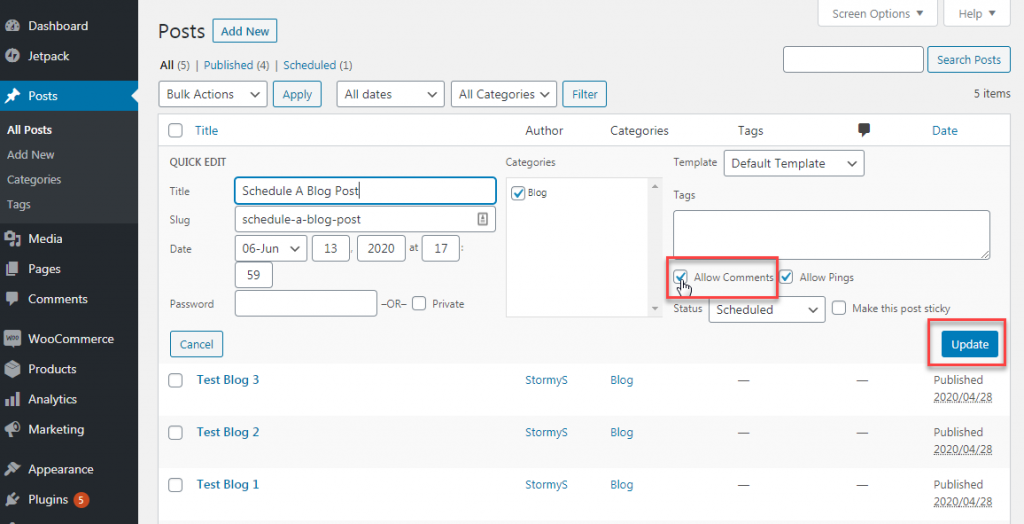
Uncheck the Allow Comments box and click Update
From Post or Page Editor:
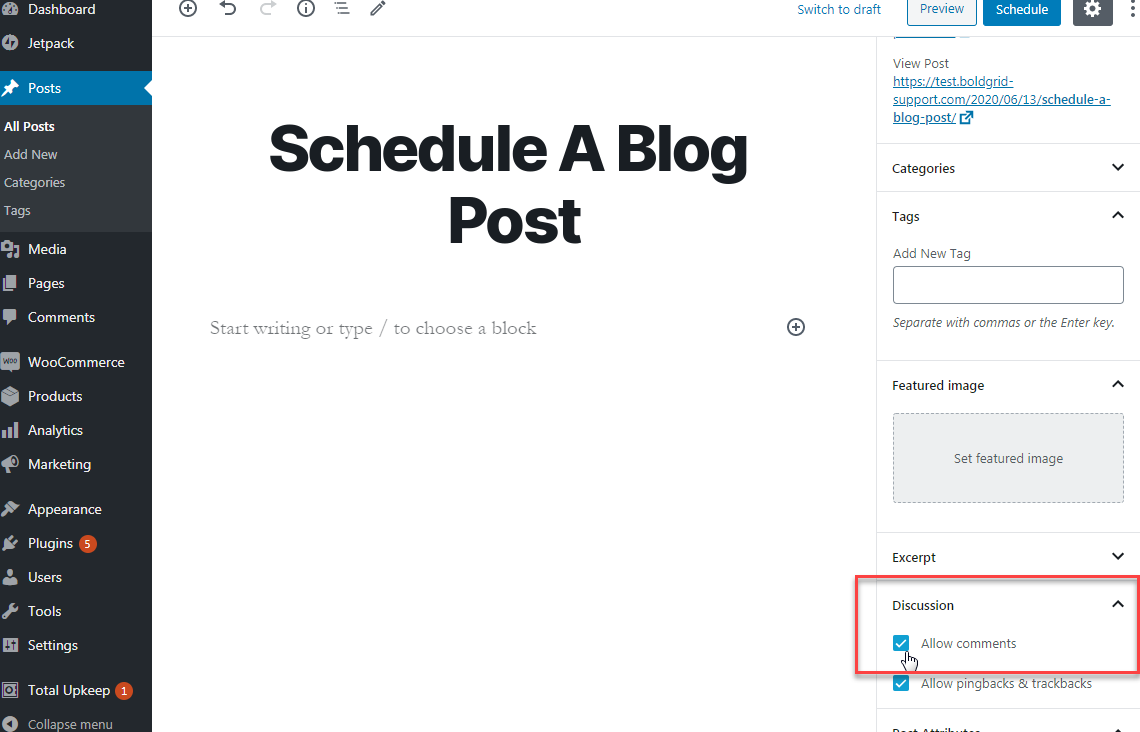
- While in the editor for a post or page, navigate to the Document section in the right-hand sidebar.
- Scroll down to the Discussion area.
- Uncheck the Allow Comments box.
- Click Save Draft, Publish or Update (depending on if the post or page has been published yet) to save the change.
For All Posts
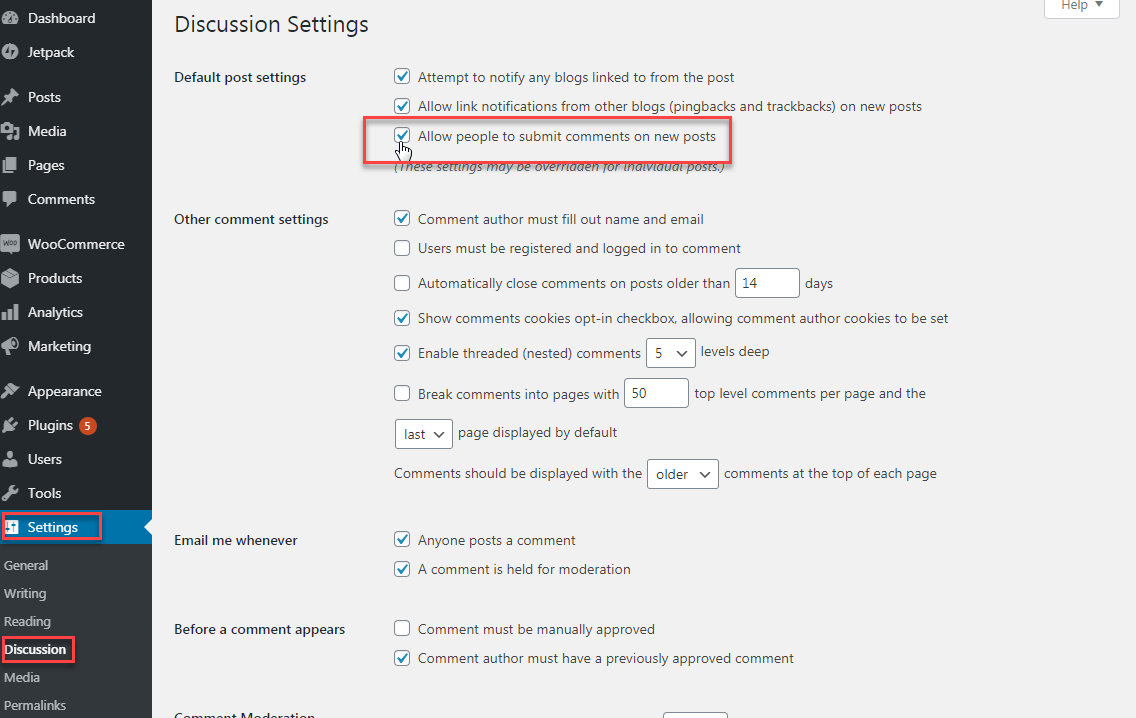
With the newer versions of WordPress, the comment option for pages is disabled by default. However, for posts, if you want to disable comments across the entire site, you will need to take an extra step. To remove comments from all future posts:
- Login to your WordPress dashboard.
- Navigate to Settings > Discussion.
- Uncheck the box next to Allow people to submit comments on new posts.
- Click Save Changes.
After you’ve disabled your comments, check out our WordPress Education Channel for more tips and tricks!
