

When you first install WordPress the Admin dashboard is in English, by default. However, you can easily change the language setting right from your Admin dashboard. Read on to learn more.
Are you ready to unleash the full power of WordPress? Be sure to check out the many features WordPress Hosting by InMotion Hosting includes and host your customized website in an environment developed for optimal performance.
Changing your WordPress Dashboard Language
Important! These steps will only change the language of your WordPress dashboard. It will not translate your website into another language.
- Log into the WordPress dashboard.
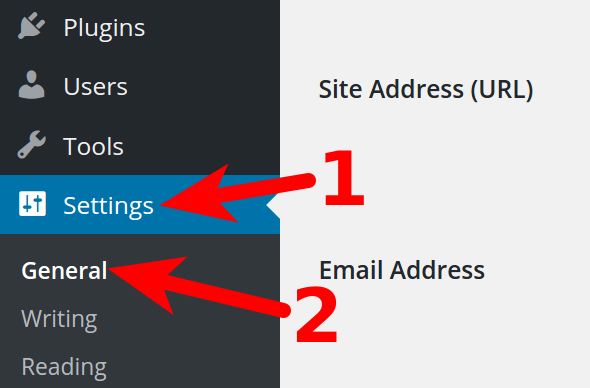
- Click Settings in the navigation menu, then click General.
- Click the drop-down menu next to Site Language, and choose your preferred language.
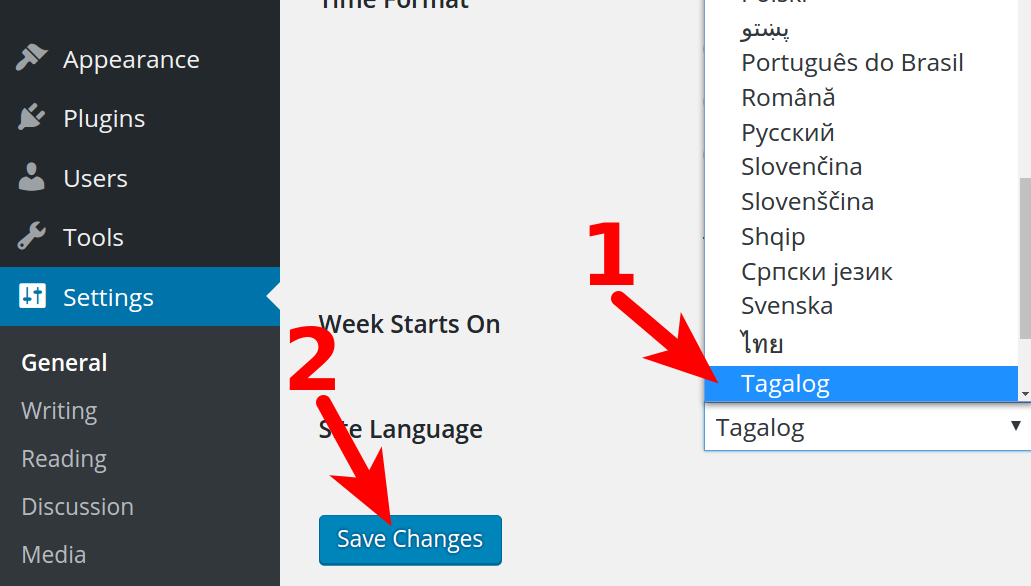
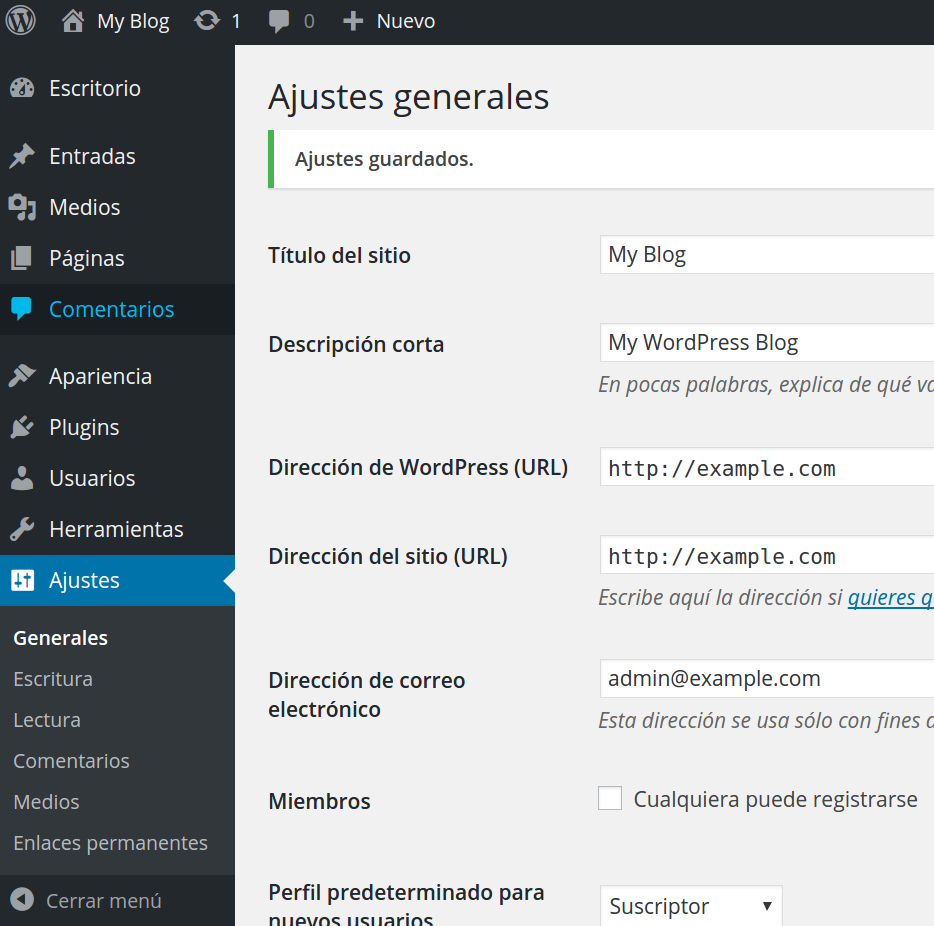
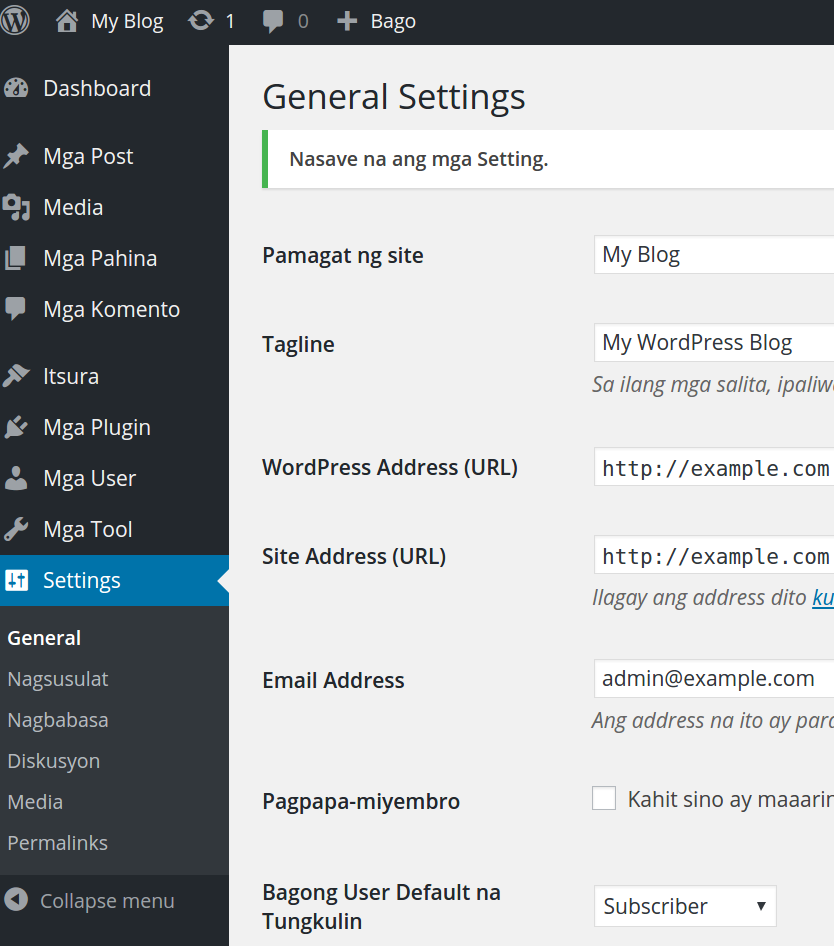
- Click Save Changes. At this point you will see the website displayed in the language you selected. Here are some examples: Espanol:
Tagalog:
Congratulations, now you can change your WordPress dashboard language! Are you interested in unleashing the power of WordPress? Our managed platform for WordPress is fine-tuned to deliver superior performance, security, and provide best-in-class hosting. Be sure to check out our optimized WordPress hosting plans.
