You found this page most likely because you run Joomla 3.0 and you’re getting an error on your website that is database related (joomla 2.5 database errors can be found here). We want to help you resolve this issue. Let us first tell you how the Joomla database connection is supposed to work, and then we’ll try to help show you which issue is causing your problem.
- How Database Connections Work in Joomla 3.0
- Error: Error displaying the error page: Application Instantiation Error
How Database Connections Work in Joomla 3.0
It doesn’t matter if you’re running Joomla 1.0 or Joomla 3.0, the following principles apply:
| 1. Your Hosting Account | 2. Joomla’s configuration.php file |
|---|---|
| On your server, you must have: 1. A database configured 2. A database username and password 3. The database user must be allowed to access the database (IE. referred to as MySQL privileges) | Your Joomla configuration.php file must match your server settings. For example: 1. Your configuration.php file must have set the same database username and password that is set on your hosting account 2. Your configuration.php file must have the correct database server set. Most often it is localhost, but only your hosting provider can tell you the correct answer. |
If your hosting account is not setup properly with a database, or, if your Joomla configuration file is not setup with those same credentials that are setup on your host, you’re going to get error messages. In this Joomla 3.0 tutorial, we are going to purposely break Joomla 3.0 and show you the error messages that result.
Error: Error displaying the error page: Application Instantiation Error
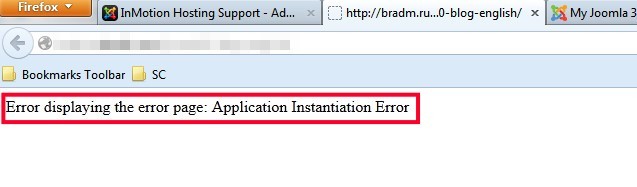
Problem:
The following issues caused this error message to appear:
- The database username in our configuration.php file does not match that of what is configured on our hosting account
- The database password in our configuration.php file does not match what of what is configured on our hosting account
- The database hostname in our configuration.php file could not be connected to
Solution:
In your Joomla configuration.php file, ensure that your database username, password, and hostname match what is set / provided by your host. They will be defined in the following variables in your configuration.php file:
// database username goes here
public $user = 'database-username';
// database password goes here
public $password = 'database-password';
// database server name
public $host = 'localhost';