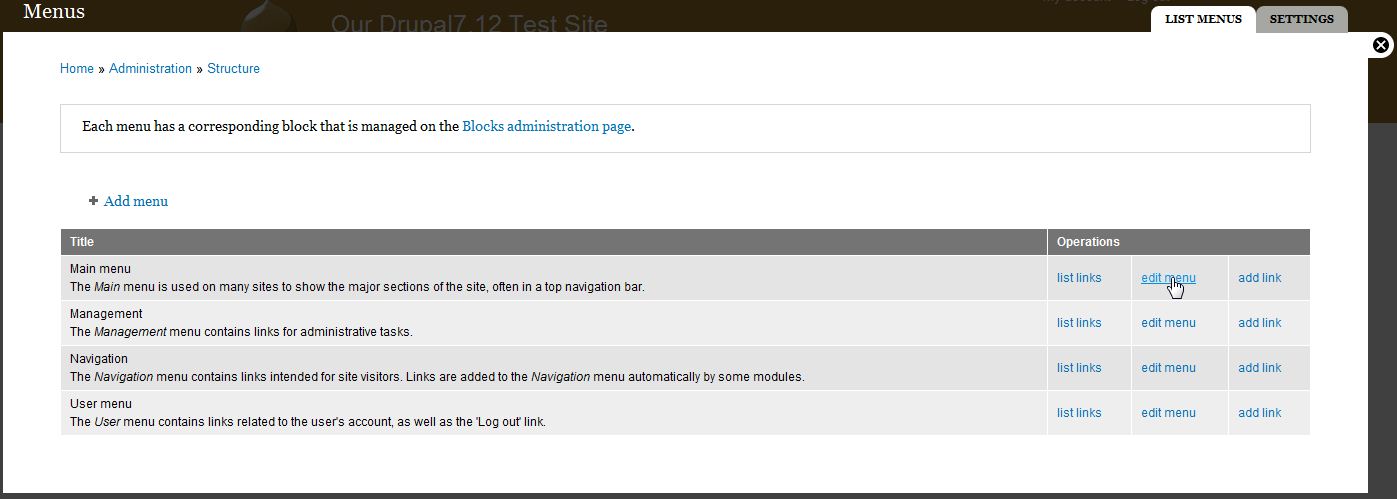
Before being able to add the contact form into your main menu, you should have already installed the contact module and configured the settings. Now, you need to create a way for your website’s visitors to actually find and access the form. You can add a contact link to your main menu via the Drupal dashboard.
- Log into your Drupal 7 Dashboard
- Go to Structure >> Menu
- Click Edit Menu next to Main Menu
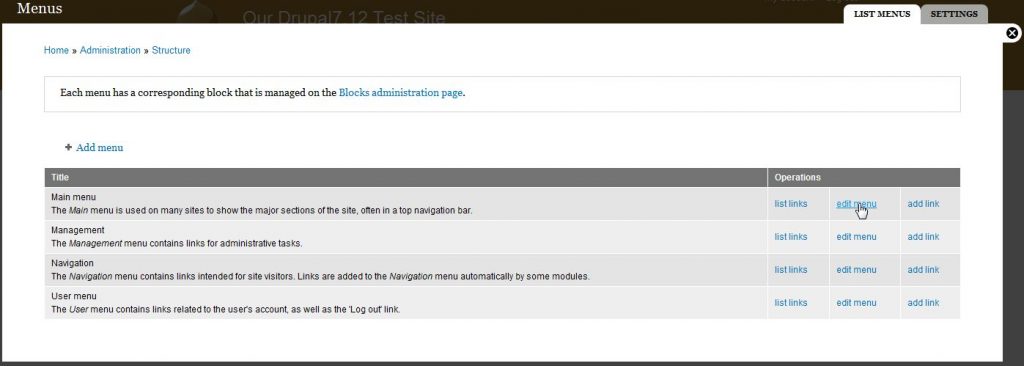
- Click on the List Links tab in the top right
- Ensure you are on the LIST LINKS tab (tabs are shown in the top right) and then click Add Link in the top left
- Fill out the desired fields with the appropriate data.
Menu link title This is going to be the actual text the users click on in the menu to get to this page. Path As the contact form by default is located at https://domain.com/contact, enter contact as the path. Description The Description field will display its contents when using the mouse to hover over the menu link. Enabled The Enabled box must be checked for the menu item to be visible. Show as expanded If this menu item has children, always show the children. Parent link Parent Link is for use if you want to place the menu under another menu item as a child. By default, this is set to <Main Menu> so it is on the top level. Weight Weight is a numerical designation for where the item will display in the menu. The lower the number, the higher or more to the left the menu item is placed. 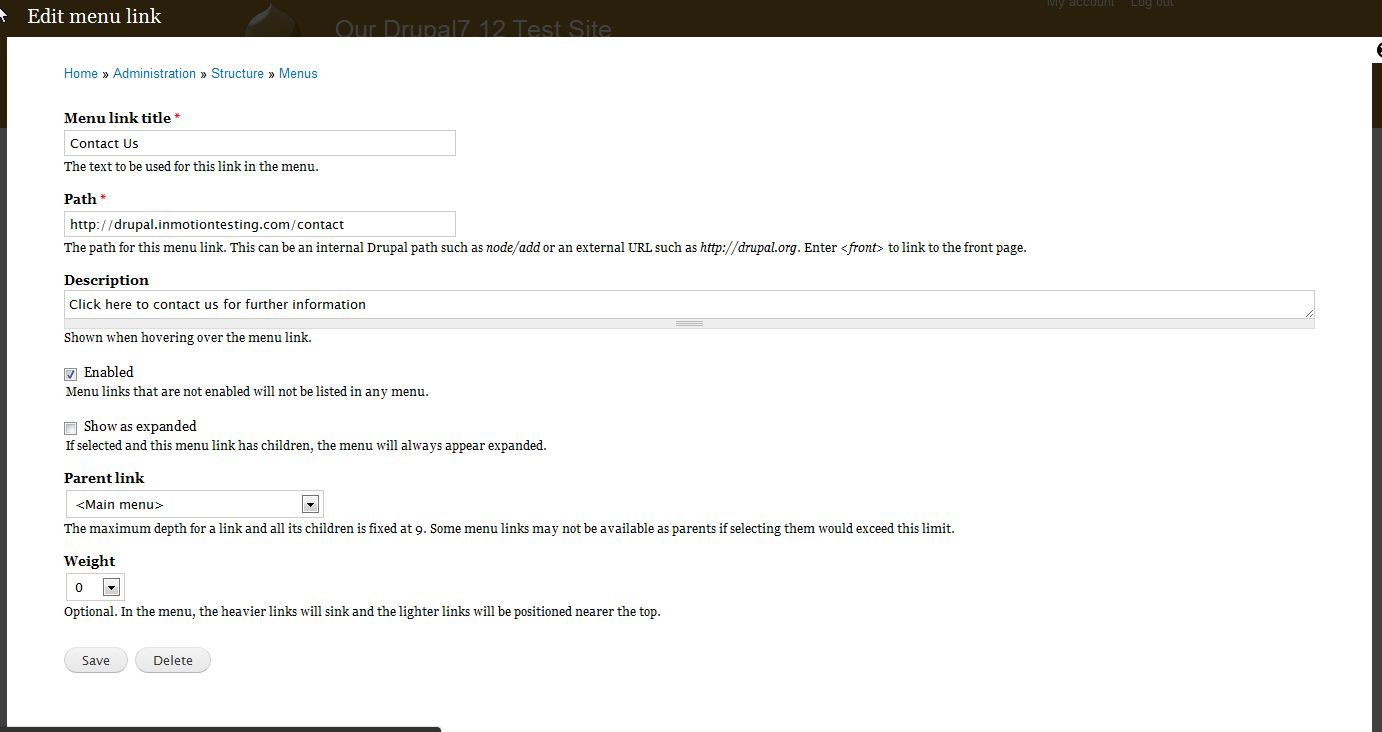
- Click Save
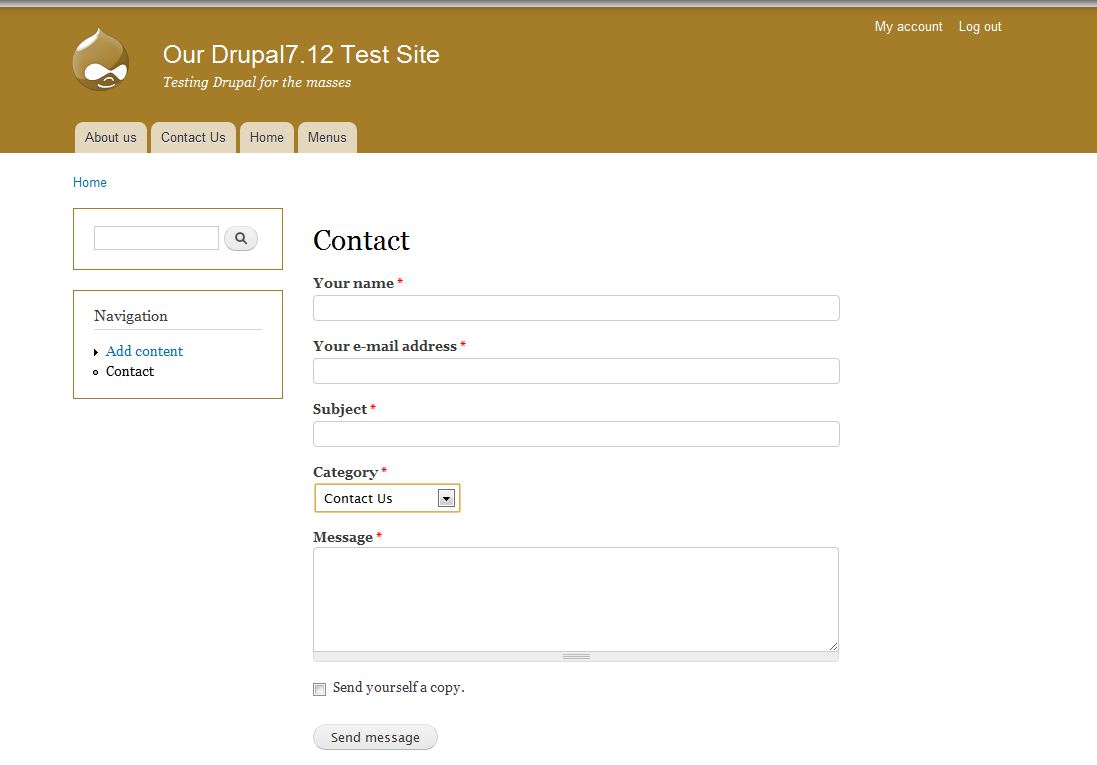
Now, when you visit your website, you’ll see that there is now a link to your contact from in the menu bar.
For more step-by-step guides and practical tips, visit our Drupal Education Channel.