
Microsoft Expressions Web 4 is a program that can help you build a website. You must have Expressions Web 4 installed on your local computer to use it. If you are unfamiliar with Expressions Web 4 please see the Microsoft website for details.
Please note that Microsoft Expressions Web 4 is no longer compatible with InMotion Hosting Shared Servers. As an alternative, we recommend using FileZilla, the free FTP client.
- Open Expressions Web 4 on your local Computer
- If you have not already created a site in Expressions go to Site -> New
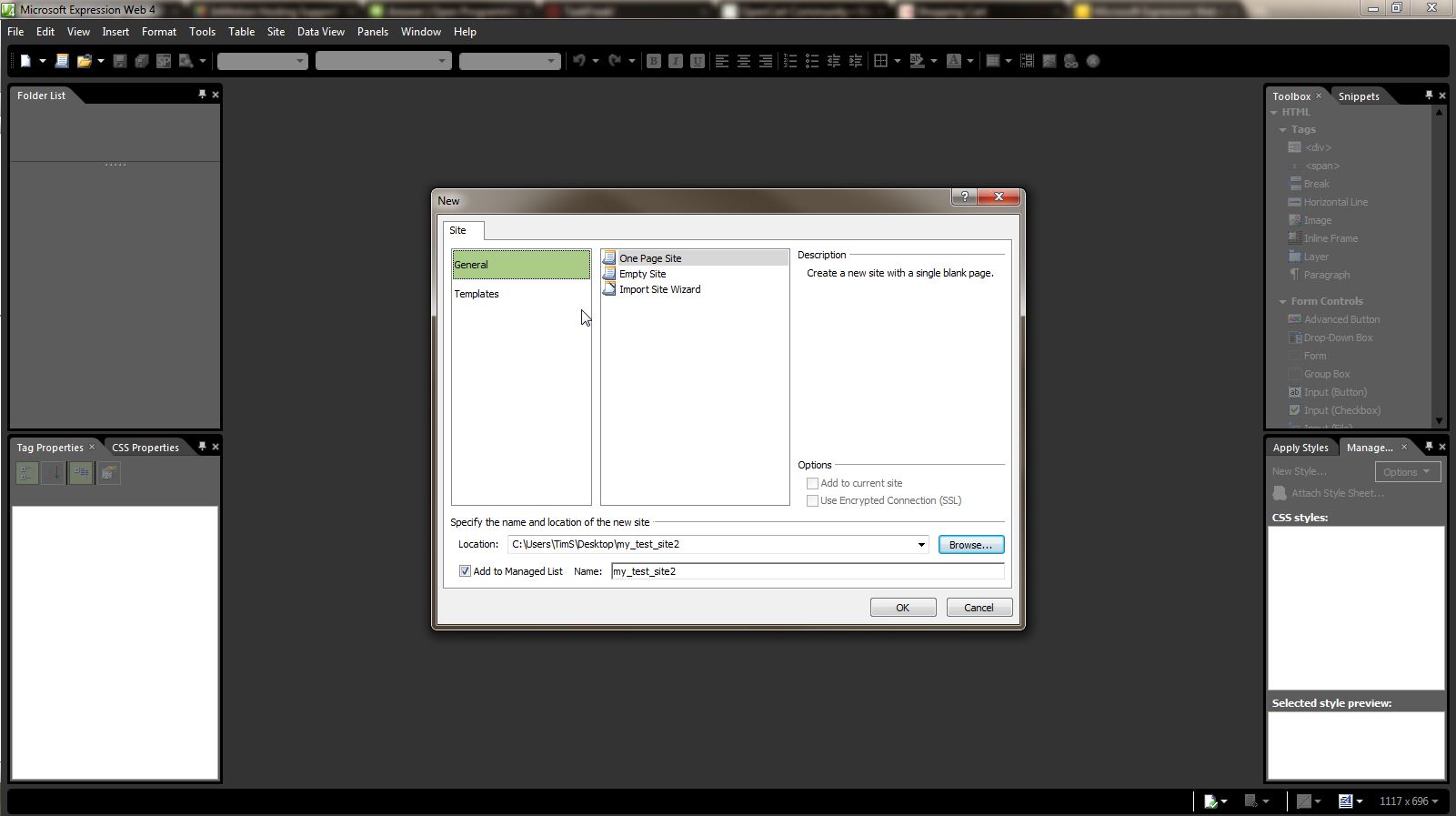
- Find the folder on your local computer where you were storing the website you built in Expressions and click “Ok” once you have selected it using “Browse”
- Now, the site loads, so you can see it. You need to configure the publishing settings at this point
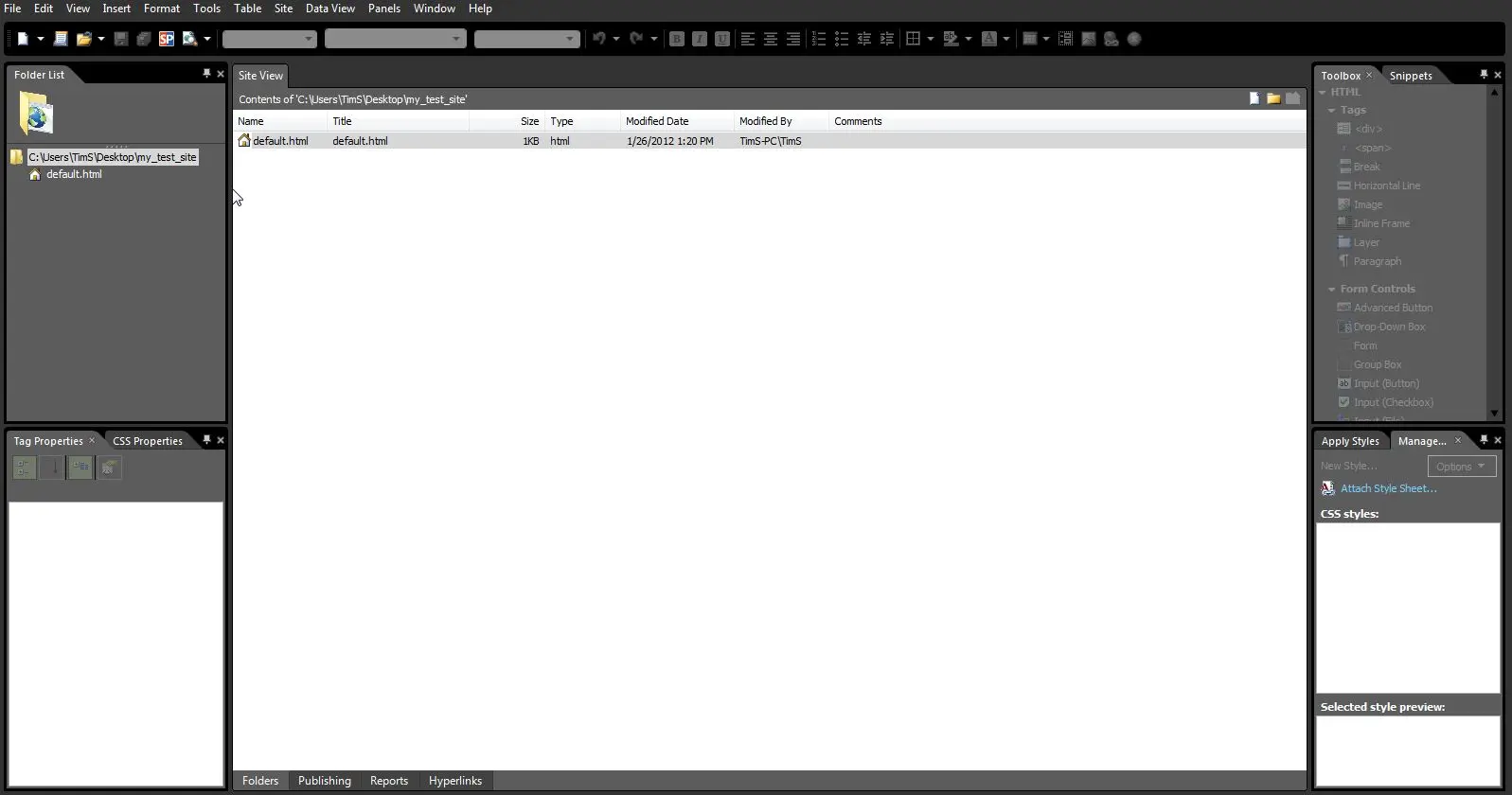
- Go to Site -> Publishing Settings
- Go to the Publishing Tab and click “Add…”
- Fill in the fields:
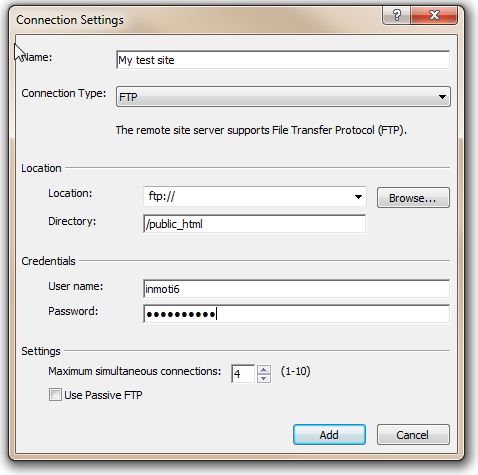
- Name: provide a site name you will recognize
- Connection Type: select “FTP”
- Location: ftp://example.com – Replace example.com with your actual domain
- Directory: If you are publishing to the public_html folder type in “/public_html”
- Username: type in your cPanel username
- Password: type in your cPanel password

Make sure the “Use Passive FTP” is unchecked
- Click “Save”
- Now, click on “Connect to the current publishing destination”
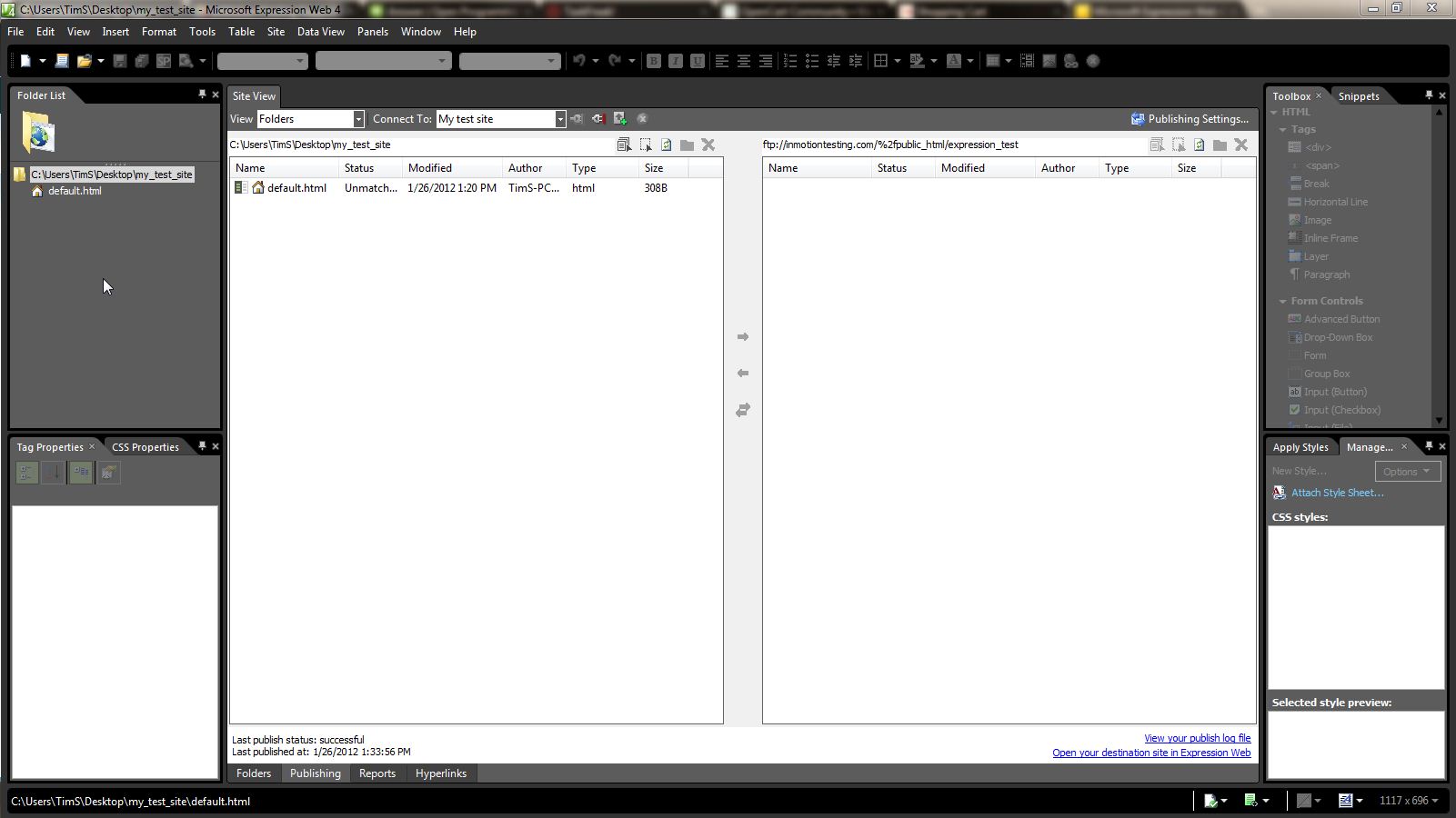
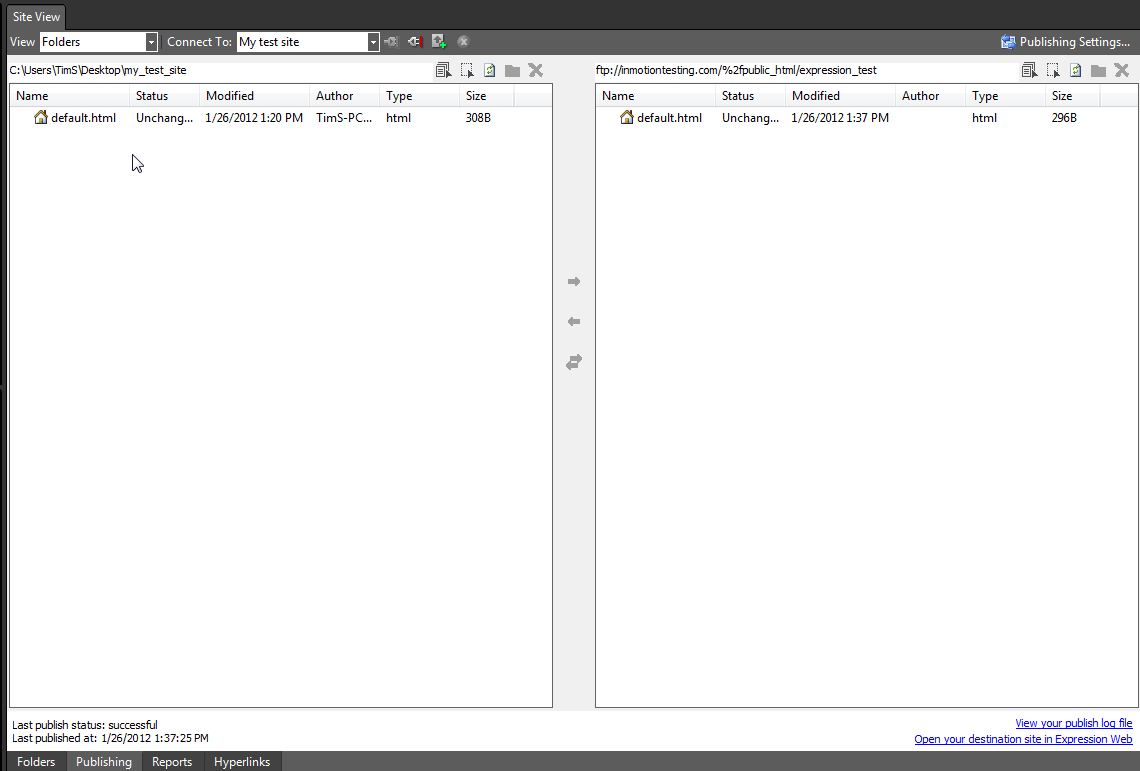
- You are connected to your account via FTP, you need to tell Expressions which files to upload. Select all the files and folders you want to upload in the Left Side Pane. Next, click on the blue arrow. The files will then publish to your account. In the right pane, you can now see the files and folders you just uploaded
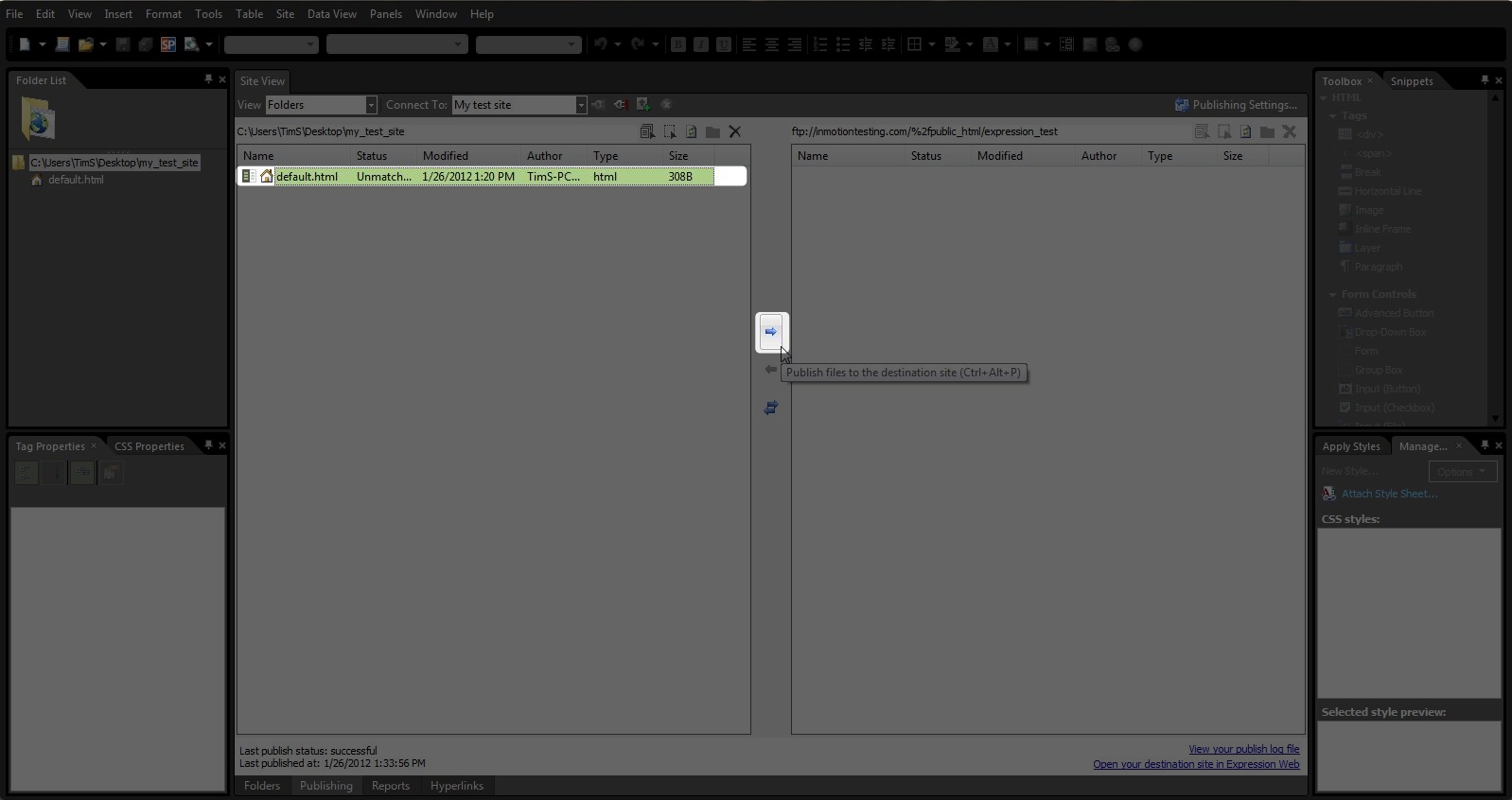
You’ve now published your website using Microsoft Expressions Web 4.
If you need further assistance please feel free to ask a question on our support center.