

When managing your account, you will need to learn how to view your CPU usage in cPanel. Knowing this information will help you understand how your server is performing so you can make changes if necessary. This ensures your online presence runs smoothly at all times.
For example, if you notice a spike in usage while running a specific cron job, it may indicate issues with its code. In this guide, we’ll explain what resource usage is and then explain how to view CPU usage in cPanel.
What is Resource Usage?
When your account requests the server to perform tasks, such as connecting to a database, running a PHP script, or sending email, it requires resources from the server’s CPUs (Central Processing Units), as well as disk access from the hard drive to complete the tasks.
CPU resources are limited, as there is only a set number of processors per server. Depending on the level of hosting you have, you have a different cPanel CPU usage allotment that you don’t want to exceed.
Exceeding the CPU limits assigned to your hosting level may result in an email warning or a temporary account suspension if usage is severe enough. Being knowledgeable about the resource usage limits your account has and how much it is currently using is important.
Shared Hosting
Since shared hosting is generally the entry-level option, those CPUs are shared among all users on the same server.
In a shared hosting environment, it’s very important that no one overutilizes the CPU, as this could delay or even miss other users’ requests.
If you are near or over your account’s CPU limit, we strongly encourage you to take a look at our account suspensions article, which goes in depth on what commonly causes high resource usage.
VPS Hosting
Virtual server hosting is a step up from shared hosting, but you are still sharing the same CPUs as other VPS clients on that physical node.
On a VPS, your maximum load average should be 1.00 in short bursts. However, ideally, your load should remain below 0.7 for most of the day.
Dedicated Hosting
With dedicated servers being the top tier of hosting, you have full access to all of the CPU cores on your server.
On a dedicated server, ideally, you want to keep the load average below the number of CPU cores (and threads) you have. However, since it’s your own server, we won’t step in if your CPU usage is spiking, since you wouldn’t be affecting any other users.
Dedicated server CPU cores
| Server Class | CPU cores (threads) |
|---|---|
| Aspire | 4C/8T |
| Essential | 4C/8T |
| Advanced | 6C/12T |
| Elite | 8C/16T |
| Extreme | 16C/32T |
| CC-1000 | 12C/24T |
| CC-2000 | 24C/48T |
| CC-3000 | 32C/64T |
| CC-4000 | 64C/128T |
Now that you know what CPU Usage is, you may wonder where you can view a cPanel account’s resource usage. This next section will walk you through the steps.
View CPU Usage in cPanel
To view your CPU usage in cPanel, follow the steps below:
- Log in to cPanel.
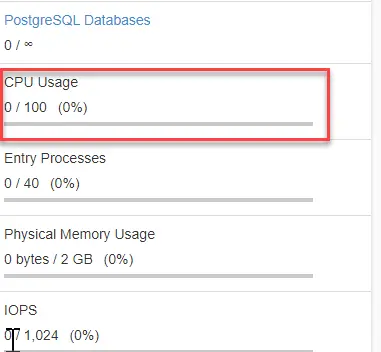
- For a quick view, in the right-hand sidebar, scroll until you see CPU Usage.
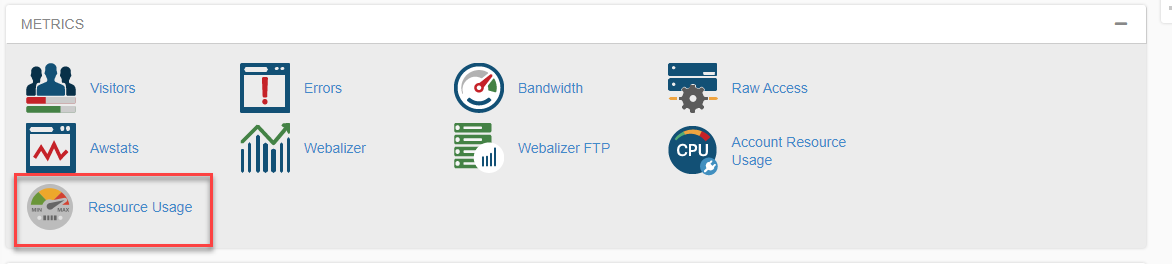
- For more information, scroll down to the Metrics section and click on Resource usage to view data on resources your account is using.
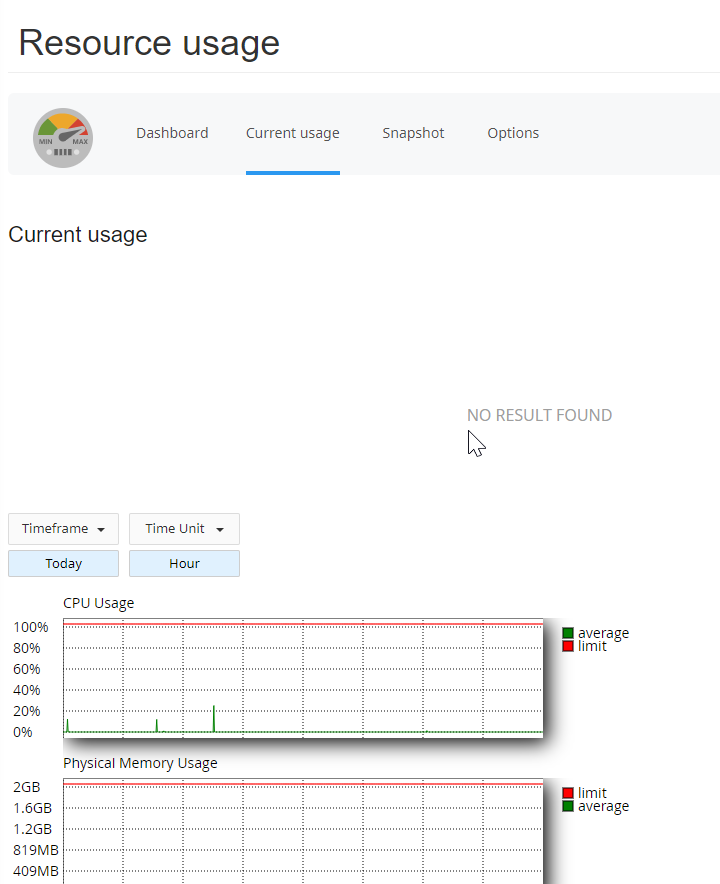
With both VPS and dedicated server hosting, you can SSH directly into the server to find out your usage. If you’re on either platform, you can read our guide on advanced server load monitoring to determine your resource usage levels from the terminal.
For both VPS and dedicated servers, we also have a large collection of articles on resolving server usage issues that can help you pinpoint what’s causing high usage.
If you still need further assistance, contact our support department directly.