Customers that initially built their blog sites with Google Blogger (Blogspot) can have the blog information imported into their WordPress software by using the “Import” feature in the WordPress dashboard. WordPress has a built in “Import” feature that allows you to import different blogs like Blogspot, Tumblr, LiveJournal, and even WordPress. The import process is the same for each. This article will walk you through the steps in importing your Blogspot into your WordPRess on our server.
Interested in WordPress Hosting? It’s fast and secure right out of the box. Just add content.
Importing a Blogger site into WordPress
- Log into the WordPress Dashboard.
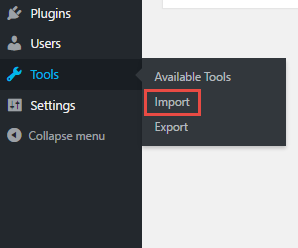
Navigate to Tools > Import.
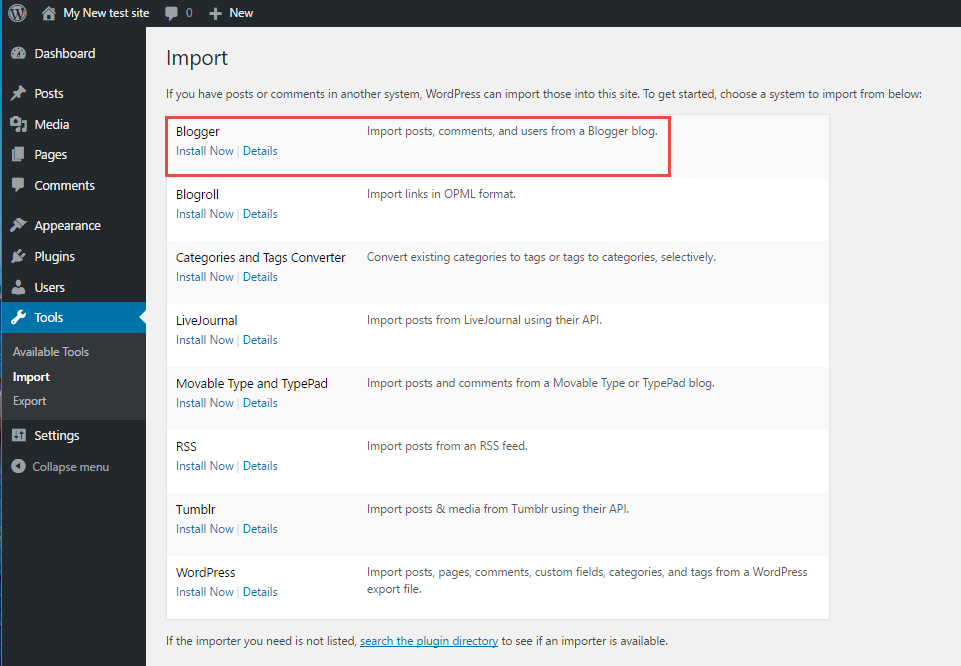
On the list of sites to import, select Blogger from the list.

Under the Blogger title in the install list, click Install now.
You will see a confirmation screen showing that the Blogger Import has installed okay. Click on Run Importer.
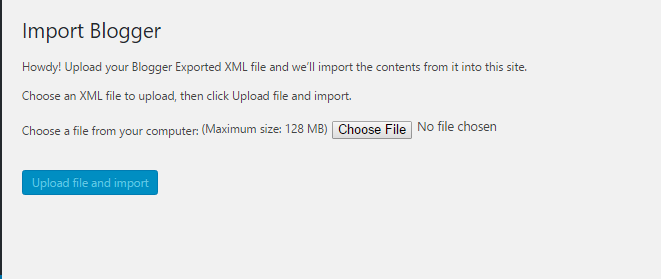
Next, you will see a screen titled Import Blogger. Click on Choose file to select your exported Blogger file. To see more details on how export your Blogger file, please see the instructions below.

Google’s Blogger software allows you export your blog into an XML file. In order to do this you will need to log into the blog and then do the following:

Step 1. Login to your Blog in Blogger.

Step 2. Click on Settings in the menu at left.

Step 3. Scroll down the options in Settings and click on Other at the bottom of the list..

Step 4. You will then see the Import & back up window. Click on Back up Content.
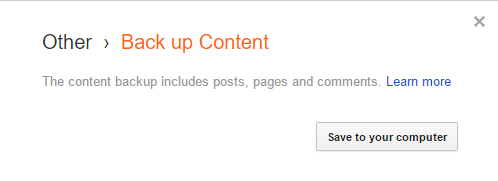
step 5. Select and name the XML file if you don’t want to use the standard file name. Click on Save to your computer to complete the export.
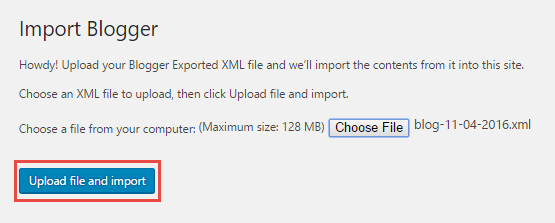
After choosing the XML file, click on Upload file and import. This will process the XML file that you have selected.
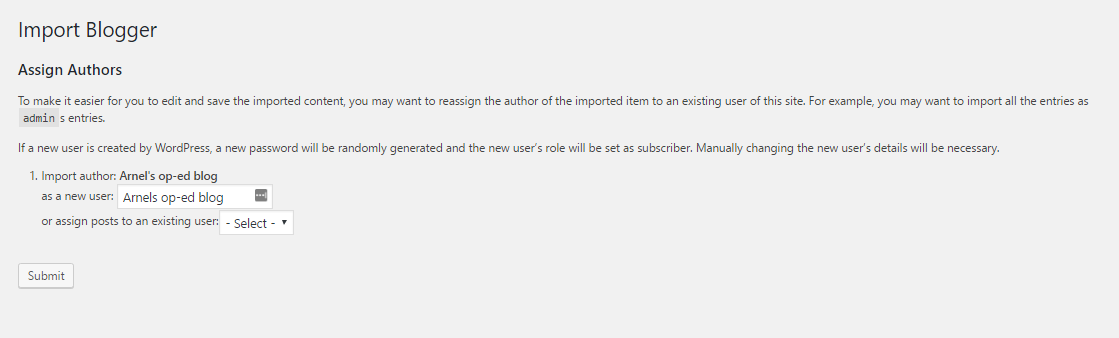
When the import completes, then will need to assign an author to the posts. You will see instructions to import an author for the posts coming from your Blogger site or you can choose an existing user within your WordPress installation. Click on Submit to assign the user.
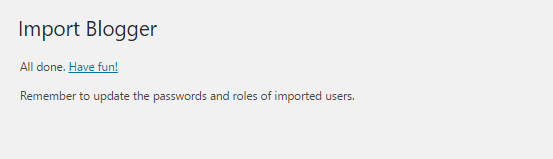
When you have completed assigning your user you will see a screen saying “All done.” Your Blogger posts will be imported into the Posts section of your WordPress site. Make sure to check your posts as the image content may not be imported by the tool.
Congratulations! You have successfully imported your Google Blogspot blog into your WordPress on your server.
