
In Moodle 2.3, there is a Guest user that can access certain areas of the site, even though they are not enrolled in a course. The Guest user will have read only access. Guest users can access the site; however, they still need to login to view anything. Moodle has the capability of turning off the Guest login. This is called Auto-login. This article will discuss how to disable the Guest login feature that Moodle has by default.
Enabling Auto-login for Guests
- Log into the Moodle Dashboard
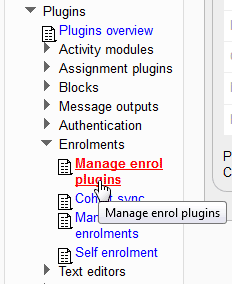
First the Guest enrolment plugin will need to be enabled. Navigate to Site administration > Plugins > Enrolments > Manage enrol plugins in the settings on the left.
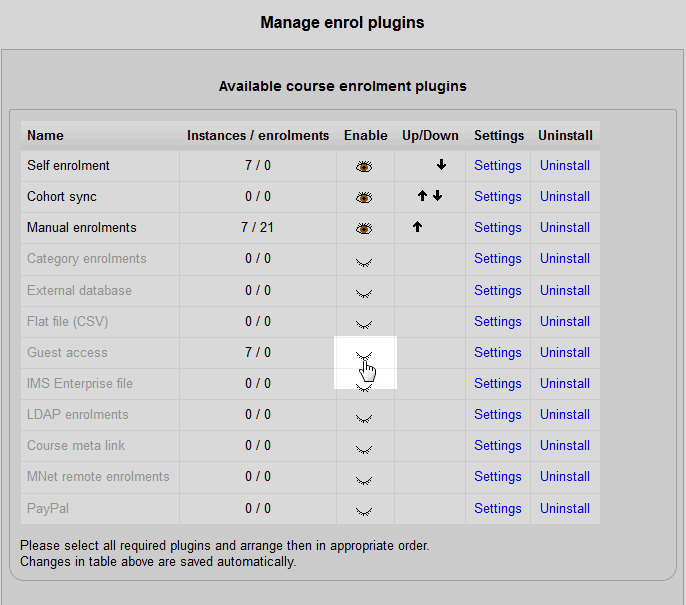
On the Manage Enrol plugins page, click the
 icon so the Guest user shows the
  icon. This enables the Guest plugin.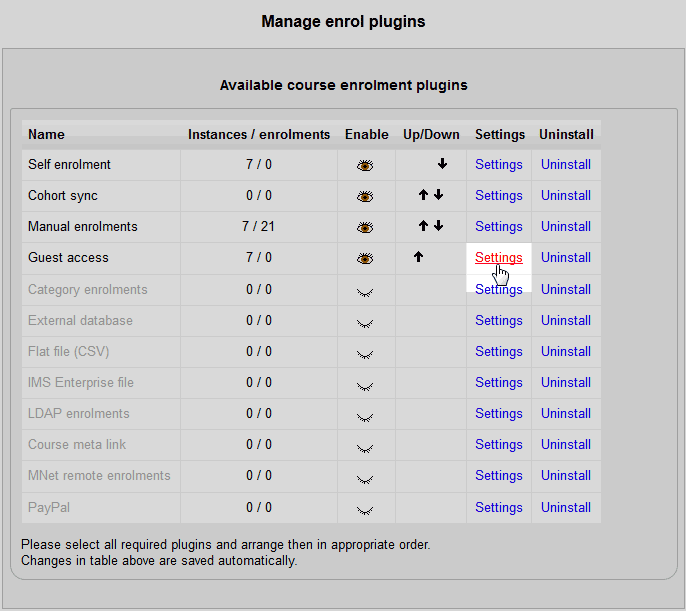
Next, click the settings link for the guest user..
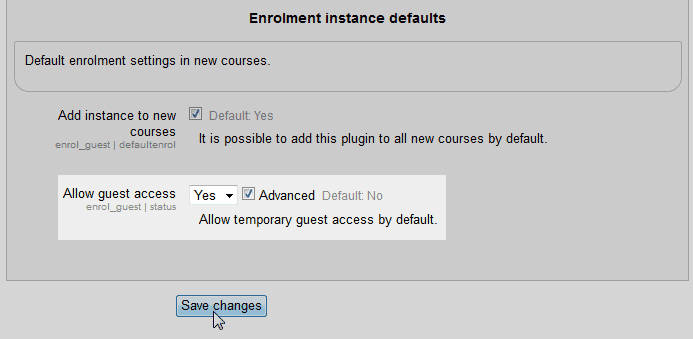
On the Guest access page, set the Allow guest access drop box to Yes and check the Advanced checkbox.
Click Save changes.
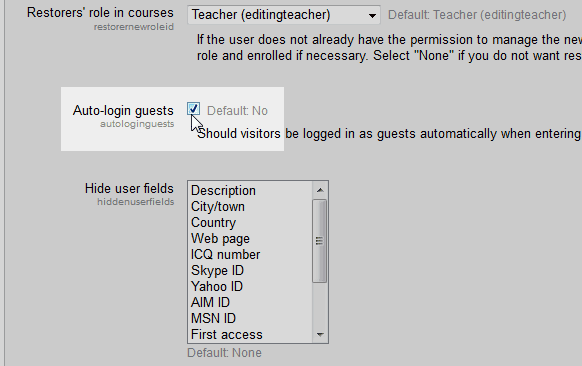
Now Navigate to Settings > Site administration > Users > Permissions > User policies. On the Auto-login guests setting, select the checkbox.
Click Save changes
Now when Guests visit the site, they can view the courses without logging in.
