
In order for a student to access the Moodle Courses, the users will need to be added to the Course. This is called Enrolling them into the course. Once the User Accounts and Permissions are set up in the system, the Moodle administrator can enrol them into the course. The following article will explain how to enrol users into a Moodle 2.3 course.

Note! Moodle uses the British spelling spelling of Enrol. The US english spelling is Enroll.

Enrolling users in Moodle Courses

  1. Log into the Moodle Dashboard
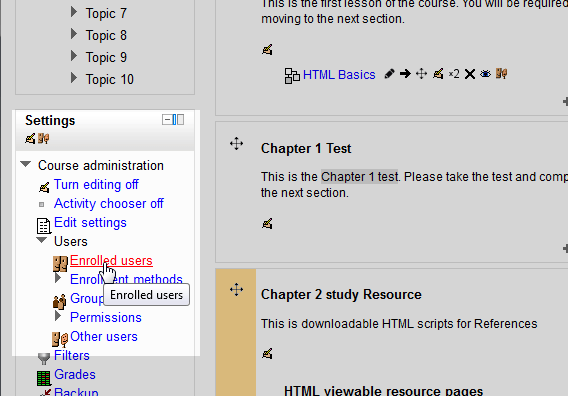
  2. enrolling-users-1-clickClick the Course you are adding the user to. In the Settings section, go to Users > Enrolled users.
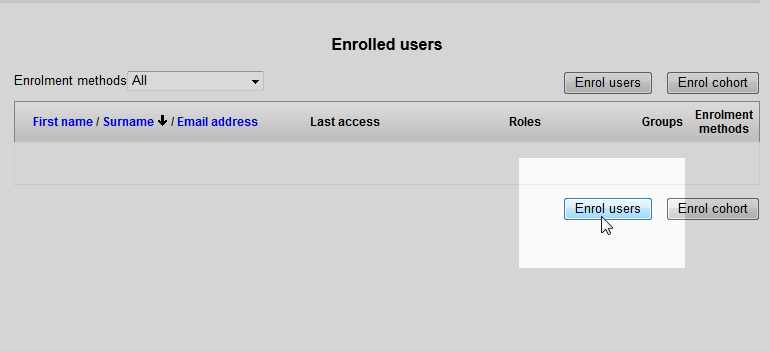
  3. enrolling-users-2-enrol-moodleOn the Enrolled users page, click the Enrol users button.
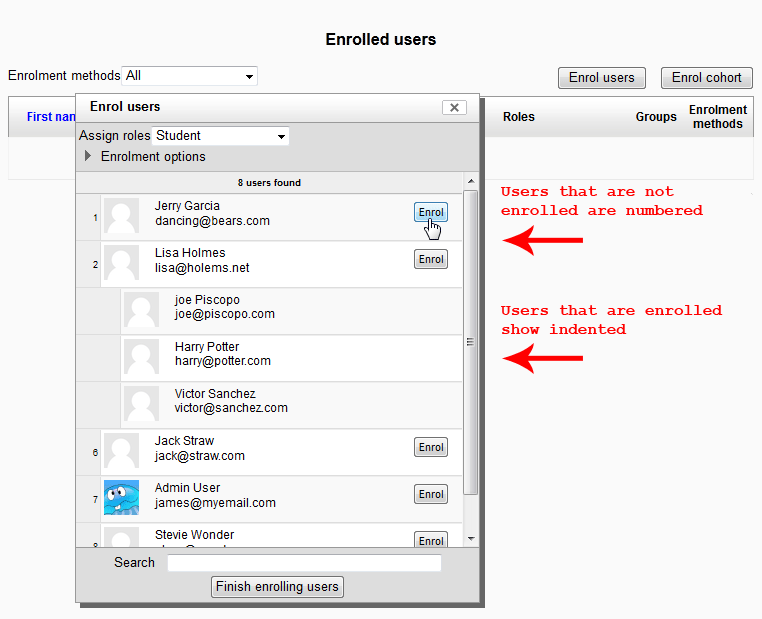
  4. enrolling-users-3-add-moodleIn the Enrol Users box, the list of users will show. Click the Enrol button next to the name of the user to add the user. When a user is added, the user will indent in and the Enrol button will disappear. When done click Finish enrolling users.
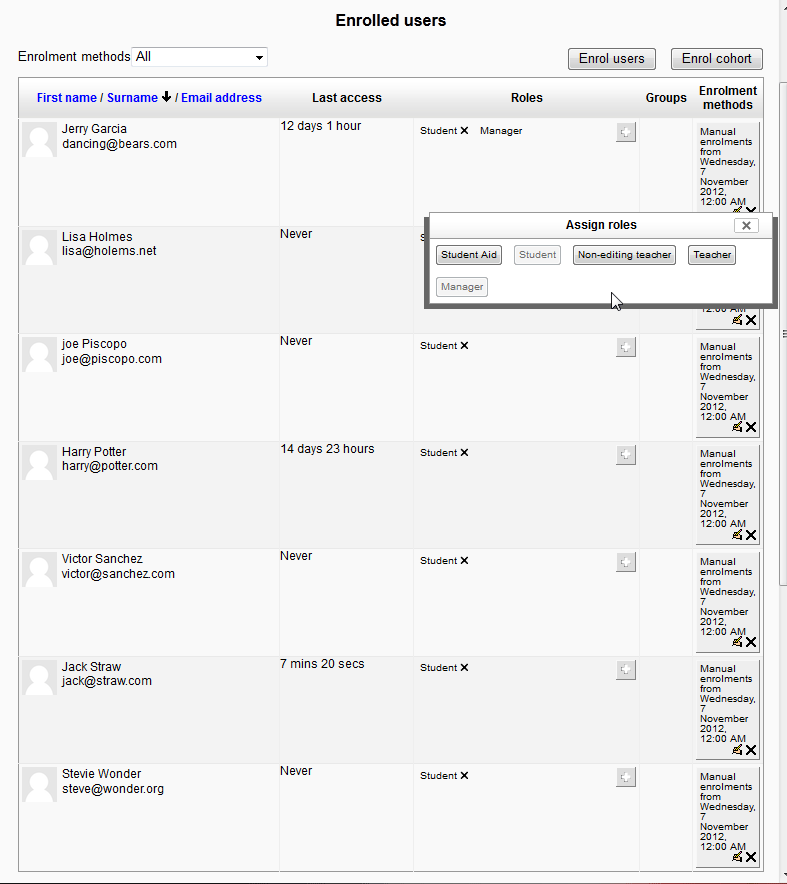
  5. enrolling-users-4-final-moodleOnce done the users should appear on the Enrolled users page.

    On the Enrolled users page, users can be Assigned roles, Deleted from the enrolment, or have the Enrollment status changed.
This concludes the article on Enrolling Users in a Moodle Course. For information on user permissions please see Checking user permissions in Moodle.

Like this Article?

Login to comment.

Your Opinion Matters

... but we need to know what you're thinking!

I'm James Richardson, your friendly Community Support technician, and I wrote the article you're looking at now. I like to think it's perfect, but I'm sure you have some suggestions. Please, let me know what they are!

Feedback
Your Email Address
Because we'd like to talk with you!

Latest Questions

If you need some help, submit your question to our Community!
We guarantee a response within 60 minutes (8am - 9pm EST, Monday - Friday)
Ask a Question!
Recent Questions
  1. 10+ hours offline and no solution. Why?
  2. How do you add new products using the Product Import extension?
  3. I want to buy a parked domain that is currently registered by Inmotion hosting.

Need more Help?

Search

Ask the Community!

Get help with your questions from our community of like-minded hosting users and InMotion Hosting Staff.

Current Customers

Chat: Click to Chat Now E-mail: support@InMotionHosting.com
Call: 888-321-HOST (4678) Ticket: Submit a Support Ticket

Not a Customer?

Get web hosting from a company that is here to help. Sign up today!