MediaWiki has a unique way of making style sheet changes. There is a MediaWiki:Common.css page built into the program that stores global CSS changes. Instead of editing the .css files directly on the server, you can edit the MediaWiki:Common.css file through your MediaWiki admin. Below are the steps to add custom CSS code to your MediaWiki site.
How to change the CSS in MediaWiki
- Log into MediaWiki.

Visit the following url. Make sure you change your-mediawiki.com to your domain name.
https://your-mediawiki.com/index.php?title=MediaWiki:Common.css
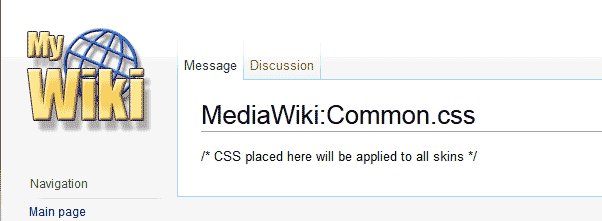
You should see the page say, “/* CSS placed here will be applied to all skins */“. If you do not see this, then you are on the wrong page. Make sure you typed it correctly.
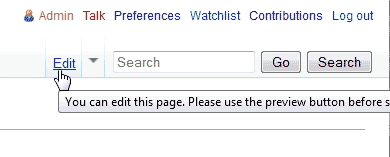
Click Edit towards the top left of the page..
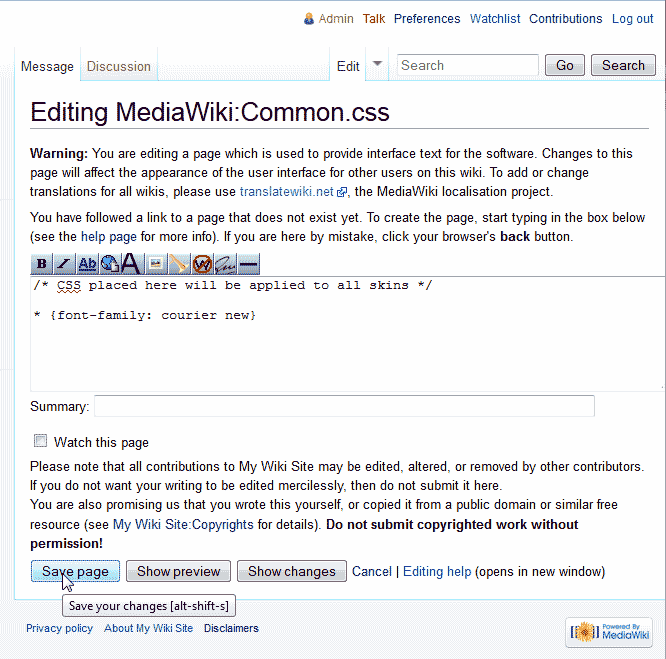
On the “Editing MediaWiki:Common.css“, add the code you want to change the style for. In this example, we will change the font of the entire site to “Courier New“.
Click Save Page.
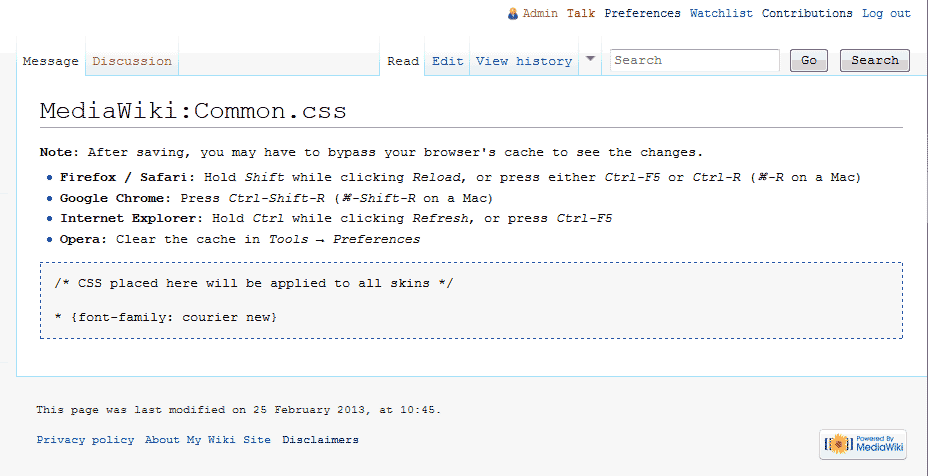
The CSS change will apply globally to the MediaWiki site. The image to the right shows the font change to “Courier New“.
