When building your website with Mambo, there may arise a need to configure the site to connect to an SMTP server for sending email. On some older servers, the PHP mail(); function is disabled. To work around this, you can set up your software to use SMP. Below are the steps to set up your Mambo site to use SMTP for sending email.
Configuring the SMTP settings
- Log into Mambo dashboard.
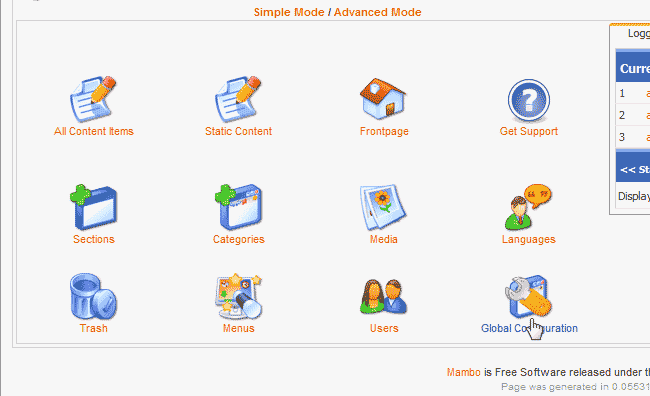
On the home page of your Administrative Dashboard in Mambo, click the Global Configuration icon in the list of icons.
- Click the Mail tab.
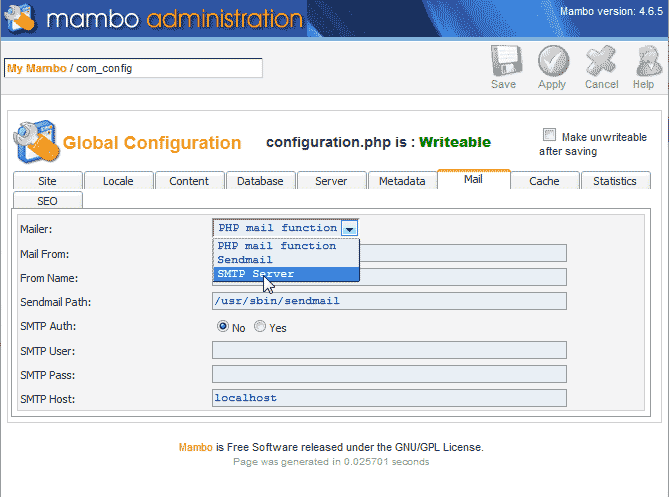
In the Mailer drop box, select SMTP Server from the list.
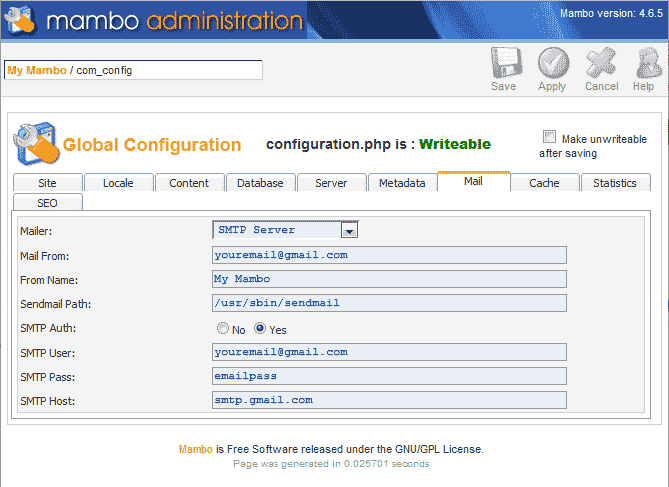
Next, enter your email settings in the configuration. For more information on how to get your SMTP settings, please see the article on How to connect your CMS to SMTP email.
Save the changes.
