
Magento by default includes a caching system to help improve the performance. When you make changes to your Magento website, you may not see the changes immediately. In cases where you want to see the changes you have made to your live Magento website, you’ll need to clear the cache files. Clearing the Magento cache files is easily accomplished in the Magento Admin Panel.
In this article, we’ll show you how to clear the Magento cache.
Clearing Cache in the Admin Panel
- Log into your Magento Admin Panel.
- Go to System > Cache Management.
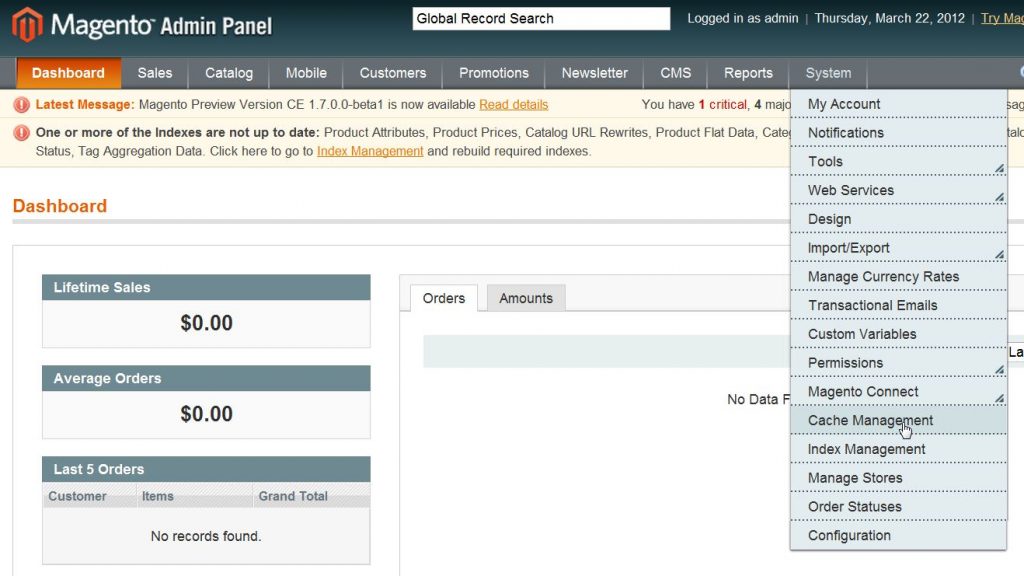
- Click on the Flush Cache Storage button.
Let’s take a quick look at the difference between the Flush Magento Cache and Flush Cache Storage functions. Flush Cache Storage removes all the cache files regardless of any perimeters. Flush Magento Cache tries to do a check for invalidated pages and will remove them accordingly. If you’re unsure of which to use, using the Flush Cache Storage will ensure that ALL CACHE FILES are removed.
Manually Clearing the Magento Cache
You can clear the Magento cache manually as well. If you’re working in FTP or cPanel File Manager and need to quickly clear your Magento Cache files it’s relatively easy. All the cache files for Magento are stored in the /var/cache folder.
- With your FTP program or cPanel File Manager, navigate to the root directory of your Magento cart.
- Open the var/cache folder.
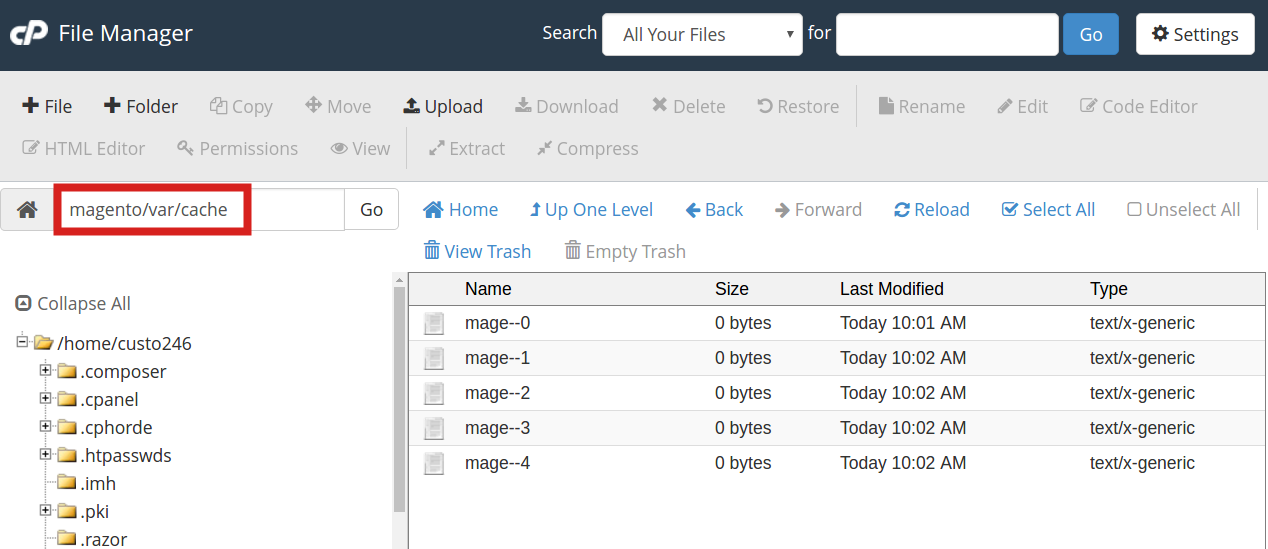
- Select all the contents in the folder and delete them.
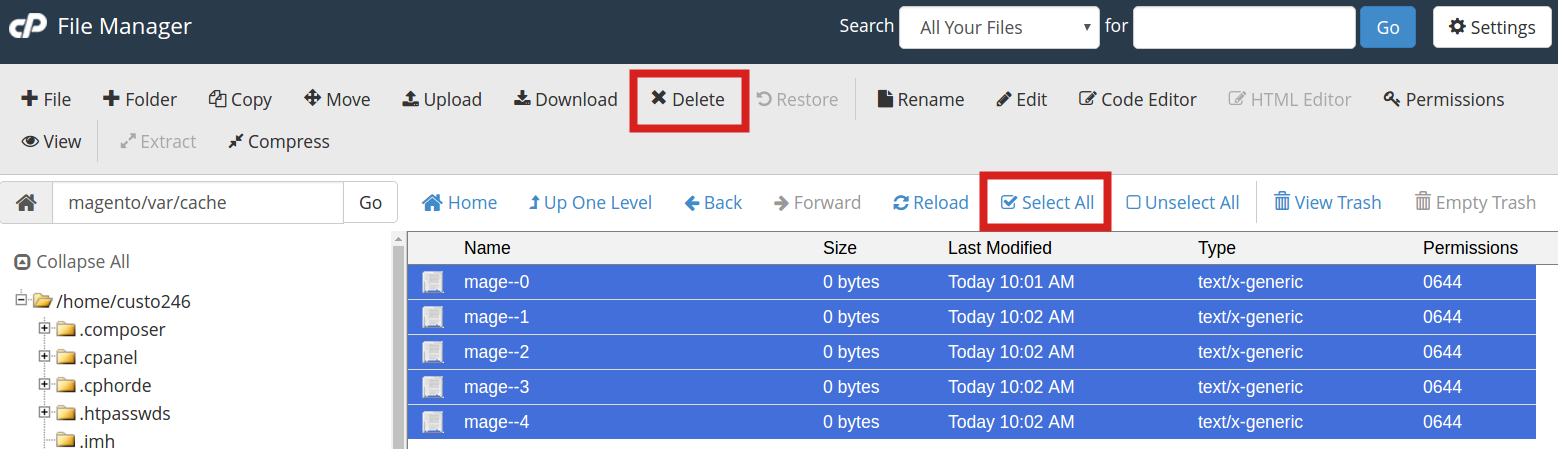
Now, when you refresh your website, you should be able to see all the changes you have made.
Please feel free to visit our other Magento Tutorials in our Education Channel.
Not a current customer? Explore our web hosting for Magento!