
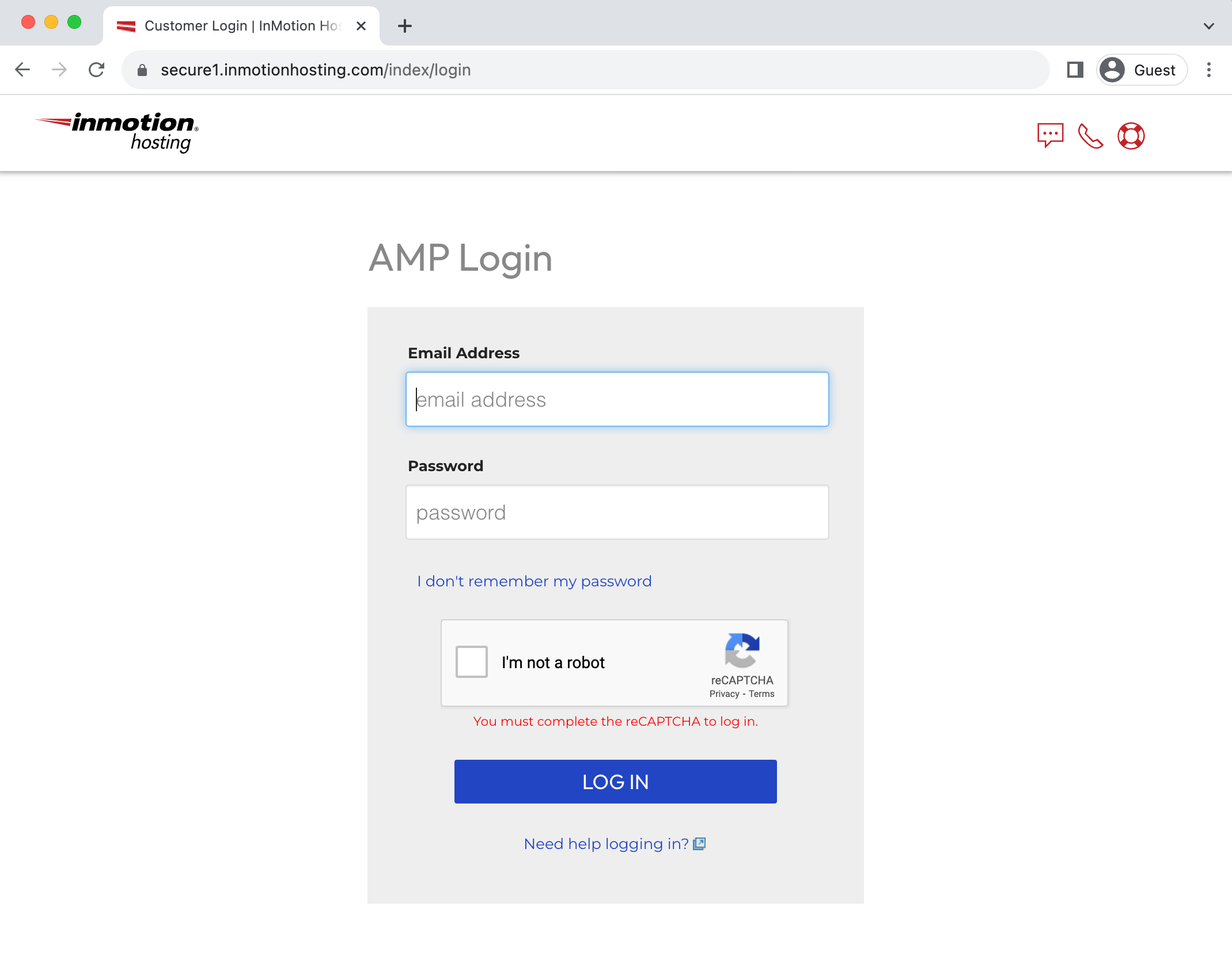
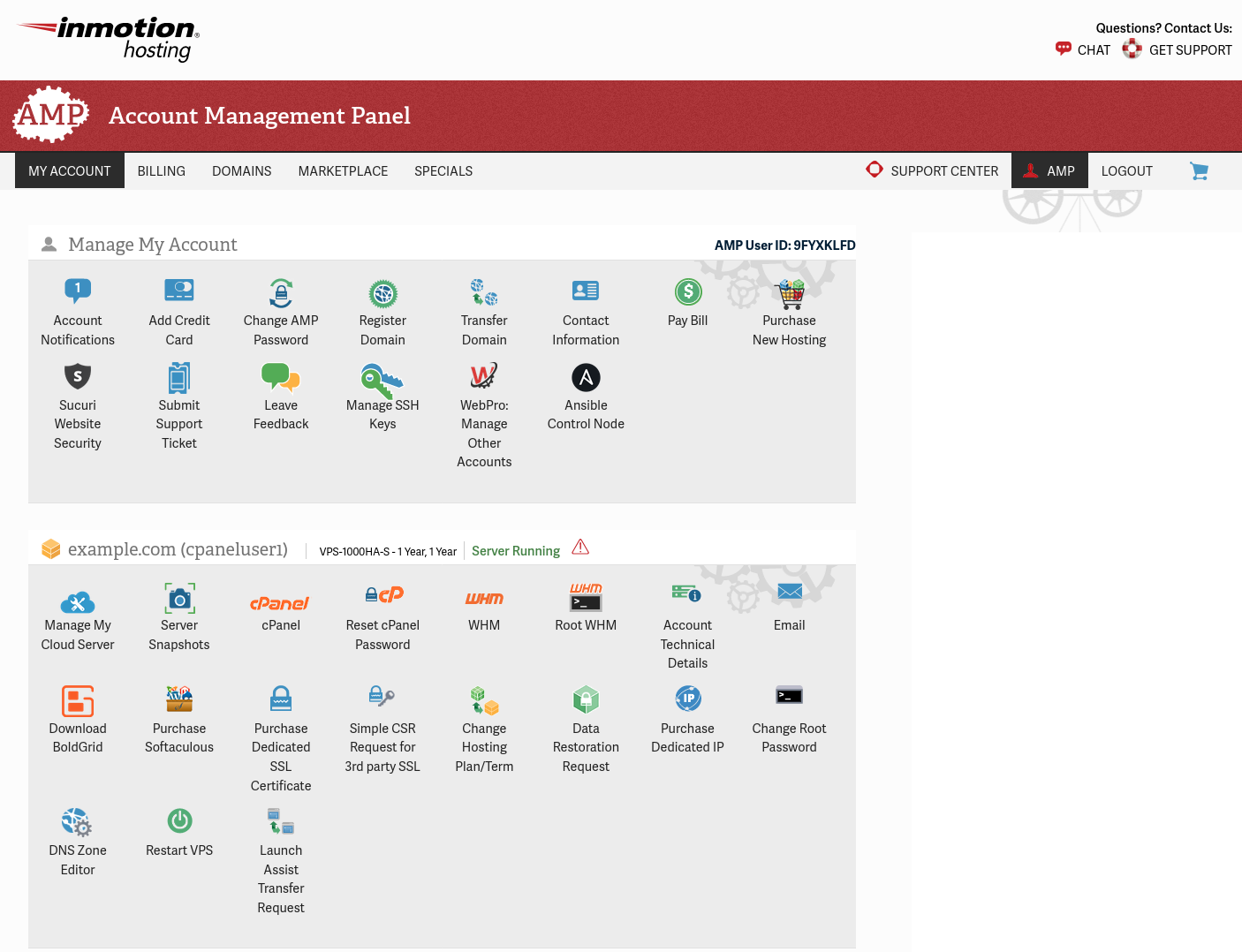
How to Log into AMP (Account Management Panel) Carrie SmahaUpdated on May 26, 2026 1 Minute Read Your Account Management Panel (AMP) is the central hub for your InMotion Hosting account. From here you can access cPanel, register domains, update billing information, manage subscriptions, and more. You set your AMP password during the purchase process, so your credentials are ready the first time you log in. How Do I Log Into AMP? Go to www.inmotionhosting.com. Click the Login button in the top-right corner of the page. You will be redirected to the AMP login page: https://secure1.inmotionhosting.com/index/login. Enter the email address and password you created during checkout, then click Log In. That’s it. You will land on your AMP dashboard, where all account management options are available. What If I Have Multiple AMP Accounts? If you manage more than one InMotion Hosting account under the same email address, logging in will display a list of accounts rather than dropping you directly into a dashboard. Click the account you want to access and you will be logged in immediately. If you land in the wrong account, the email and password combination you entered does not match the account you intended to access. Double-check which email address is associated with that specific account. Account Management Panel (AMP) Main page What If I Forgot My Password? Use the AMP password reset form to recover access through your email address. If the email address on your account is outdated or no longer accessible, contact InMotion Hosting support directly and an agent can update your information and issue a reset. Already logged in and just want to update your password? See How to Change Your AMP Password. Share this Article Carrie Smaha Senior Manager Marketing Operations Carrie Smaha is a digital strategy, web development, and SEO leader with 20 years of experience. She built her foundation in fast-paced agency environments before moving in-house to InMotion Hosting, where she leads go-to-market programs, agency initiatives, and technical product marketing that connects product capability to real customer decisions. More Articles by Carrie Related Articles How To Get Great Support & Customer Service Locked Out of AMP? Here’s How to Reset Your Password How to Log into AMP (Account Management Panel) How to Change Your AMP Password Within AMP Submitting a Ticket Request How to Add/Cancel Domain Privacy in AMP How to Upgrade / Downgrade Your Hosting Plan in AMP How to Purchase or Cancel an SSL From AMP Manage Your Control Web Panel Server from the Account Management Panel (AMP) Advanced Product Support (APS) Explained
After I give my username and password, there’s a second screen to enter a login code you’re supposed to send me. I’m not receiving those codes. I’m effectively locked out BY YOU. It’s Saturday. I can’t get through via phone. I am NOT HAPPY.
Hello Patricia, Unfortunately, we are unavailable by phone during the weekends, however you can always reach out to us though Live Chat at https://inmotionhosting.com. Additionally, if you are looking for a code, please ensure that code isn’t being filtered to your Spam folder. I do apologize for any inconvenience and I hope we’re able to help you move forward.