
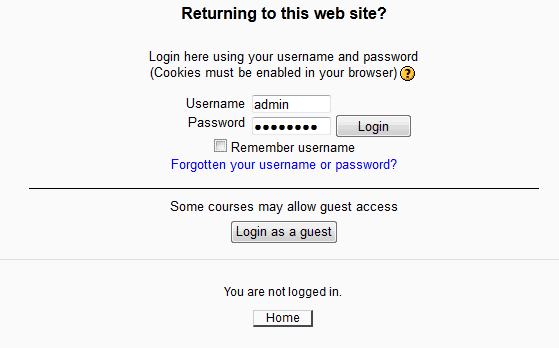
When setting up the Moodle login for users, the Login as a Guest button displays by default. When the site is set to Auto-login guests, the login as guest button does not need to display, as the guest visiting the site will be logged in automatically. Also, most schools using the Moodle software will only want their students to login and not guests. This can be removed from the login page through the Site administration section. This article will explain how to hide the Guest login button from the Moodle 2.3 login page.
Removing the Guest login
- Log into the Moodle Dashboard
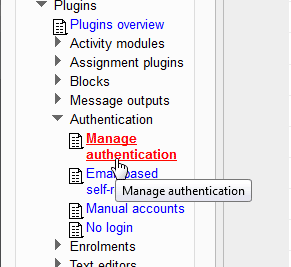
Navigate to Site administration > Plugins > Authentication > Manage authentication in the settings.
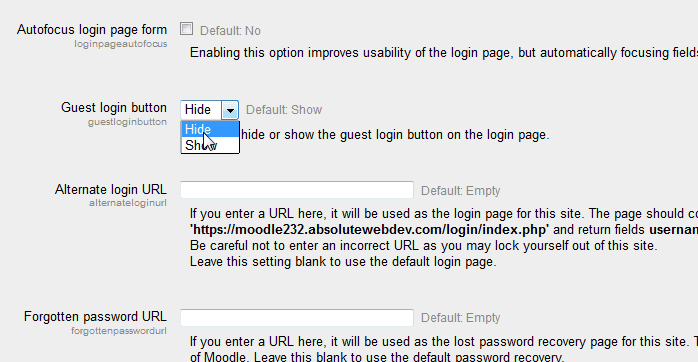
On the Manage authentication page, select Hide on the Guest login button field.
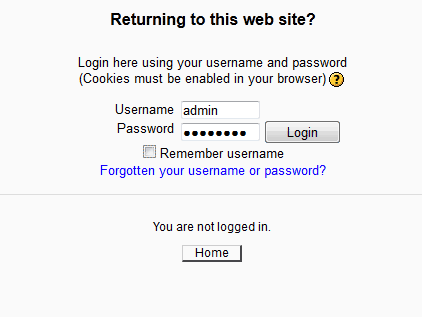
Now when visiting the Moodle login page, the Login as a guest button will not appear.
This concludes the article for Removing the Guest login button from the Moodle login page. For more information on this Education Course, please visit User Accounts and Permissions in Moodle