
When Moodle is initially installed, the language will be set to the one specified in the installation steps. Many educational institutions offer multilingual capabilities for their students who speak different languages other than the default language. To accommodate this need, Moodle included a vast array of Language packs that can be installed or removed. This allows the Moodle site to be viewed in multiple languages. This article will focus on installing a language pack for Spanish in Moodle 2.3.
Installing a Language pack
- Log into the Moodle Dashboard
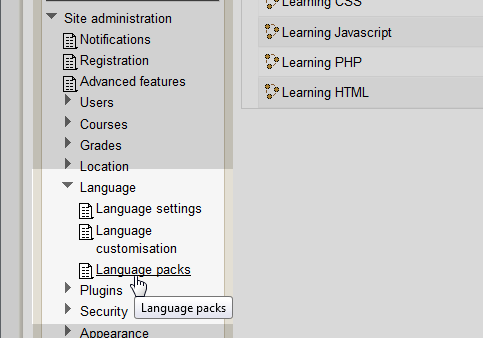
Navigate to the Site administration > Language > Language packs section in the settings.
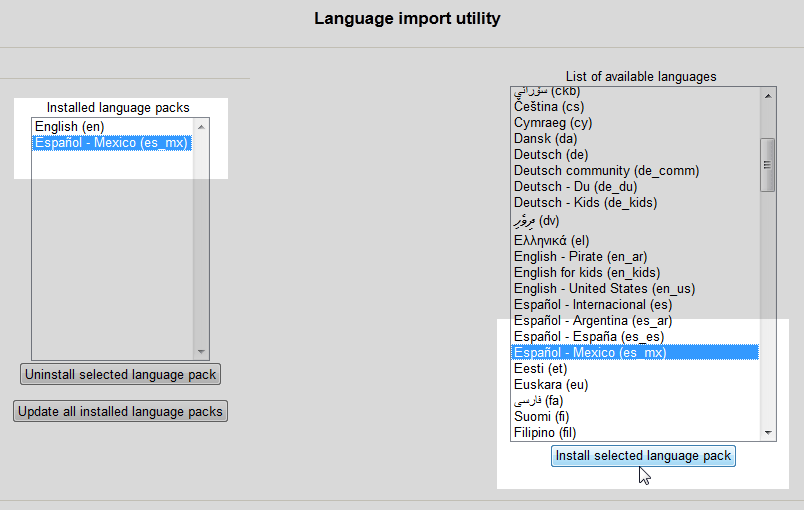
On the Language import utility page, select the language to install.
Click Install selected language pack.
On the left hand side, the language will show in the Installed language packs list.
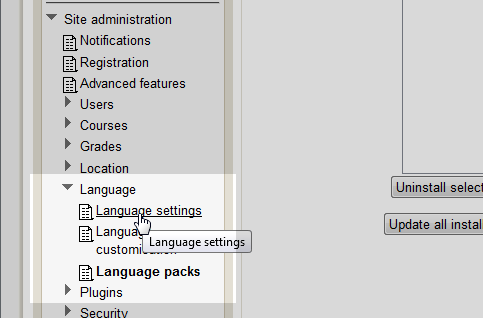
To set the default language, navigate to Site administration > Language > Language settings.
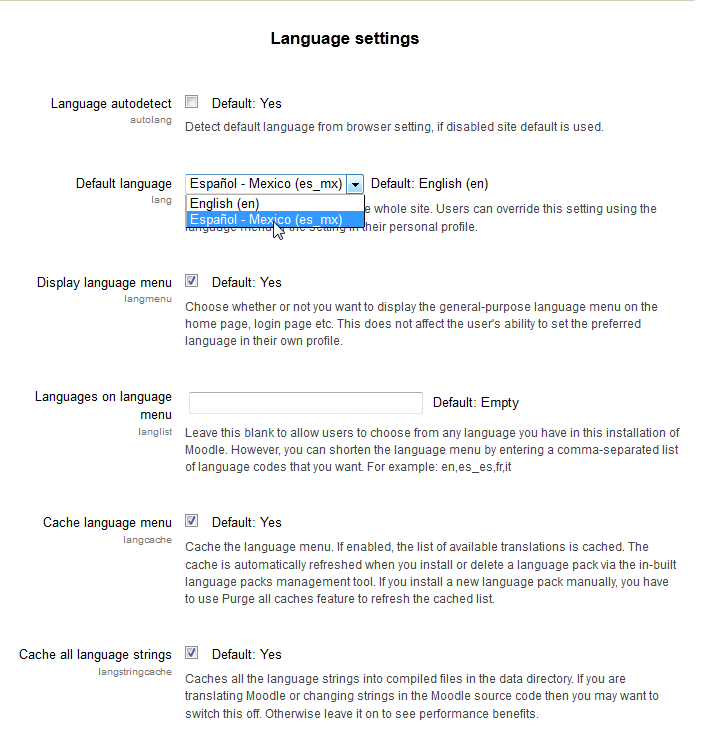
Deselect the Language autodetect check box and select the Language from the Default language drop box.
Save the changes.
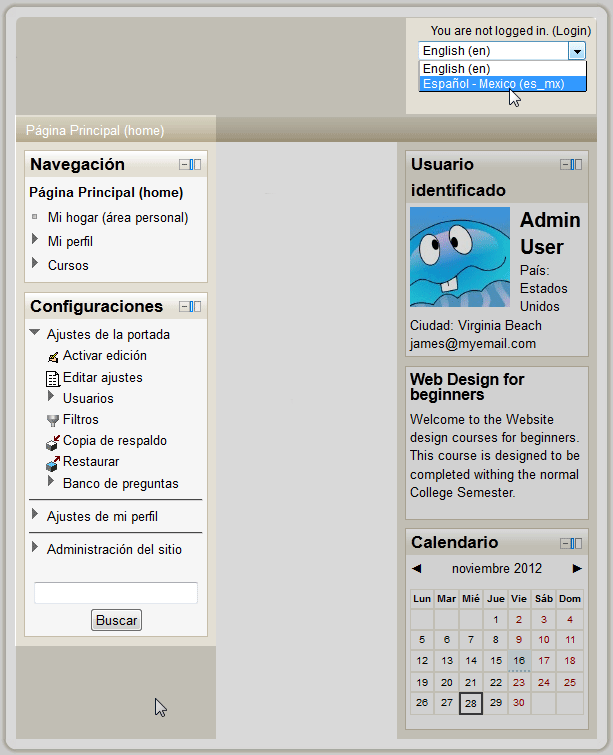
Now the option to select the language will appear at the top of the site. Selecting the language from the drop box will automatically change the language for the site.
Important! If the courses are set up in English in the first place, Moodle will not translate those sections. Moodle only translates the core language of the Moodle software with the Language packs.
