The previous article in the Getting Started with Moodle course on how to log in to Moodle explained the login process. If you forgot the username and/or password for the Moodle administrator login, Moodle has a built in Forgotten your username or password? feature. This allows the administrator to obtain the username and password for the site.

Reset the Moodle username or password using the Forgotten your username or password? link

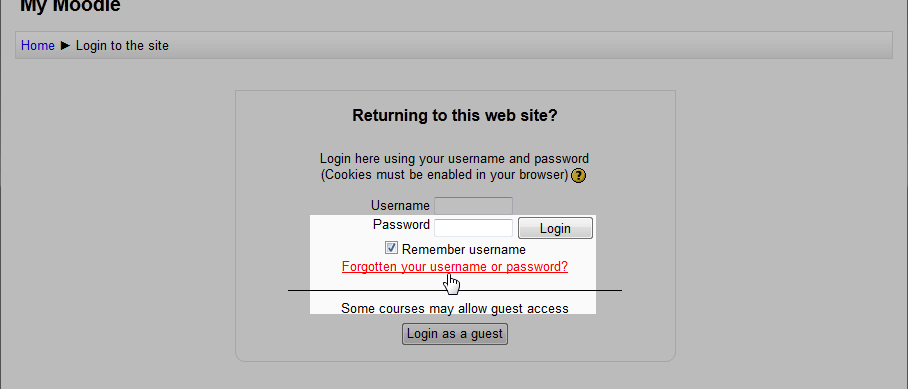
  1. moodle-forgot-password-username-admin-user Visit the Moodle login page.
  2. moodle-forgot-username-password-linkClick the Forgotten your username or password? link on the Moodle login page.
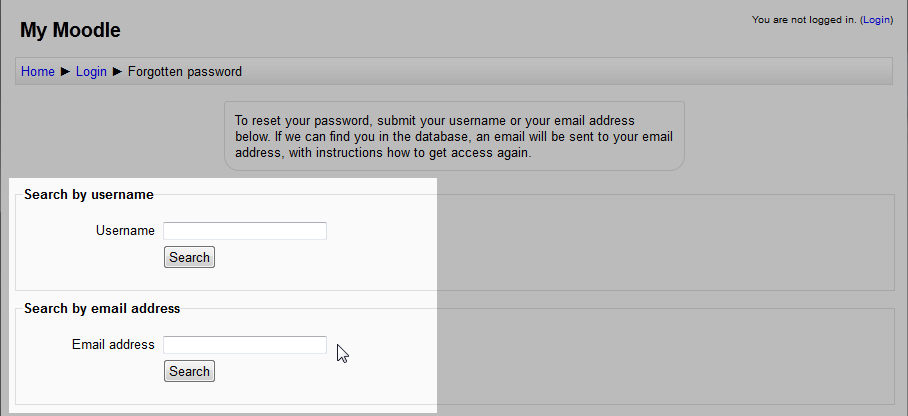
  3. moodle-forgot-username-password-search-by-emailOn this page, the username or the email address can be used to recover the login information that is needed. In this case, the Search by email address will be used. Enter the email for the Moodle admin and click "Search".
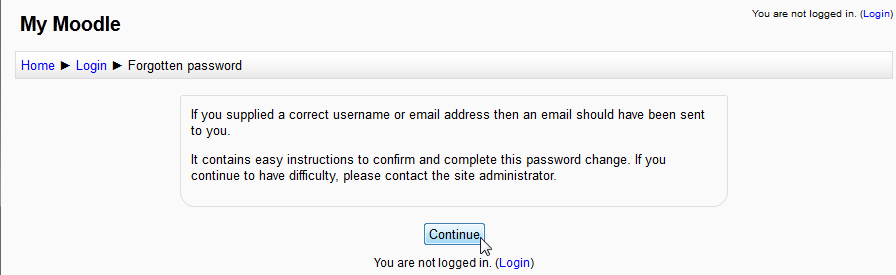
  4. moodle-forgot-username-password-continue Next will be a Confirmation page. Click Continue.
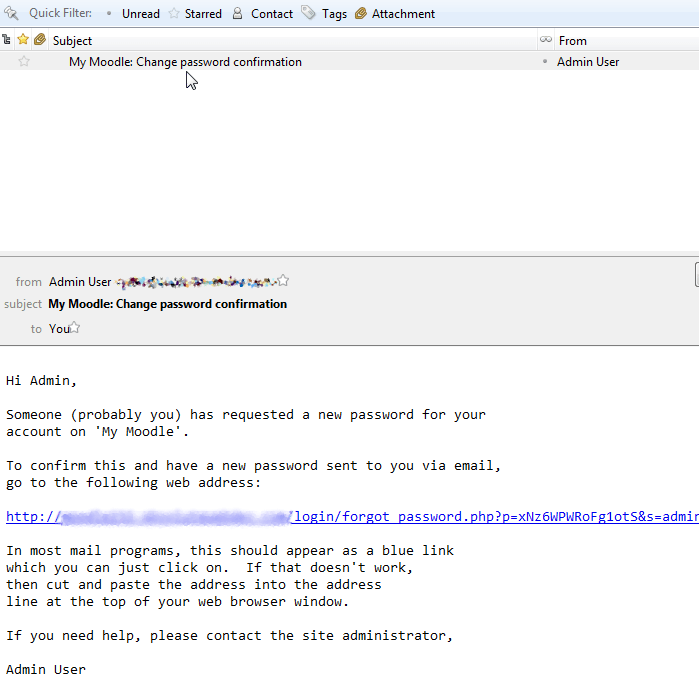
  5. moodle-forgot-username-password-confirm-email Next there will be an email sent called Change Password Confirmation. The email will look like the following Screen shot. There will be a link that resets the password for the login. Click the link.
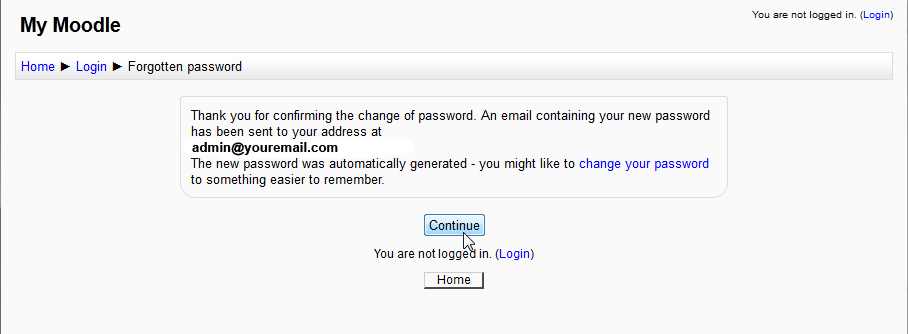
  6. moodle-forgot-username-password-confirm-email Next there will be a page that says "Thank you for Confirming the change of Password". Click Continue.
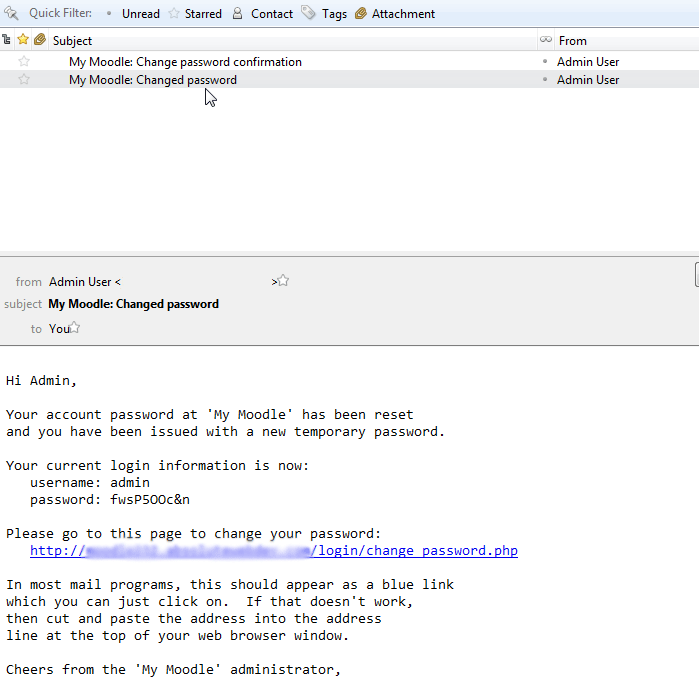
  7. moodle-forgot-username-password-continue Finally, an email called Changed Password will be sent with the Login information needed for logging into Moodle.

The next article will outline how to change the username and/or password for your Moodle Login.

Like this Article?

Login to comment.

Your Opinion Matters

... but we need to know what you're thinking!

I'm James Richardson, your friendly Community Support technician, and I wrote the article you're looking at now. I like to think it's perfect, but I'm sure you have some suggestions. Please, let me know what they are!

Feedback
Your Email Address
Because we'd like to talk with you!

Latest Questions

If you need some help, submit your question to our Community!
We guarantee a response within 60 minutes (8am - 9pm EST, Monday - Friday)
Ask a Question!
Recent Questions
  1. Domain not pointing to my inmotion hosting
  2. How do I transfer my domain from inmotion to a different domain service?
  3. How many ways can you annoy your customers?

Need more Help?

Search

Ask the Community!

Get help with your questions from our community of like-minded hosting users and InMotion Hosting Staff.

Current Customers

Chat: Click to Chat Now E-mail: support@InMotionHosting.com
Call: 888-321-HOST (4678) Ticket: Submit a Support Ticket

Not a Customer?

Get web hosting from a company that is here to help. Sign up today!