

By default, Moodle 2.3 will show courses and categories on the Front page. This can be removed to display the home page as a website, instead of a list of Courses and Categories. That way, when the website is visited, the Front page will display information about the Moodle site, instead of activities a student would need to see. In this tutorial, the Categories and Courses will be removed from the Front page and replaced with HTML, images, and a table.
Creating a custom Front page
- Log into the Moodle Dashboard
Important! Keep in mind that Editing must be turned on in the Settings section in order to edit any of these options.

Navigate to Front page settings > Edit settings in the Settings to the Left.
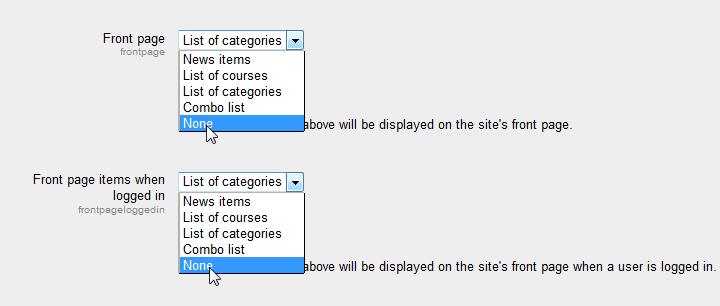
On the Front page settings page, Select None for the Front page and the Front page items when logged in drop boxes to remove the Categories and Courses from the Front page. Click Save changes.
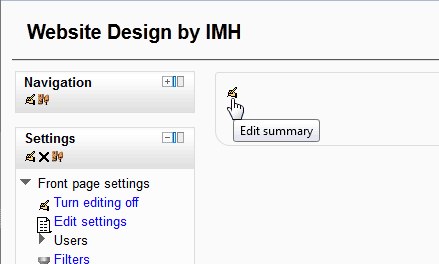
Navigate to the Home page. With editing on, the Edit summary link will display. Click the Edit Summary link.
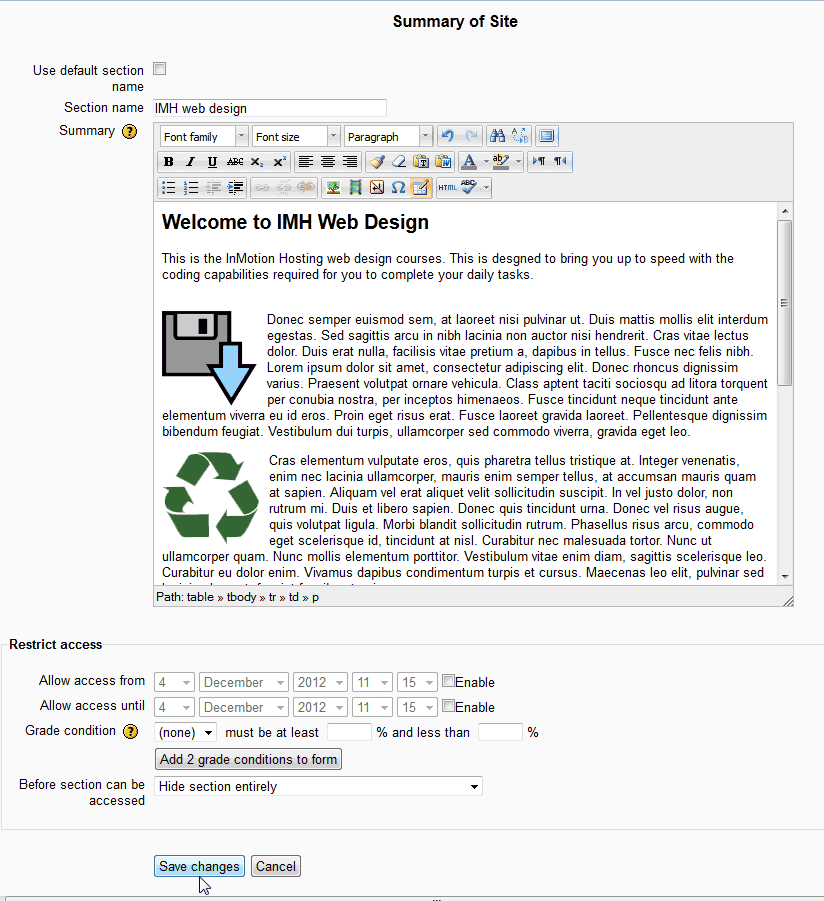
On the Summary of Site page, the Front page can be customized with the WYSIWYG editor. HTML code can also be inserted into the Summary section with the HTML button in the WYSIWYG editor.
Add images, text, tables, and more to customize the Front page. Once done, click Save changes.
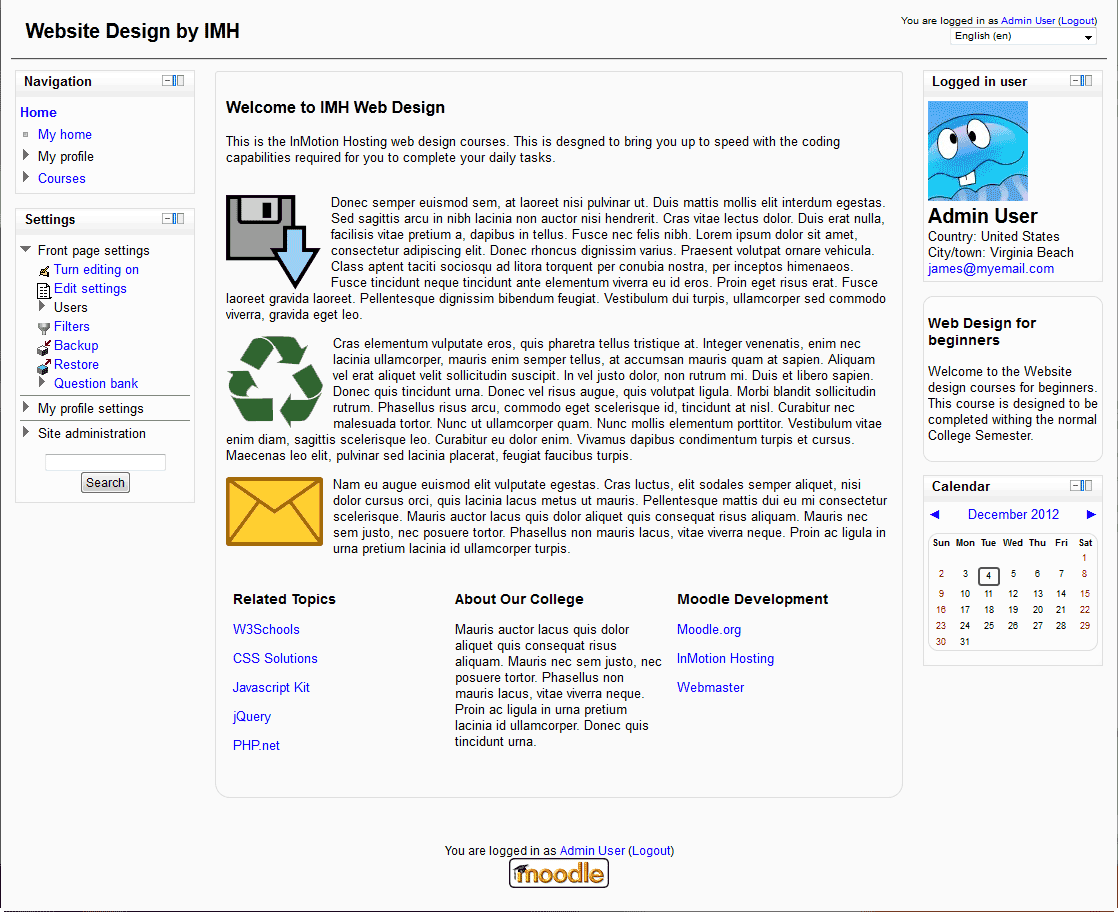
Now when visiting the site, the Front page will look more like a website, instead of listing the courses.

This concludes the tutorial on Customizing the Moodle Front page Appearance. For more information on this Education course please visit Changing the Appearance of Moodle