
Once the Lesson module is added to the Course Section, the Lesson can have content added to it. For more information on the Lesson module, please see the article on Building a Lesson in Moodle. The most important part of the Course is the content of each Section. The Add a content page portion of lesson module is specifically for incorporating the content into the Course section.
Important! Keep in mind that Editing must be turned on in the Settings section in order to edit any of these options.
Adding content through the Lesson module “Add a content page”
- Log into the Moodle Dashboard
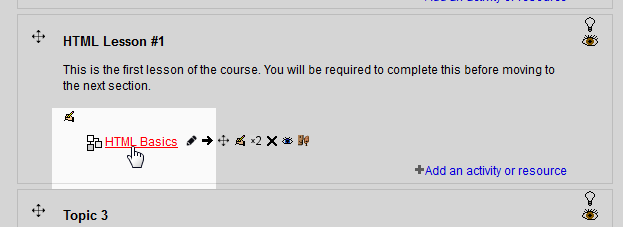
Select the course on the left in the Navigation. Click the title of the Lesson that was created in the course section.
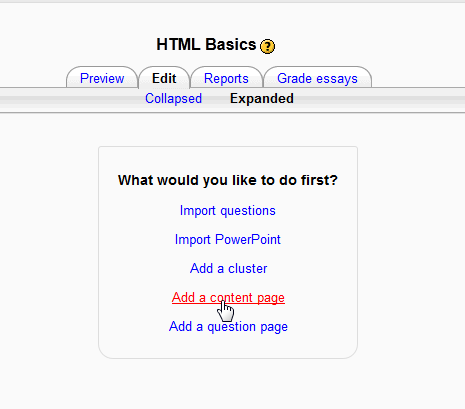
On the Edit tab, select Add a content page..
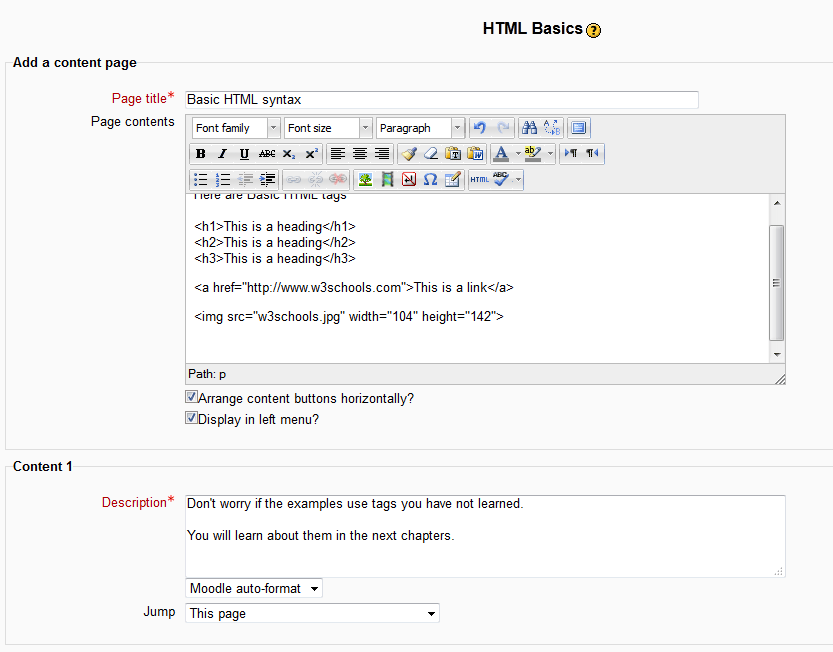
On the Add content page type the Page title, Page content, and Description and click Save Page.
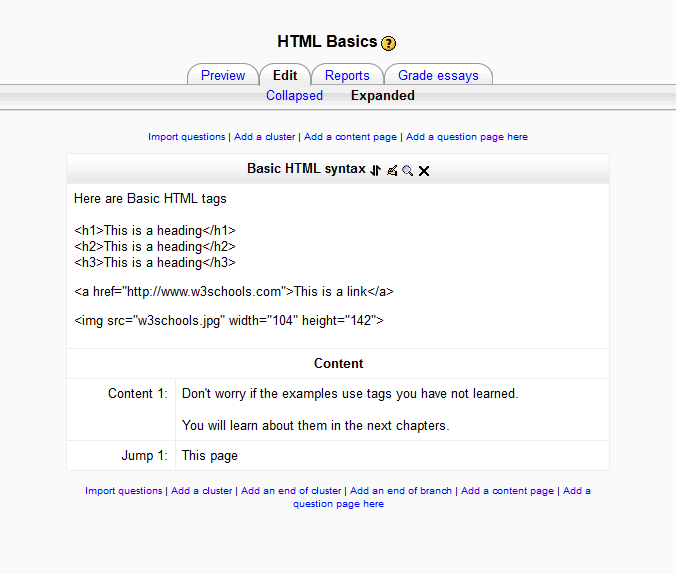
- The final outcome will look like the following snap shots.
From a Student’s point of view From a Teacher’s point of view 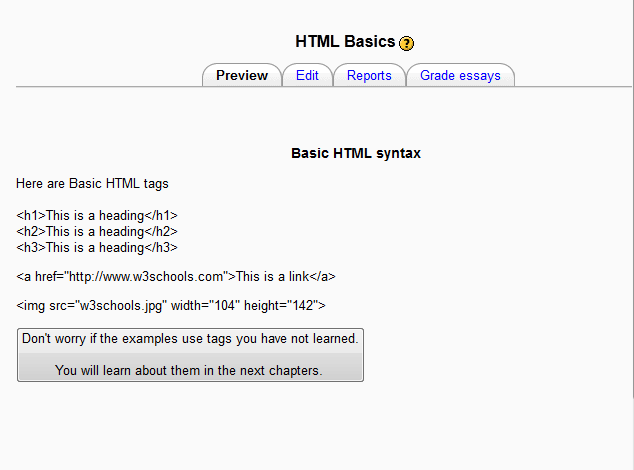
This concludes Adding a content page in the Moodle Lesson module. Please check the next article on Adding questions to the Lesson module in Moodle. For more information on this Education Channel please visit Adding an activity or resource to a course