MediaWiki by default allows anyone to register and add content to your wiki site. Editing pages is fairly straight forward and is a basic function of managing a wiki. This article will explain the basics of how to edit your MediaWiki pages.
How to edit the Main page
The Main page is the home page of your MediaWiki site. Because this is the first page the online visitors will see, it is important to add the appropriate content to this section first. This section will explain how to rename, and edit the Main page.
Renaming the main page
- Log into MediaWiki
- Click the Main page link to the left in the sidebar navigation.
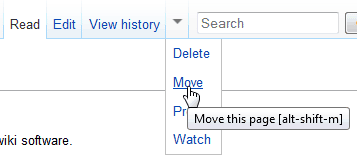
Click the drop arrow and select Move.
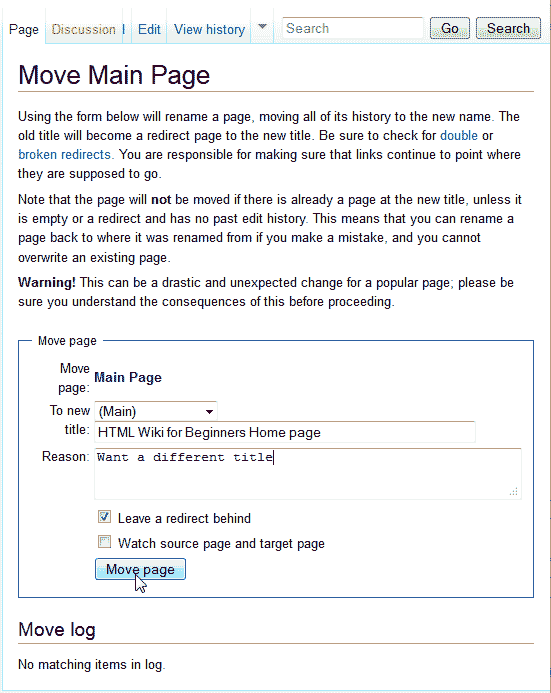
Type the new title
and the reason the page is being moved. To prevent Google from going to a 404 not found page, check the Leave a redirect behind check box.Click Move Page.
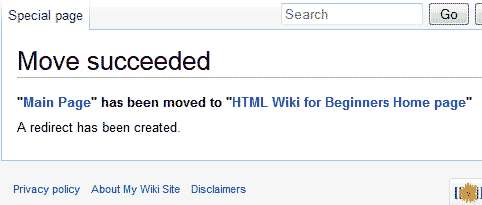
the page should say Move Succeeded when the renaming process is completed.
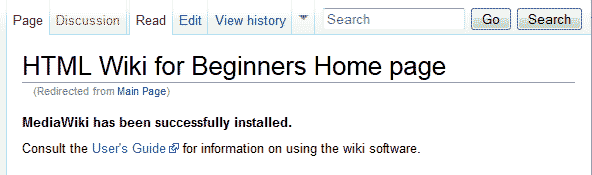
Now the Main Page will display your new title instead of Main page in the title.
How to edit the main page
- Log into MediaWiki
- Select the main page from the navigation if you are not there already.
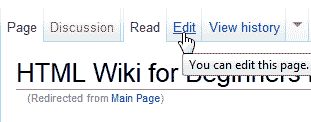
Click the Edit tab at the top of the Main page screen.
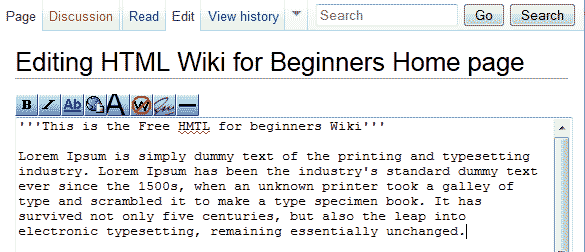
Here is where you can edit the content at the top of the Main Page. Add the text you want for the main page and click Save Changes.
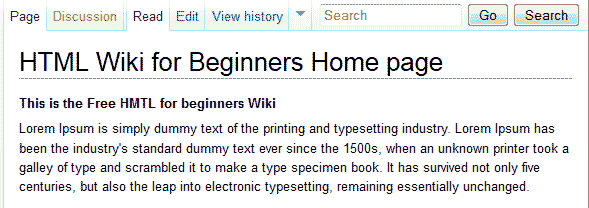
Now the Main page will display the text you entered similar to the snapshot to the right.
Editing MediaWiki page content
The page content is different than the Main Page content in that the Main page has a section above the content that is kept separate from the rest of the content. This section will explain how to edit the main body content of a page.
- Log into MediaWiki
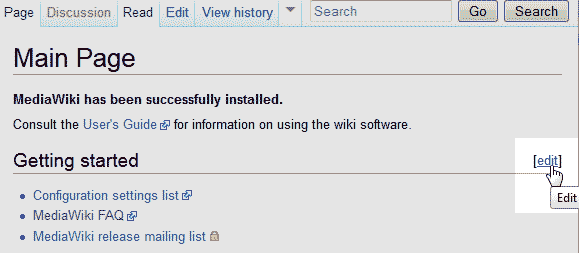
Find the page you want to edit. In this case the content of the Main page will be edited. Click Edit.
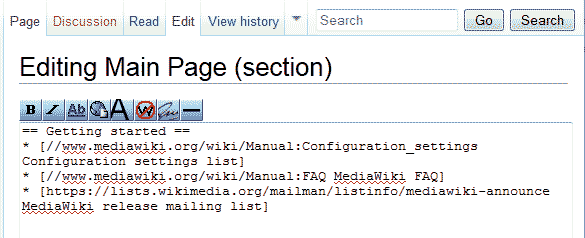
By default the code will look like the snapshot to the right an a new installation.
Add text to the page to begin creating the content for the wiki.
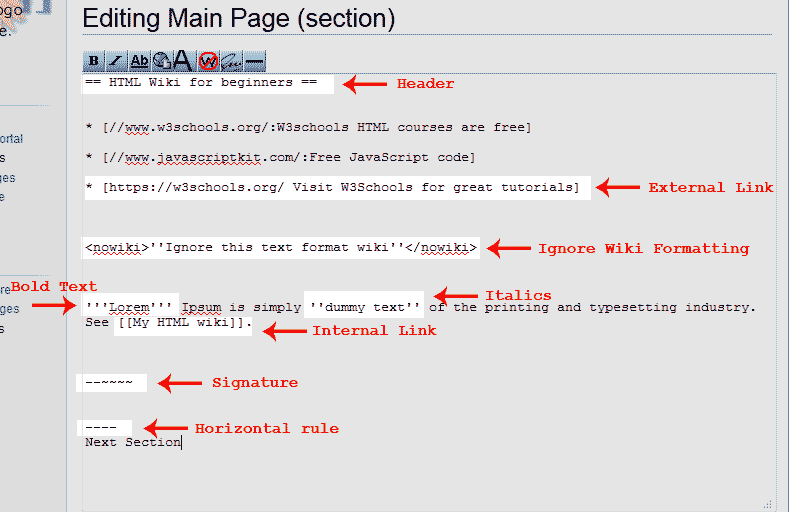
The Snapshot to the right shows what the Bold, Italic, Header, Internal link, External Link, No Wiki Format, Signature, and Horizontal rule code looks like.
Save Changes.
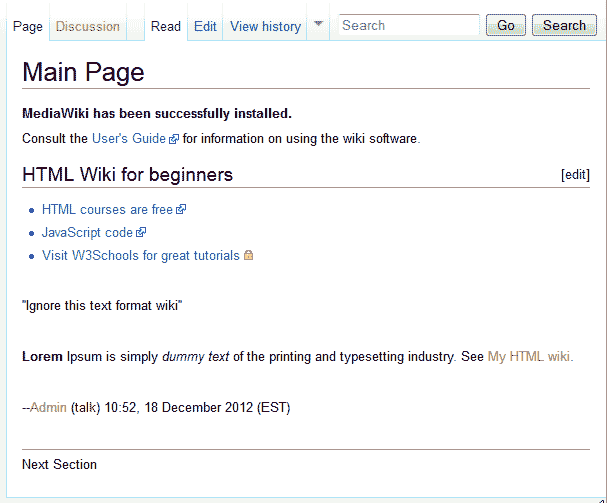
Once saved the page will have a similar format to the snapshot to the right.
