When renaming, deleting and restoring pages in MediaWiki, it is necessary to know how to redirect URL’s that are no longer working. When visitors bookmark pages or Google caches your old pages, they will get a “404 not found” error when looking for the old link. This makes it necessary to create a redirect in that page to have it go to another valid page. This article will outline how to add and remove redirects in your MediaWiki pages.
Adding a redirect to MediaWiki
- Log into MediaWiki.
- Select the page you want to redirect.
- Add the redirect code to the page.The redirect code will look like the following:
#REDIRECT [[pagename]]
In this case we will use the following to redirect to the “HTML Wiki for Beginners Home page“. The code will look like the following:#REDIRECT [[HTML Wiki for Beginners Home page]]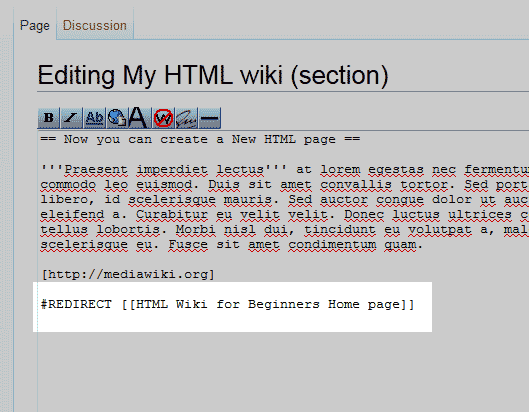
Important! If you place the redirect code in the incorrect place, See image to the right, the redirect will not work.
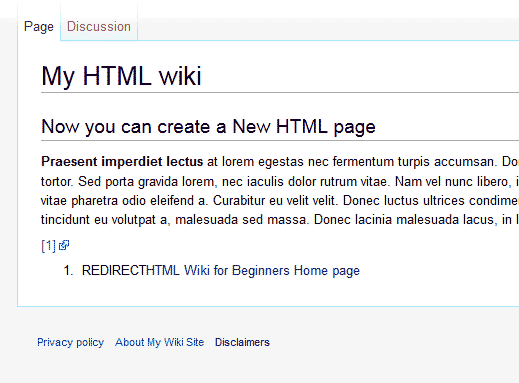
You will get a page like the snapshot to the right if the code is places in teh wrong location of the page. The Redirect code must be placed at the top of the page before all text in the page.
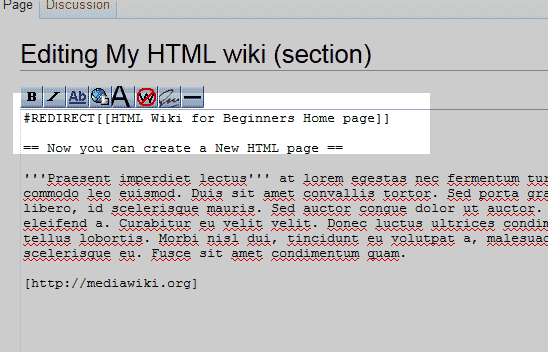
Once you add the redirect code to the top of the page like the image to the right, Save the page.
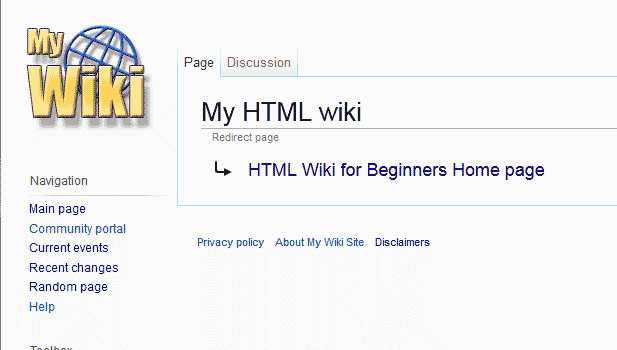
Visit the page to check if the redirect is working. The page should load with a redirect message saying “Redirect Page” with the page name the redirect points to.
Removing a redirect in MediaWiki
- Log into MediaWiki.
- Find the page you want to edit by going to special pages on the left in the navigation sidebar. Select “All pages” in the “Lists of pages” section. Find the page and selct it.
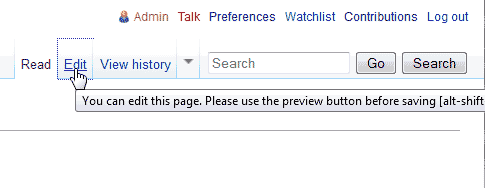
Click the Edit link at the top left.
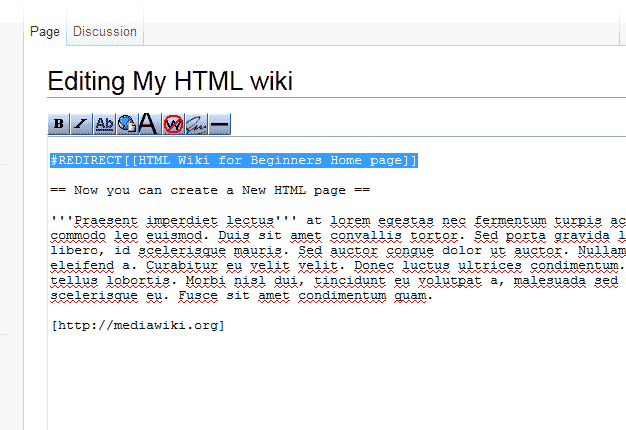
Find the redirect code and delete it. Now the page will no longer redirect.
