

You understand the importance of WordPress widgets and have added a few widgets to your website. But as your website grows, you’ll find that you no longer want certain widgets on your site.
Because of the easy-to-use nature of the platform, deactivating and disabling widgets in WordPress is as easy as adding them.
Continue reading to learn more about:
Enjoy fast, secure hosting optimized for your WordPress website with our WordPress Hosting plans!
Deactivating Widgets in WordPress
You can easily deactivate widgets you no longer want to display via your WordPress dashboard. To remove widgets from your website:
- Log into the WordPress Dashboard.
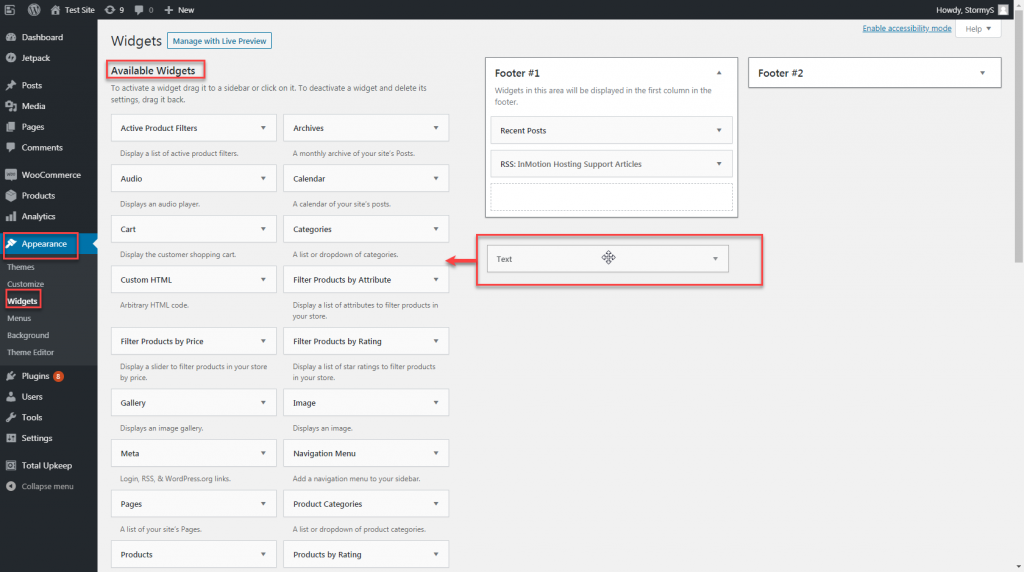
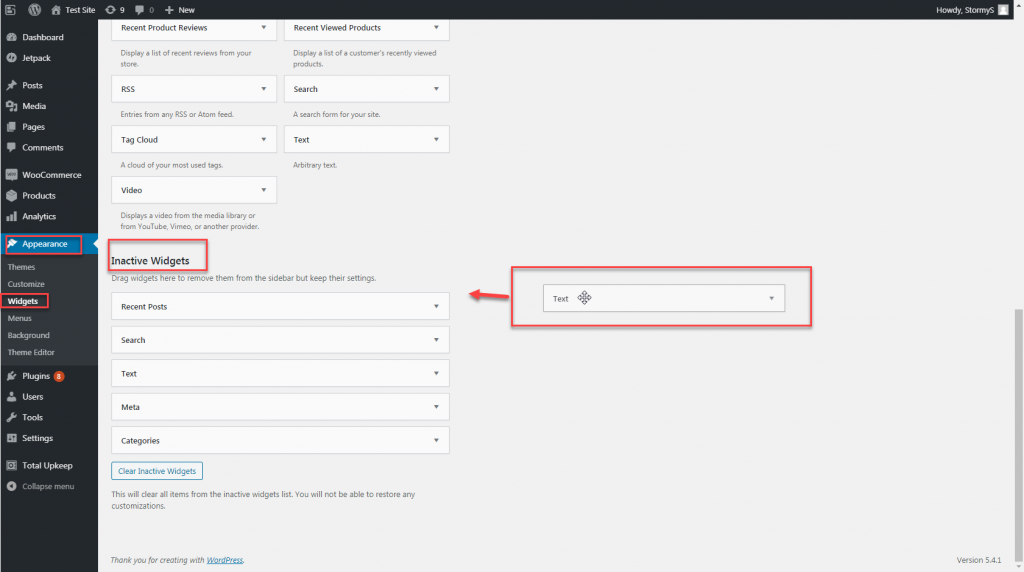
- Navigate to Appearance > Widgets.
- To remove the widget from your website and delete the widget settings, drag and drop it from the widget area to the Available Widgets area.
- To remove the widget from your website while saving the widget setting, drag and drop it from the widget area to the Inactive Widgets area.
The widget has now been removed from your website!
Disabling Widgets in WordPress
Through website creation, tweaks, and edits, you may find yourself with a lot of widgets. With just the widgets from installed plugins and the WordPress default widgets, your widget list may become long and crowded.
Luckily, with the free Widget Disable plugin, you can disable and hide unwanted widgets from your widget list. To disable widgets in your WordPress dashboard:
- Log into the WordPress Dashboard.
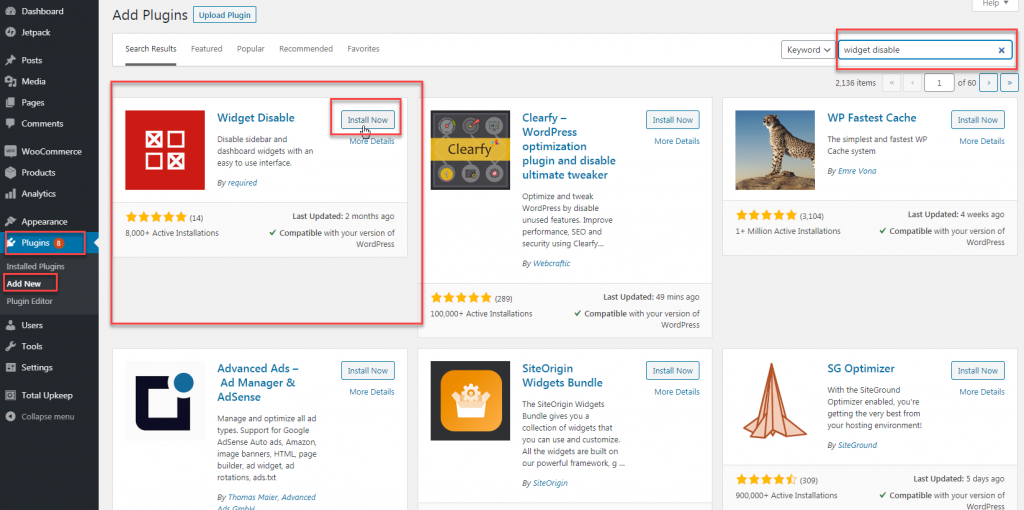
- Search for, install, and activate Widget Disable.
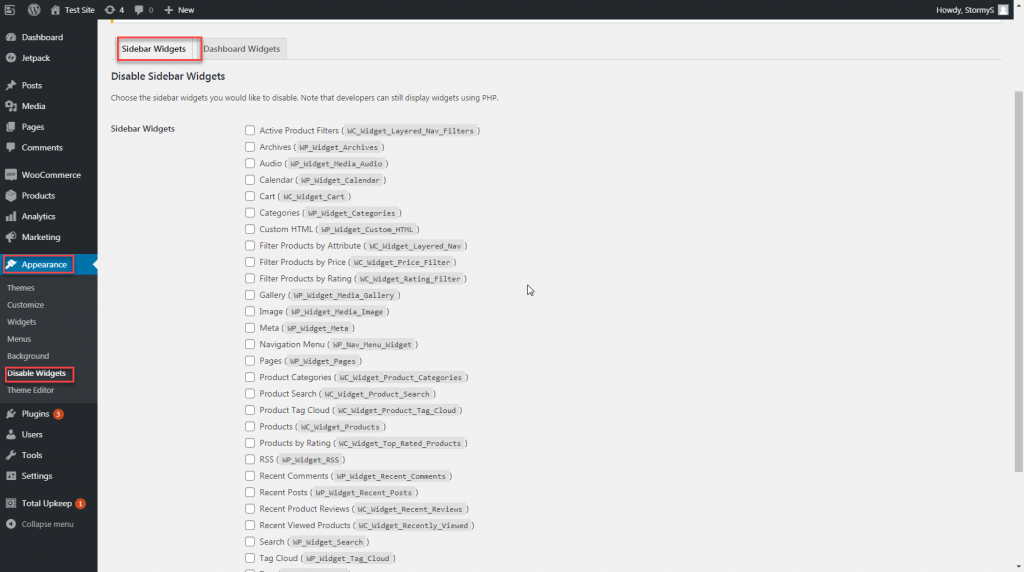
- Navigate to Appearance>Disable Widgets.
- Under Sidebar Widgets, check off the box next to all of the widgets you want to disable and hide. You can do the same thing for Dashboard Widgets.
- Click Save Changes to hide the selected widgets from your widget list.
As you update the dynamic, custom content you add to your website via widgets, check out more WordPress tips and tricks in our WordPress Education Channel!
