As we continue to review the available settings within the Protostar template of your Joomla 3.0 hosting, the next setting we will look at is the Background Colour setting:
Background Colour
Choose a background colour for static layouts. Default is #F4F6F7
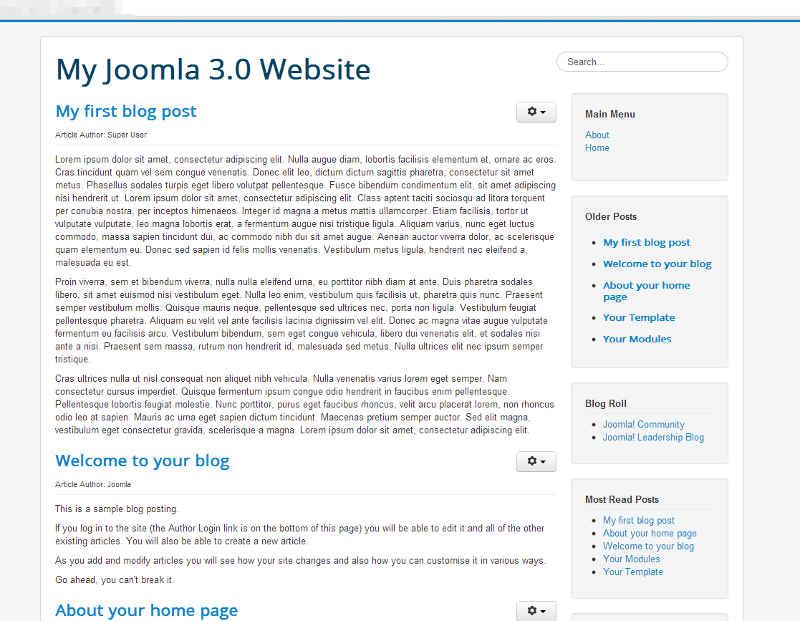
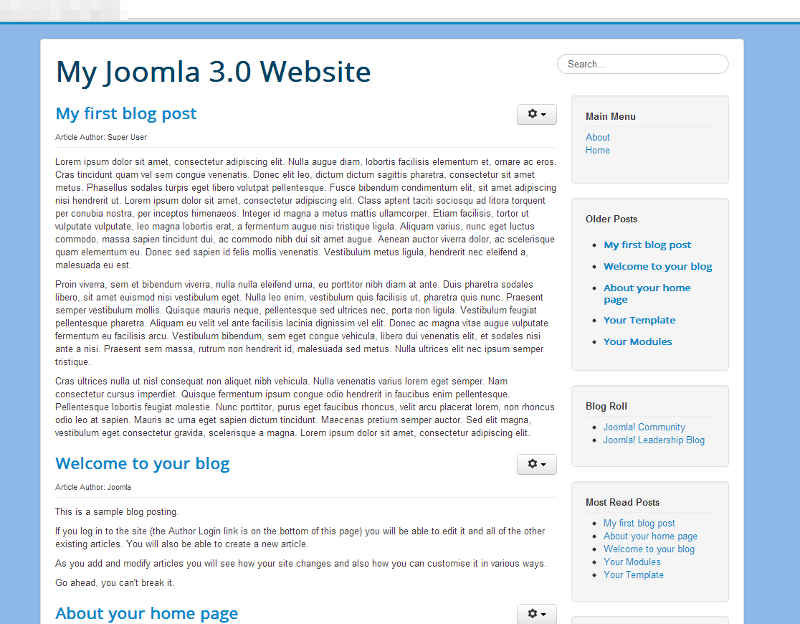
Adjusting the Background Colour setting will do exactly what you expect, adjust the background of your template. The default color is #F4F5F7 and in our testing we changed it to #8cb7e6. You can see the results below:
| Background Colour: #F4F6F7 | Background Colour: #8cb7e6 |
|---|---|
|
|
The steps for changing your background color within the Protostar template are very similar to those of editing your link colors. The main difference will be that you are changing it from a light gray to the blue color as seen above. Make sure to check your website after changing colors in order avoid elements of your website from becoming difficult to see or unviewable. Additionally, keep in mind that you may need to clear your web browser cache after making a change.
To change your Protostar template background color in Joomla 3.0:
- Log into your Joomla 3.0 Admin Dashboard
- In the top menu, click Extensions and then click Template Manager
- In the list of templates, find and click on the Protostar template. In our testing, we clicked on My Default Style (Protostar)
- Click the Options tab towards the top of the page
- Find the setting labeled Background Colour, and then click the box to the right. A color swatch will appear. Select the color of your choice and then click the Save button in the top left of the page to change your setting.