Joomla 2.5 has reached its end of life as for 12/31/2014. Please be advised this may be a security risk to your website. You can view more information about the end of life here.
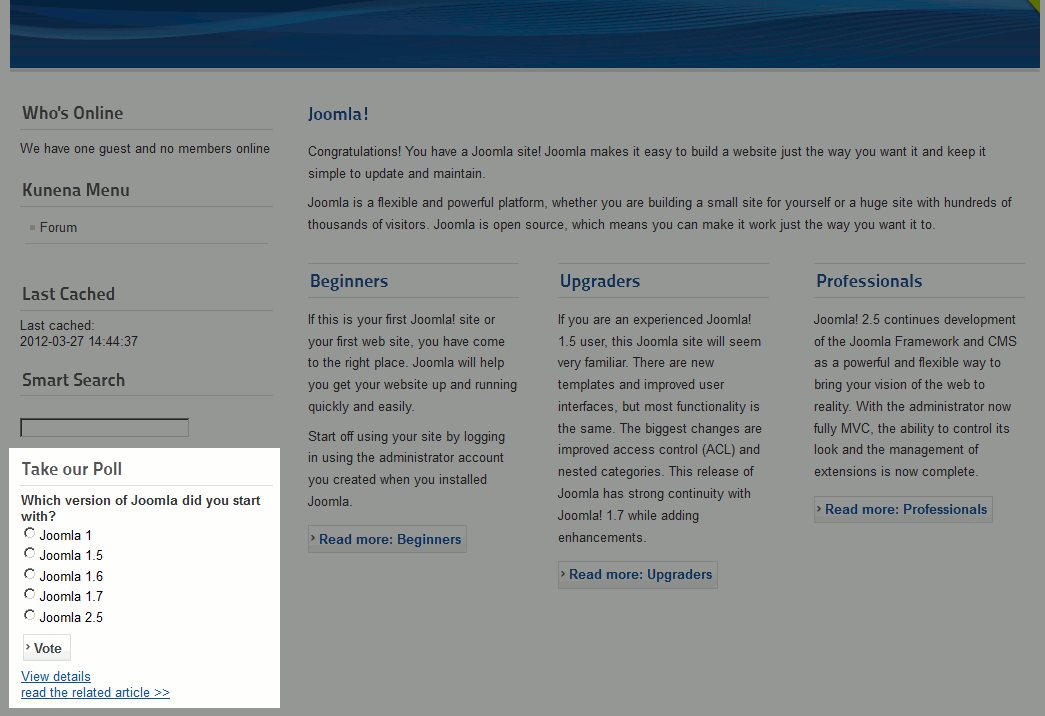
In our previous articles, we walked you through installing AcePolls and creating your first poll in Joomla 2.5. Your next step will be to display the poll on your website. To do this, you will need to create a module for that poll, and then assign the module to a specific position.
To create an AcePolls poll module in Joomla 2.5:
- Log into your Joomla dashboard
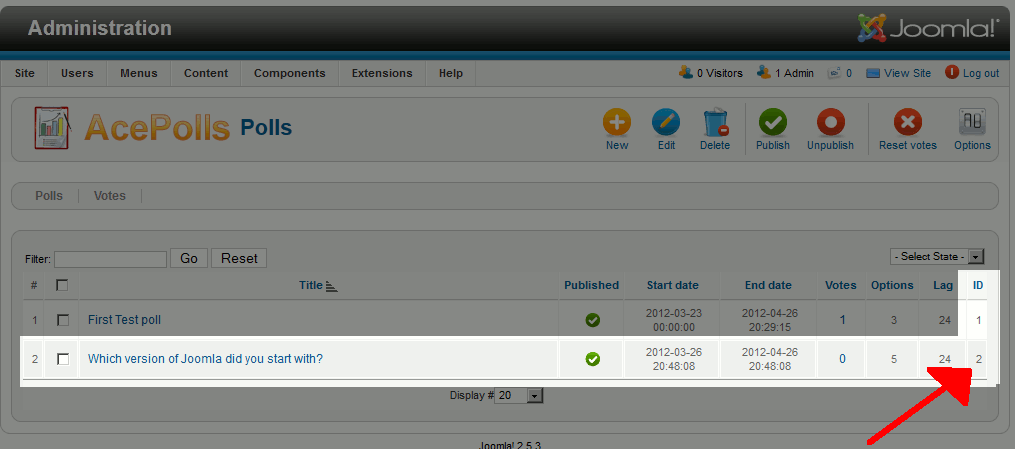
- Get the ID number of the poll you want to show
To do this, In the top menu, hover over Components >> AcePolls and click Polls. Then, take note of the ID number listed next to the poll you want to show on your Joomla 2.5 site (refer to screenshot below)
- In the top menu, hover over Extensions and click Module Manager
- In the top right menu, click New
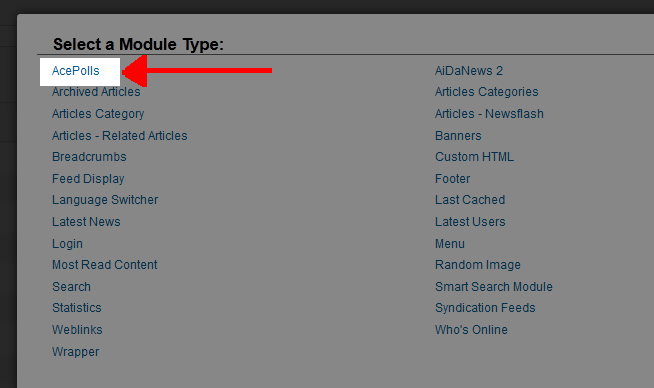
- From the Select a Module Type list, click AcePolls
- Fill in the details of your Module:
Title Enter a title for the Module Position Select a position for the module Poll ID Under Basic Options, set the Poll ID to the id you took note of in step 2 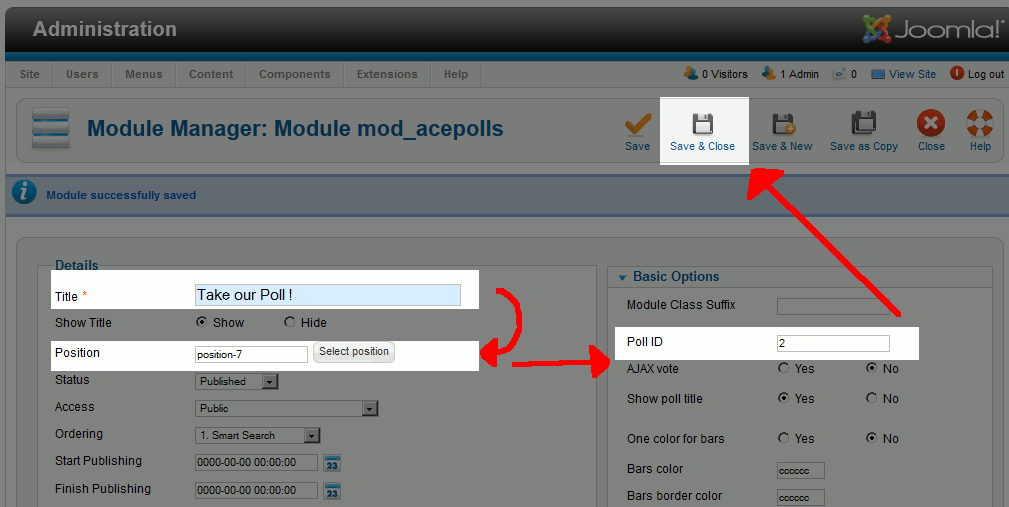
- Click Save & Close. When you visit your Joomla 2.5 site, you should now see an AcePolls poll in the position you selected!