Joomla 2.5 has reached its end of life as for 12/31/2014. Please be advised this may be a security risk to your website. You can view more information about the end of life here.
As with many applications that run on the internet, Joomla 2.5 can at times use excessive CPU time or memory. When websites use excessive server resources, it can cause the website to load slowly and can make the server unstable (which may result in a server crashing and websites going down). If you’re faced with optimizing a Joomla website, the first thing you’ll want to do is actually gather some data on how much CPU time and memory your site is using. The Joomla Debug System can help with this task, and below we’ll show you how to enable Joomla 2.5 debugging.
To enable the Joomla 2.5 Debug System:
- Log into your Joomla dashboard
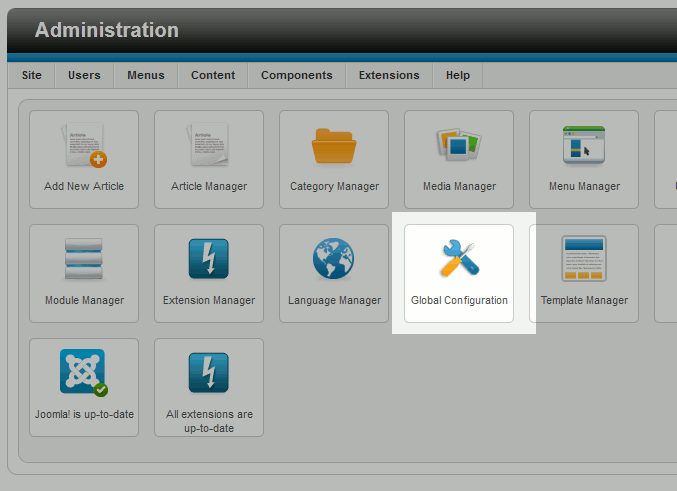
- Click the Global Configuration icon
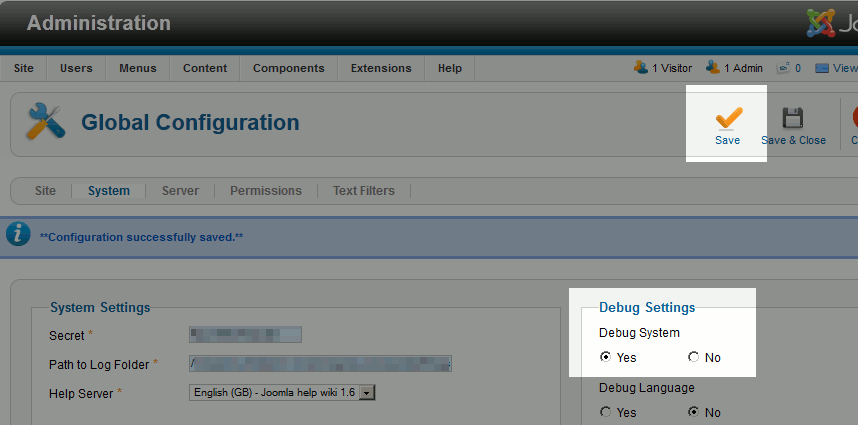
- Click the System tab. Under Debug Settings, set Debug System to Yes. Then click Save
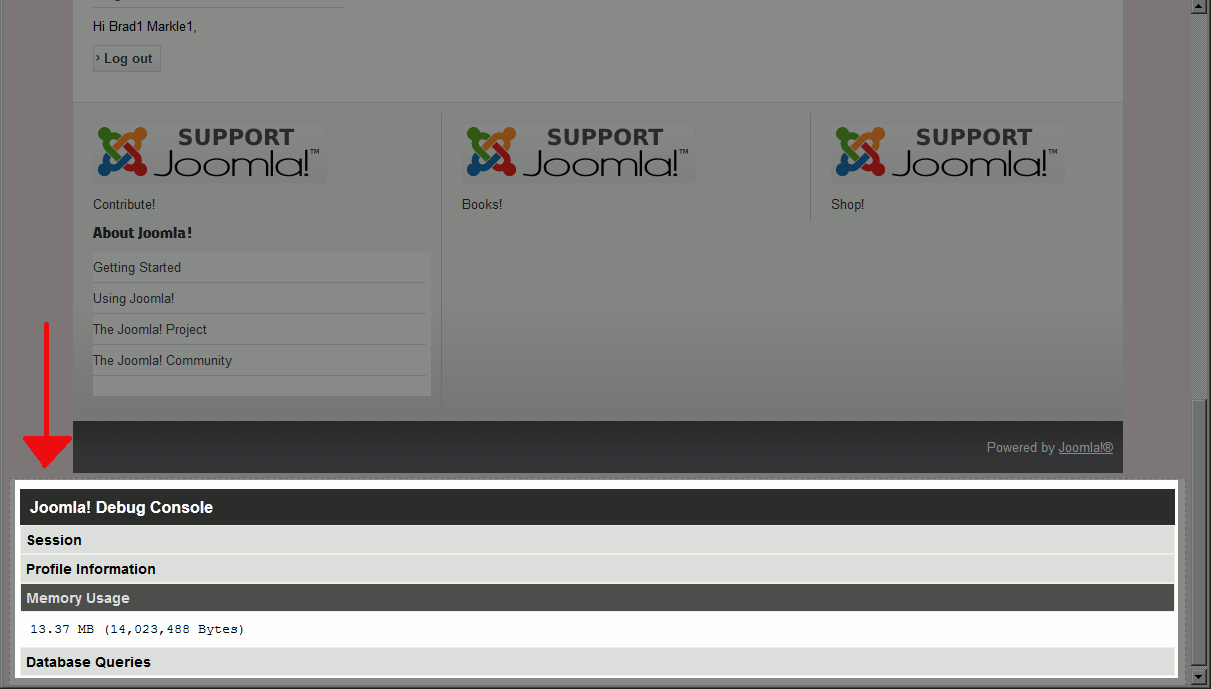
The Joomla 2.5 Debug System is now enabled! If you visit your website now, at the bottom of the page you’ll see a list of options you can click on to see more information:
- Session
- Profile Information
- Memory Usage
- Database Queries
| Before enabling the Debug System | After enabling the Debug System |
|---|---|

|
|
Viewing your current server resource usage is only the first step in optimizing a Joomla 2.5 website. In future articles, we will explain further upon what you can do to help Joomla run more efficiently.