

Registering a new domain name takes a few minutes in the Account Management Panel (AMP). You can search for a name, add one domain or several to the same order, and choose how many years to register them.
Not a customer yet? You can register a domain with InMotion Hosting without a hosting plan.
InMotion Hosting registers domain names with many top-level domain (TLD) extensions, including:
- .com
- .net
- .biz
- .info
- .org
- .academy
- .agency
- .app
- .best
- .blog
- .cash
- .cloud
- .design
- .life
- .online
- .shop
- .solutions
- .store
- .wiki
- .world
- .xyz
Important: To register a domain name with a .us extension, you must meet the .us nexus requirements. In general, you must be a US citizen or permanent resident, an organization established in the United States, or an entity with a bona fide presence in the United States.
Registering a New Domain Name in AMP
- Log in to AMP. See How to Log in to AMP if you need help.
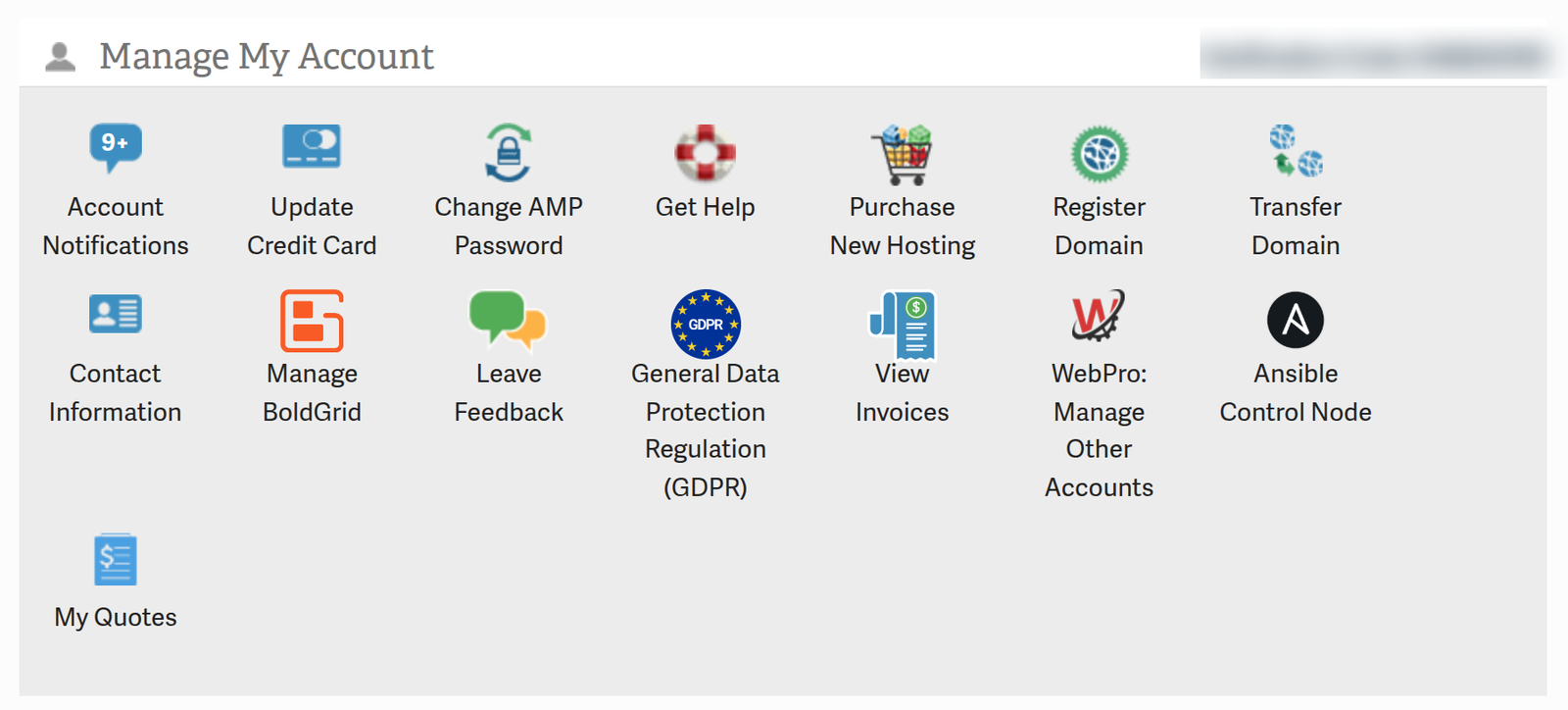
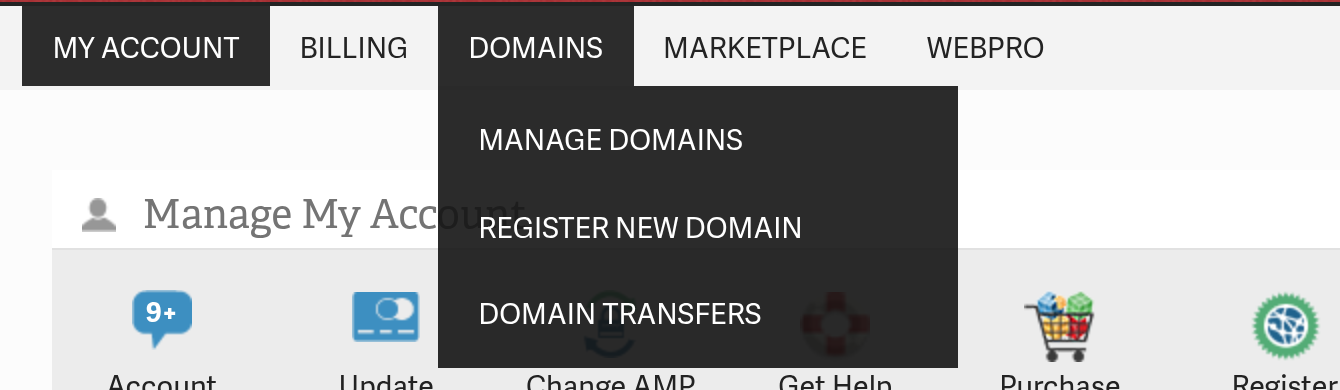
- Open the registration page. On the dashboard, click the Register Domain icon in the Manage My Account section. Or hover over DOMAINS in the top navigation menu, then click REGISTER NEW DOMAIN. Both routes open the same page.
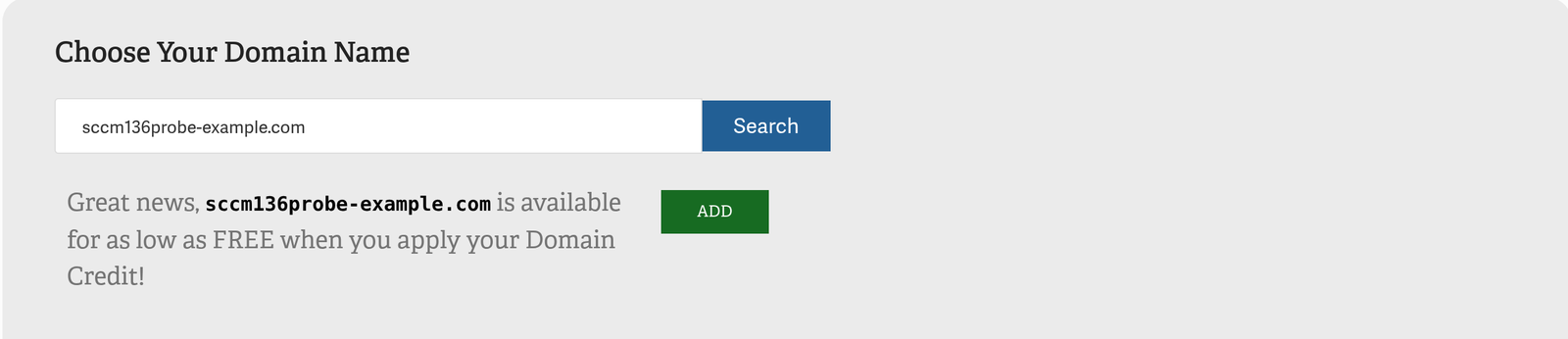
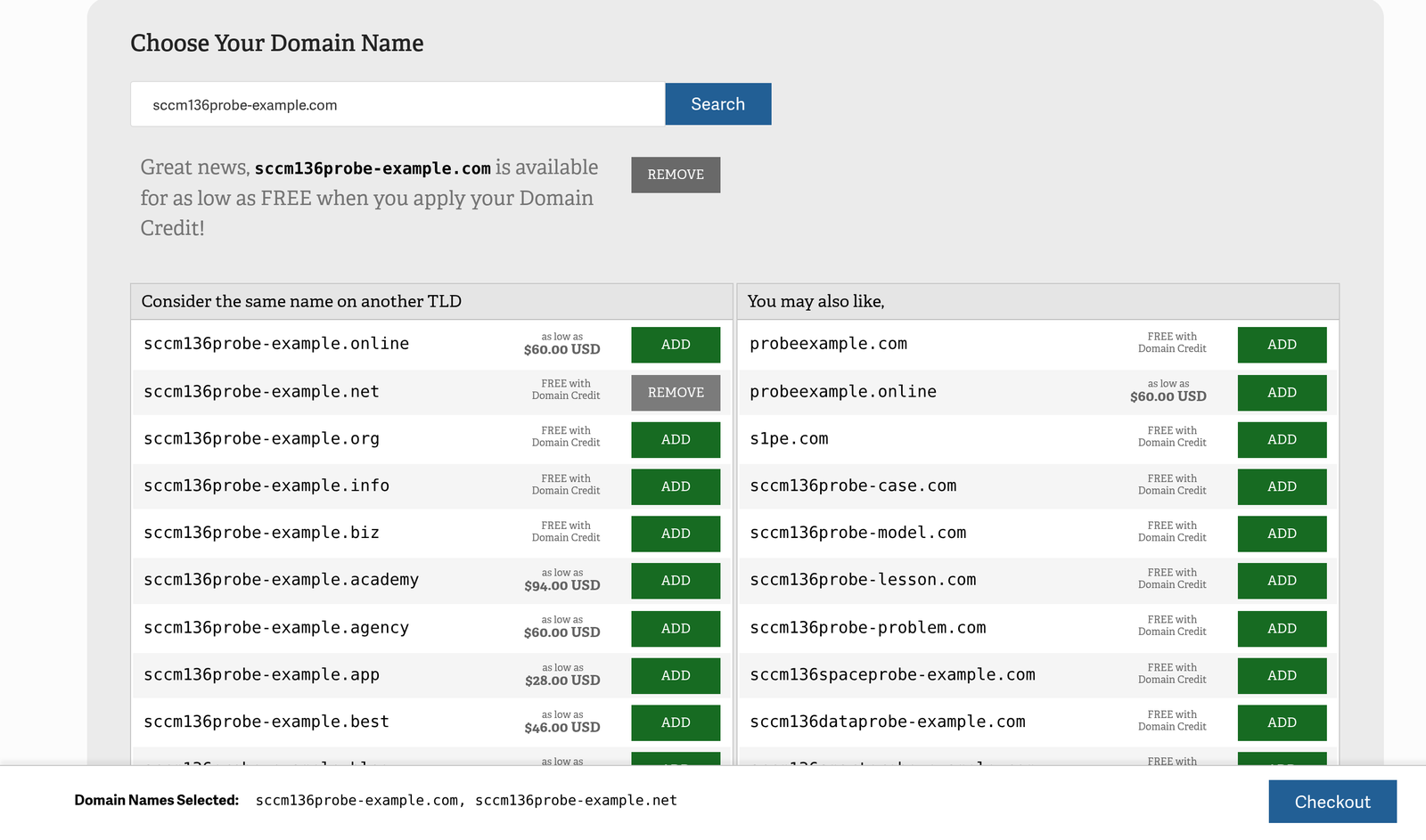
- On the Domains – Registration & Privacy page, find the Choose Your Domain Name panel. Type the name you want in the Enter a Domain box, then click Search.

- Read the search result. What you see depends on what you typed:
- If you typed a full name with an extension, such as
example.com, and it is available, AMP says the domain is available and shows a green ADD button. With a domain credit, the price reads FREE. Without a credit, AMP shows the first-year price instead. - If you typed a name without an extension, AMP searches all the TLDs InMotion Hosting offers. It lists them under Consider the same name on another TLD and You may also like. Each row shows the domain, its price, and an ADD button. Click Explore More under a list to see further options.
- If the name is taken, AMP says the domain is not available and shows the same alternative lists. Choose one of those, or search again.
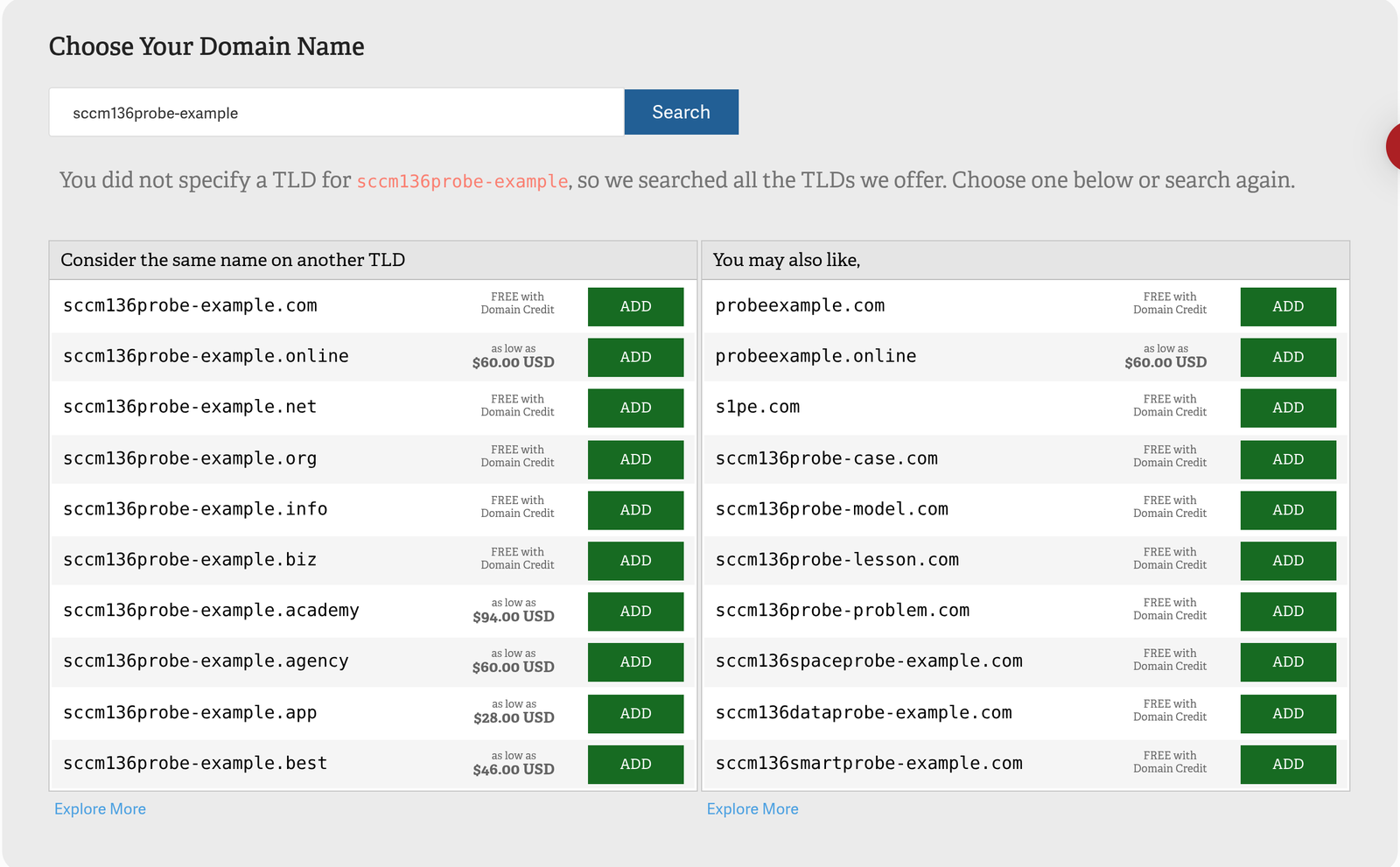
Note: The FREE with Domain Credit label appears on TLDs covered by the free domain credit included with eligible hosting plans, such as .com, .net, .org, .info, and .biz. Other TLDs show their first-year price.
- Click ADD next to each domain you want to register. You can pick the domain you searched for, any rows from the two lists, or both. Each ADD button turns into a grey REMOVE button. Click REMOVE to drop a domain from your selection.
- Check the bar pinned to the bottom of the page. It reads Domain Names Selected followed by your list, for example
example.com, example.net. When the list is right, click the blue Checkout button.
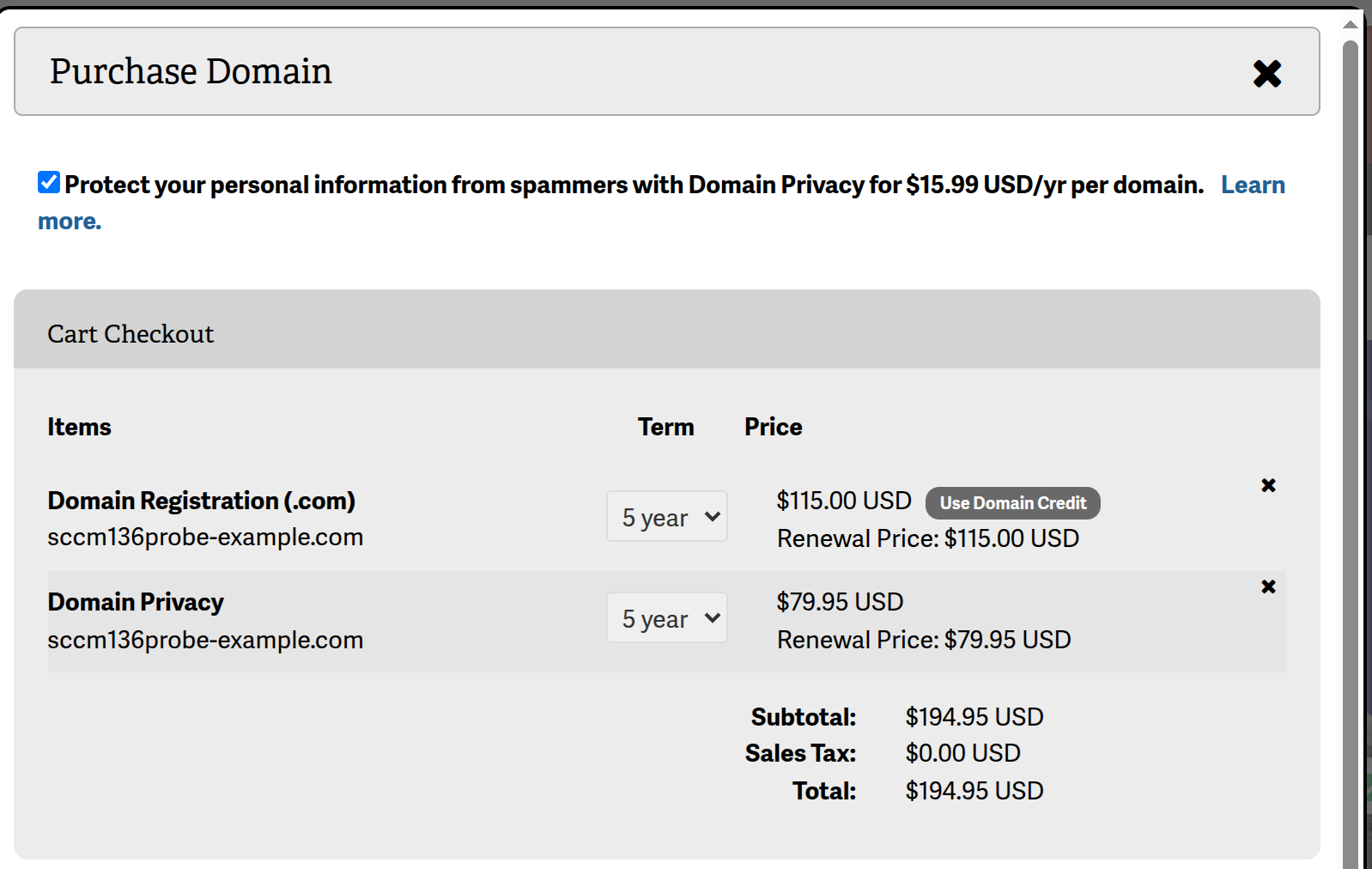
- The Purchase Domain window opens. At the top, the Protect your personal information from spammers with Domain Privacy checkbox is selected by default. It adds a Domain Privacy line for each domain at $15.99 per year. Clear the checkbox if you do not want Domain Privacy.
- In the Cart Checkout table, set the Term for each domain. The dropdown offers 1 to 5 years, and AMP may preselect a multi-year term, so check it before you continue. The price and renewal price update to match, and the Domain Privacy term follows the domain term. If you have a free domain credit, click Use Domain Credit next to an eligible domain. Click the X at the end of a line to remove it. Then check the subtotal, sales tax, and total.
- Under Select Payment Method, choose a saved card or PayPal, or click Add New Payment Method.
- Select the I AGREE checkbox to accept the order, the Universal Terms of Service, and the Privacy Notice. The Confirm Purchase button stays disabled until you do. Click Confirm Purchase to finish, or Cancel to close the window without ordering.
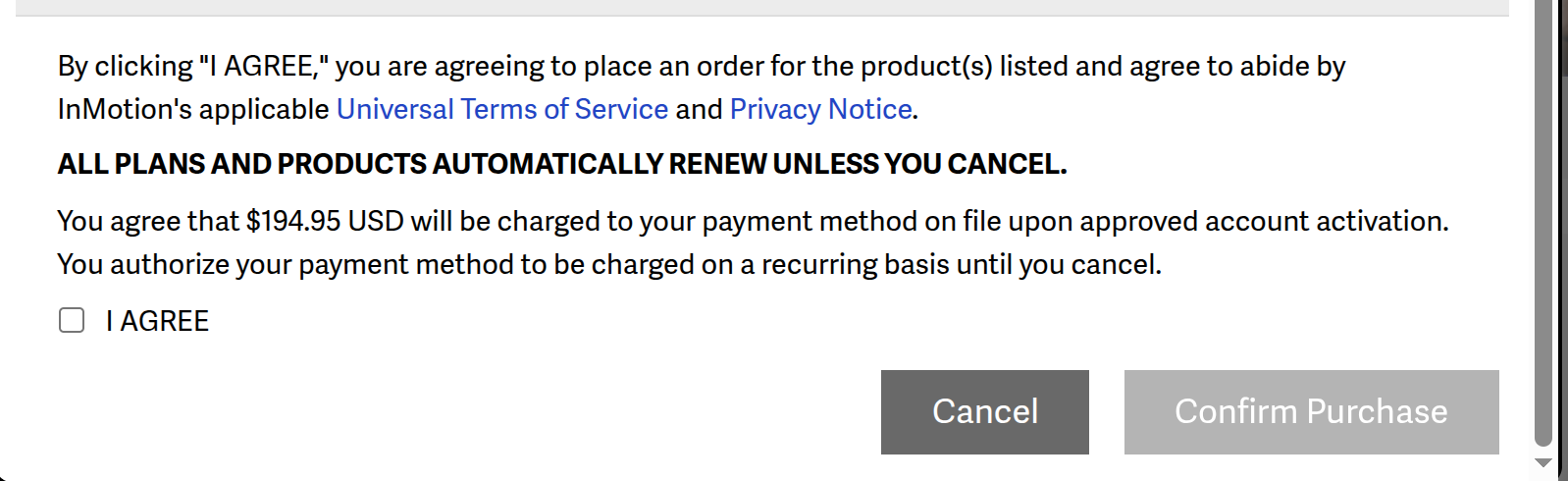
Note: Plans and products renew automatically unless canceled, so check the renewal price in the Cart Checkout table before you click Confirm Purchase.
After the order completes, decide whether to hide your contact details from public lookups.
Domain Privacy
Whenever someone registers a domain name, the Internet Corporation for Assigned Names and Numbers (ICANN) requires the registrar to collect the registrant’s name, mailing address, phone number, and email address. Some of those details can appear in public WHOIS lookups, the public record of who registered a domain.
With Domain Privacy Protection from InMotion Hosting, the public sees InMotion Hosting’s contact information instead of yours. This can help protect you from spammers, telemarketers, and identity thieves. The Organization Name on the domain stays yours, and that field identifies the legal owner, so you keep complete ownership.
Without Domain Privacy, InMotion Hosting uses the billing information on file for your account as the domain’s contact details. That is usually the name and address of the person who first subscribed to the hosting account.
Domain Privacy is a per-domain add-on that costs $15.99 per year. Add it during registration (step 7), or add it later from the Unprotected Domains panel on the Domains – Registration & Privacy page or from DOMAINS > MANAGE DOMAINS. For the full steps, see How to Add/Cancel Domain Privacy in AMP. To learn how it works, read Private Domain Registration & How Domain Privacy Works.
Domain Privacy Protection is available with all hosting accounts, including shared hosting, VPS hosting, and dedicated servers. Already own a domain somewhere else? The next section covers that.
What About Other Domain Extensions?
You can host a domain registered elsewhere with InMotion Hosting. Point the domain to the InMotion Hosting nameservers, then add the domain in cPanel.
If you need an extension InMotion Hosting does not offer, such as some country-code extensions or a restricted extension like .edu, register it through another registrar.