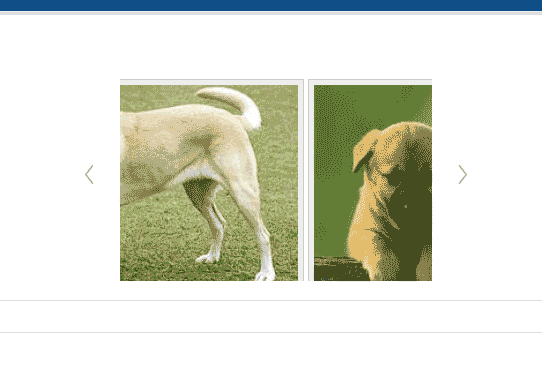
The Nivo Carousel module has different slider options that can be set to change the animation of the carousel. These options are allow the carousel to have different speeds, easement (how fast or slow the image transitions), and other behaviors applied to the slide transitions. Below is are the steps to find the Slide settings and what they do.
Changing the Nivo Carousel Scroll Settings
- Log into Joomla.
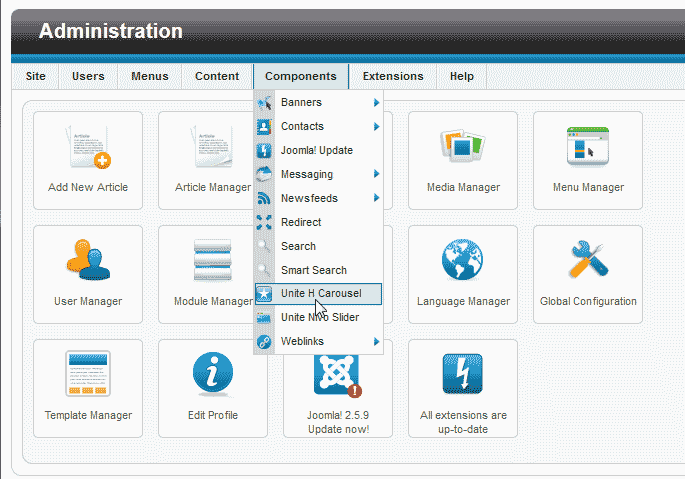
Go to Components > Unite H Carousel.
Select your slider.
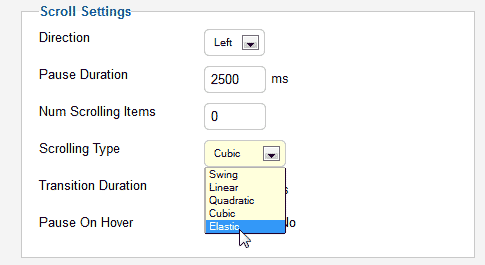
On the “Unite H Carousel – Slide show[Edit Settings]” page navigate to the bottom right were it says Scroll Settings.
Here is where you can adjust the behavior of the slides. The table below explains each setting.
Scroll Settings Direction The slides can go from left to right or right to left. Pause Duration Sets the length in seconds how long the slideshow will pause. Num Scrolling Items This will allow multiple images to slide at once. Scrolling Type The Easement of the slides are set here, The following explains the easement types. Swing: Evenly slides at the same start rate to finish rate.
Linear: Starts slow and ands faster.
Quadratic: Starts fast and ends slower.
Cubic: Over extends and slides back into place.
Elastic: Over extends and bounces into place.Transition Duration This is the speed in which the slide takes to go from one point to another. Pause On Hover Can be set to yes or no.
