Joomla 2.5 has reached its end of life as for 12/31/2014. Please be advised this may be a security risk to your website. You can view more information about the end of life here.
When creating new menu items in Joomla 2.5, the default behavior is for those links to open in the same window. Joomla 2.5 includes an option to open menu item links in a new window / tab, and in this tutorial we’ll show you how to set this up.
To force Joomla 2.5 menu items to open in a new tab:
- Log into your Joomla 2.5 admin
- In the top menu, hover over Menus and then then click on the menu group which contains the menu item you want to edit
- In the list of menu items, click the menu item that you want to edit
- Next to Target Window, choose one of the following options:
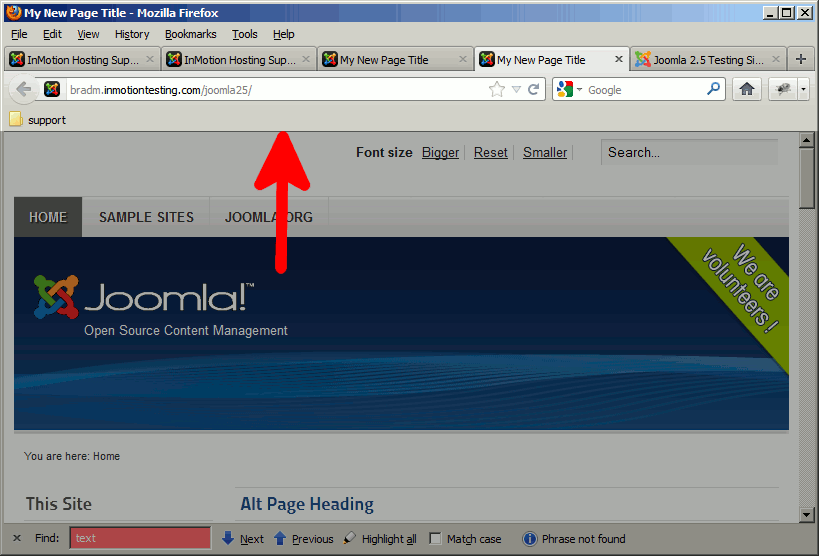
Parent Parent is the default setting, which opens links in the same window. New Window with Navigation While the setting says New Window, this value will force links to open in a new tab (in most modern browsers) This new tab will include your basic navigation buttons such as refresh and back. It will also show any bookmarks you have in addition to any search engines that you have configured.
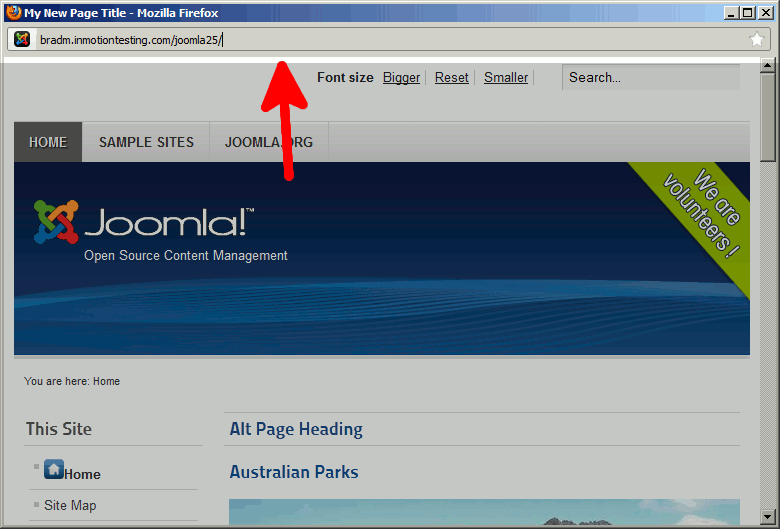
New Without Navigation New Without Navigation actually opens links in a new window all together, but doesn’t include navigation. This new window will only show the address bar with the URL in it. It will not contain any bookmarks, navigation buttons, or any search engines. Also, this will prevent users from chaning the URL in the address bar.
After making your change, click Save in the top right menu.
