Joomla 2.5 has reached its end of life as for 12/31/2014. Please be advised this may be a security risk to your website. You can view more information about the end of life here.
The first section of PHP code that we see in the Beez2 template is the following:
// No direct access.
defined(‘_JEXEC’) or die;
What is _JEXEC used for?
The first line, No direct access, is simply a PHP comment, it does not do anything. What it does tell us however is that the code below it is designed to stop the rest of the template’s execution if this template file is accessed directly.
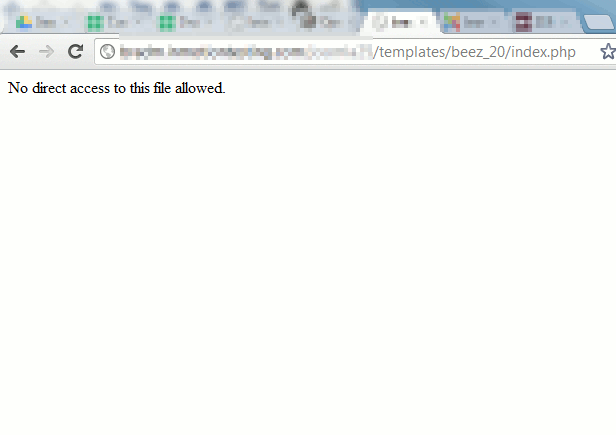
For example, if we access the Beez2 index file directly using the following url:
https://mydomain.com/templates/beez_20/index.php
… we simply get a blank page. This is a security measure in place by Joomla.
We can confirm this by adjusting the code as follows:
| The new code | The new results |
|---|---|
// No direct access. |
|
Where is _JEXEC defined?
The _JEXEC variable is defined in the Joomla 2.5 index.php file in root directory, and is done so by the following code:
// Set flag that this is a parent file.
define(‘_JEXEC’, 1);
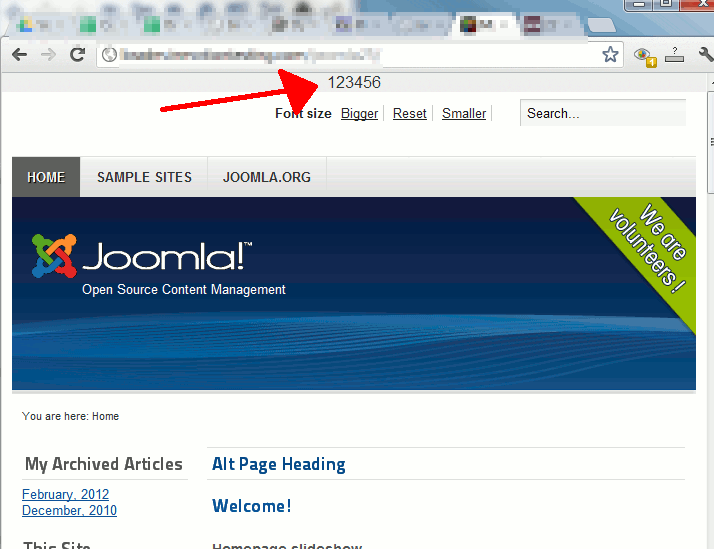
We can confirm this by editing the Joomla 2.5 index file an changing the value of _JEXEC from 1 to 123456, as in:
// Set flag that this is a parent file.
define(‘_JEXEC’, 123456);
When we edit our template file and add code to print this value, you can see the results below:
| Added code to our template | Results on screen |
|---|---|
| // No direct access. echo _JEXEC; defined(‘_JEXEC’) or die; |
|