
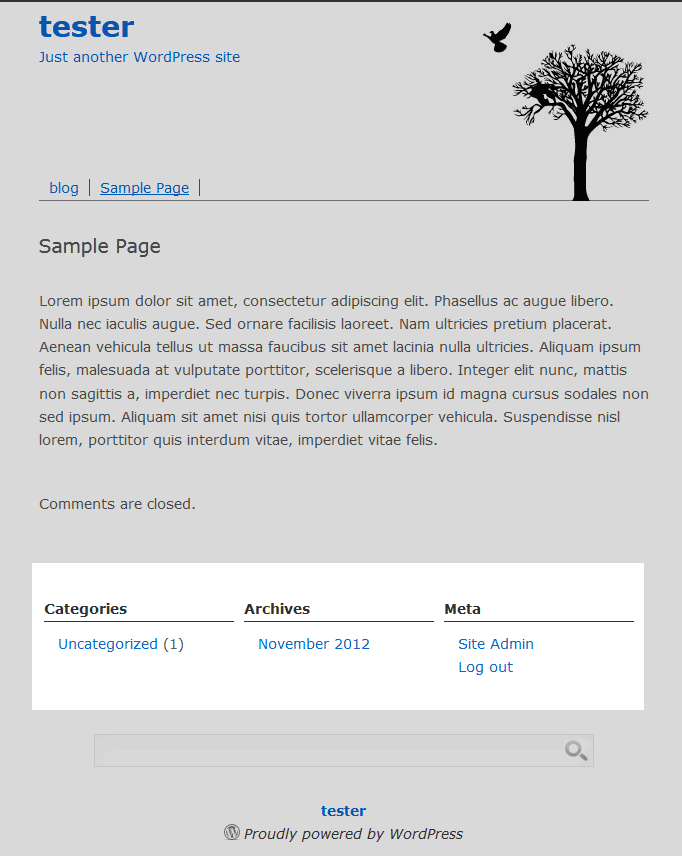
When working with a WordPress theme, occasionally, the webmaster may want to completely remove the sidebar links and widgets from the theme. This can be done through the Widgets or by editing the source code of the sidebar.php file in the WordPress Appearance editor.
(Not a current customer? Click here to learn more about InMotion’s WordPress Hosting platform.)
There are several ways the sidebar widgets can be disabled. This article will explain how to completely remove the sidebar links and widgets from the bird site theme through the Widget editor and through the Appearance editor.
Removing sidebar widgets completely through the Theme editor
- Log into the WordPress Dashboard
- Navigate to Appearance > Widgets. Click here for information on removing and adding widgets.
- Add a blank text widget. Now the links and widgets will not display.
If for whatever reason, the widget text box is not available or does not work, the code can be commented out to remove the sidebar links and widgets. Commenting the code is good because the original source code is not changed. If the source code is changed and the site breaks, it can be difficult to remember what change broke it, Especially if the code is deleted.
Removing sidebar widgets completely through the code
Note that making any changes to the core files of a theme may be erased if the theme updated. To prevent code issues, please create a child theme.
- Log into the WordPress Dashboard
- Navigate to Appearance > Theme Editor on the left in the WordPress Dashboard.
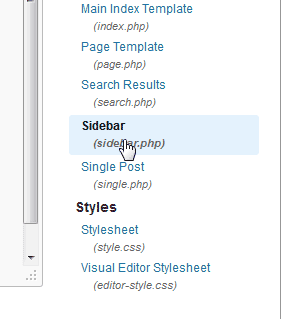 On the Edit Themes page, select the sidebar.php page on the right hand side in the Theme Files section.
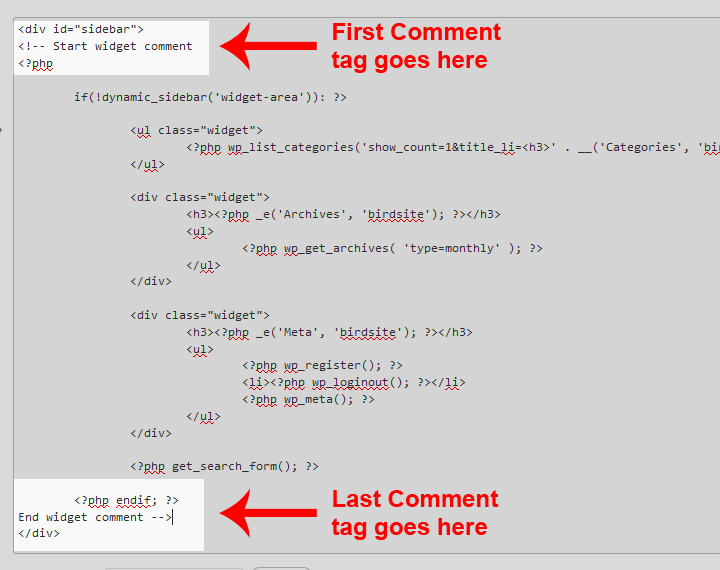 The code for the sidebar.php will load in the Theme editor window.
Important! Editing the source code of a WordPress theme is a critical change. If the code is not edited correctly, the site WILL break. If you are not comfortable editing the code, please check with a developer before proceeding.
Add a comment to the code like in the snapshot to the right. HTML comments look like the following:
<!-- Begin Comment

Code goes in between here

End Comment -->
Add the comment code to the page in the Theme editor and Click Update File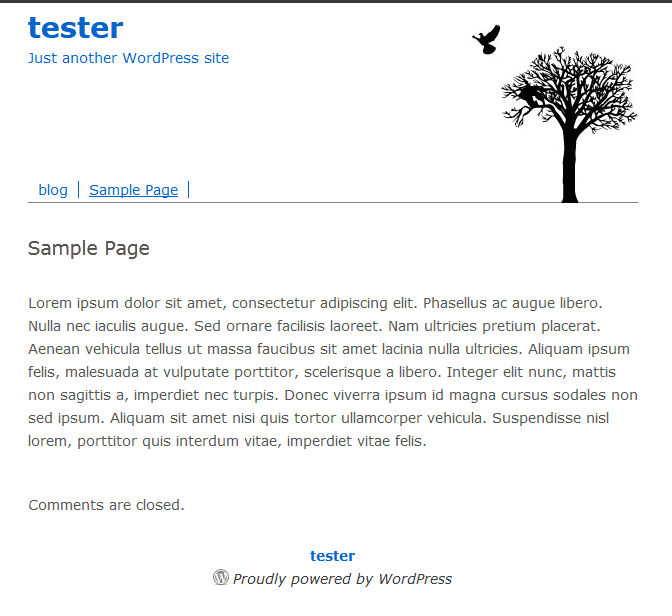 Now when visiting the WordPress site, the sidebar will not display any widgets or links at all.
To learn more about Widgets, please visit What are Plugins and Widgets?
