We’ve had a lot of our customers and WordPress users, in general, have an issue where their site is showing a blank page. This blank page is typically caused by a PHP error. If you have your php.ini file set to hide PHP errors, you’ll get a blank page displayed.
To find your error messages you have two options:
- Enable display_errors in your php.ini file
- Review your error_log file(s)
WordPress users rejoice, we now have an optimized WordPress Hosting package! Check it out today.
Updating your php.ini file to show error messages
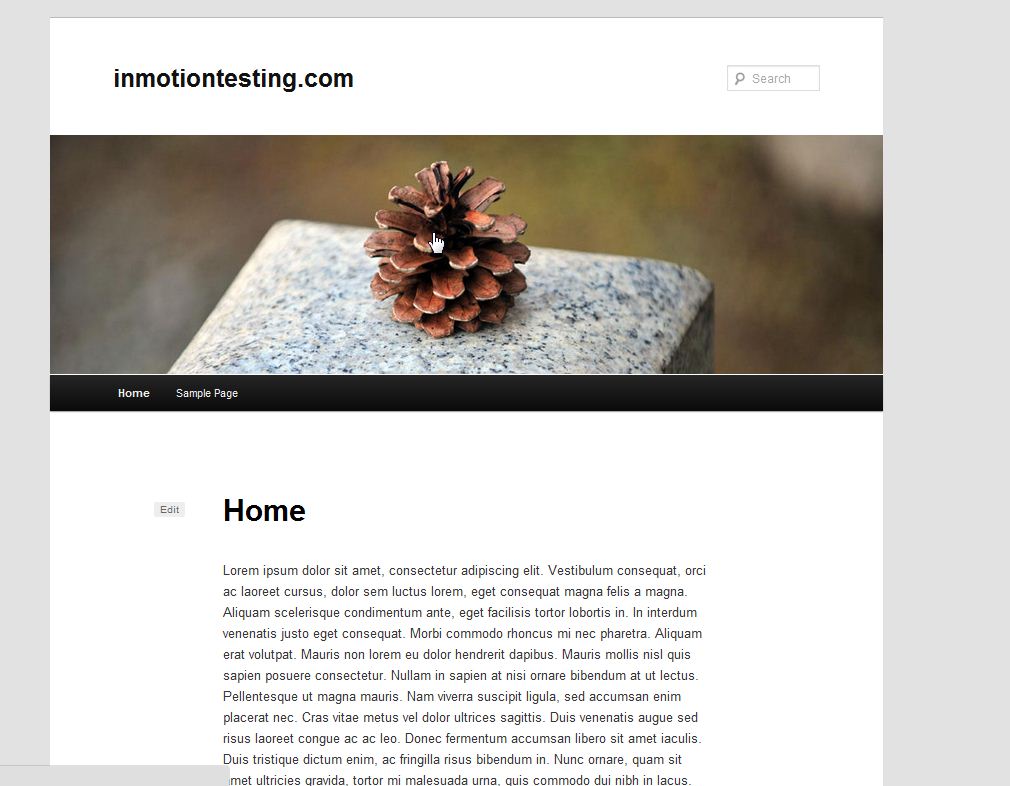
To diagnose PHP errors in WordPress, we will place a line of bad code on the site to show what happens when WordPress encounters and error. The image to the right shows my fully functional WordPress website.
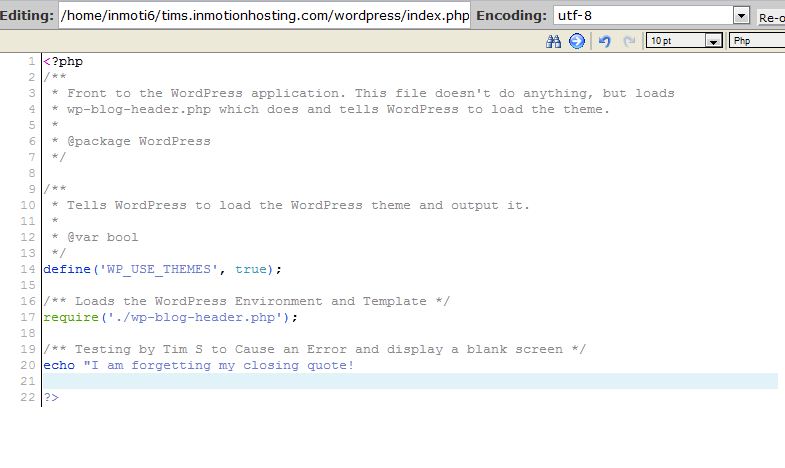
We will add code to the site to intentionally break the WordPress site for testing purposes. See image to the right where it says “I am forgetting my closing quote“.
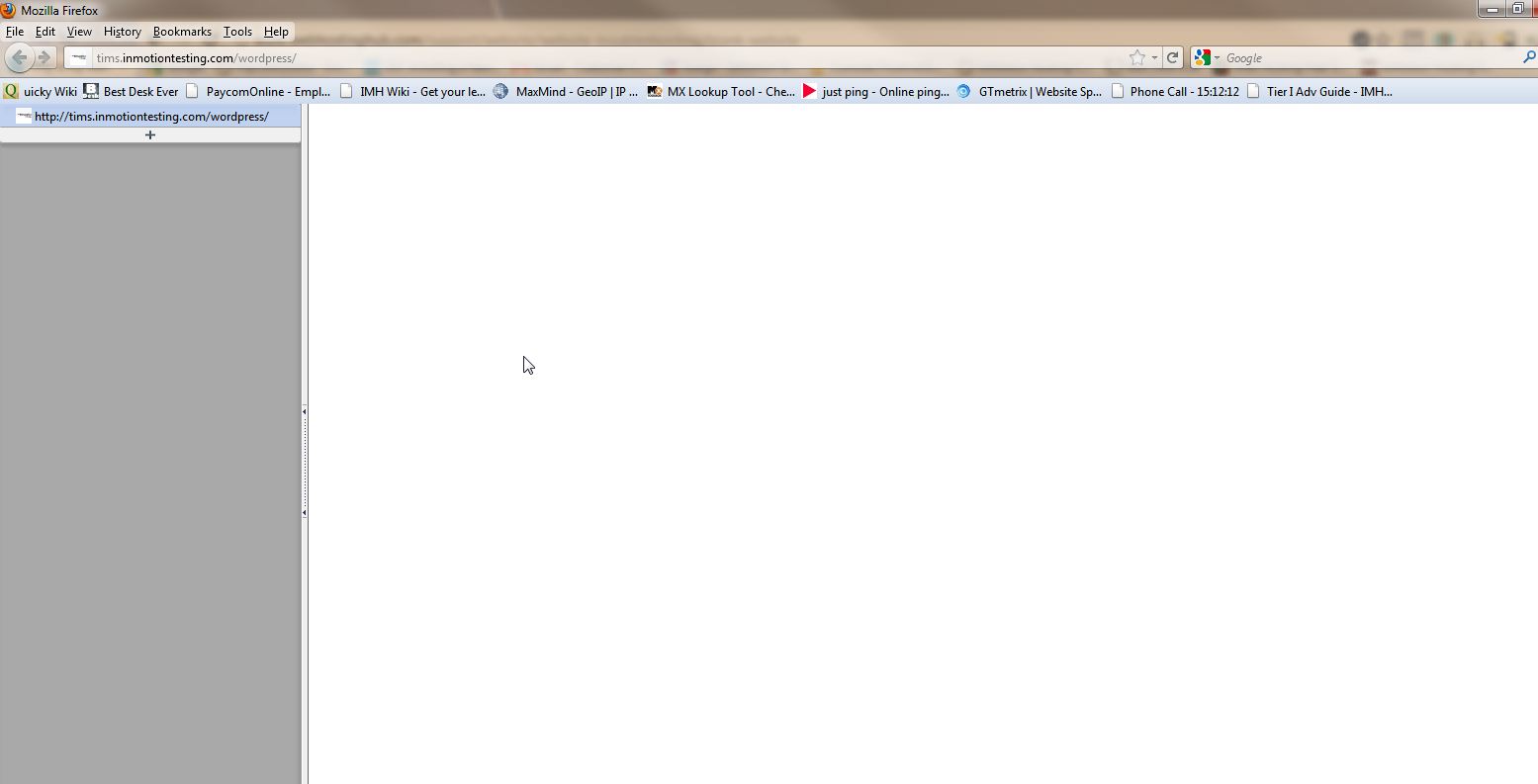
Now that we’ve added the code to intentionally break the website, you will see the WordPress website displays a blank page.
Note! We don’t see the PHP error message because we have set the directive in the php.ini file to hide the error message.
Enabling error_reporting in the php.ini
To fix this, we’ll simply need to update it so it shows an error message. Edit your php.ini in your public_html folder. To learn how to edit your php.ini page, see our tutorial on How to Use the MultiPHP Editor in cPanel.
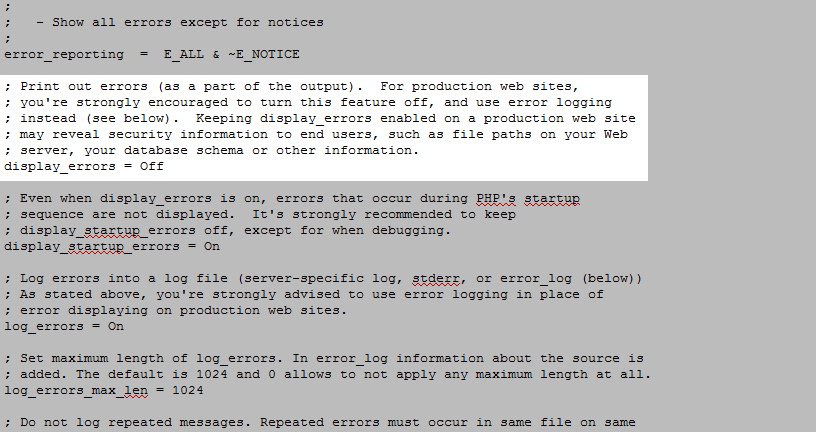
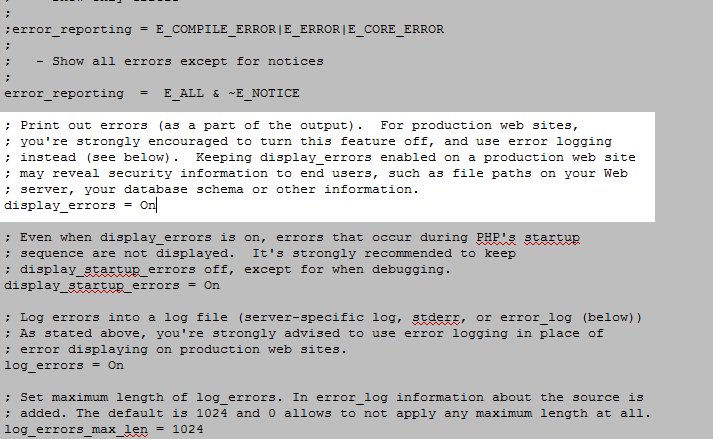
 To fix this, we’ll need to update it so it shows an error message. Edit the php.ini file in your public_html folder (or the php.ini file that applies to your site). Find the error_reporting section and then lok for display_errors = Off.
 - Change the display_errors so that it is set to “on”. Save the changes in the editor.
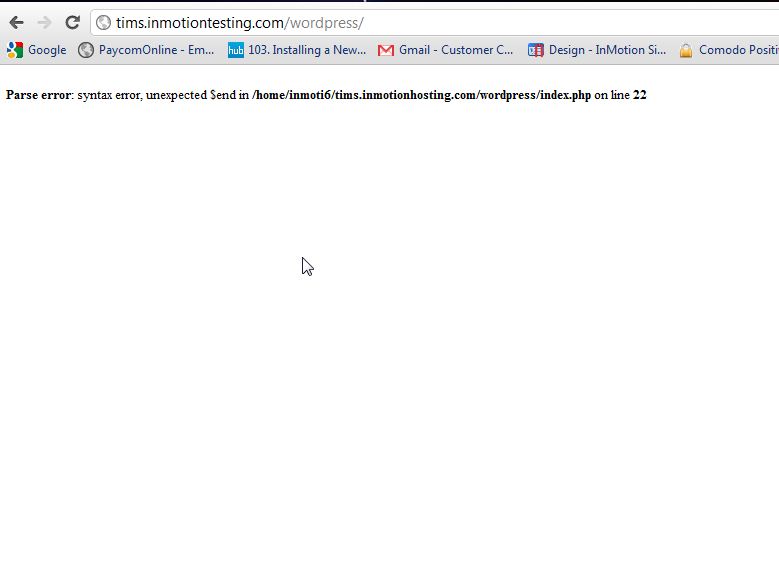
- Now, since we have adjusted the display_errors in the php.ini file, as you can see our site now displays the exact error message causing the issue and we can start to troubleshoot it! See snapshot to the right.
How to view your error_log to find error messages
One way to find error messages is to view the error_log file in file manager. All PHP error messages are logged to this file. You can use FTP or the File Manager in cPanel to view this file and any of the error messages logged.
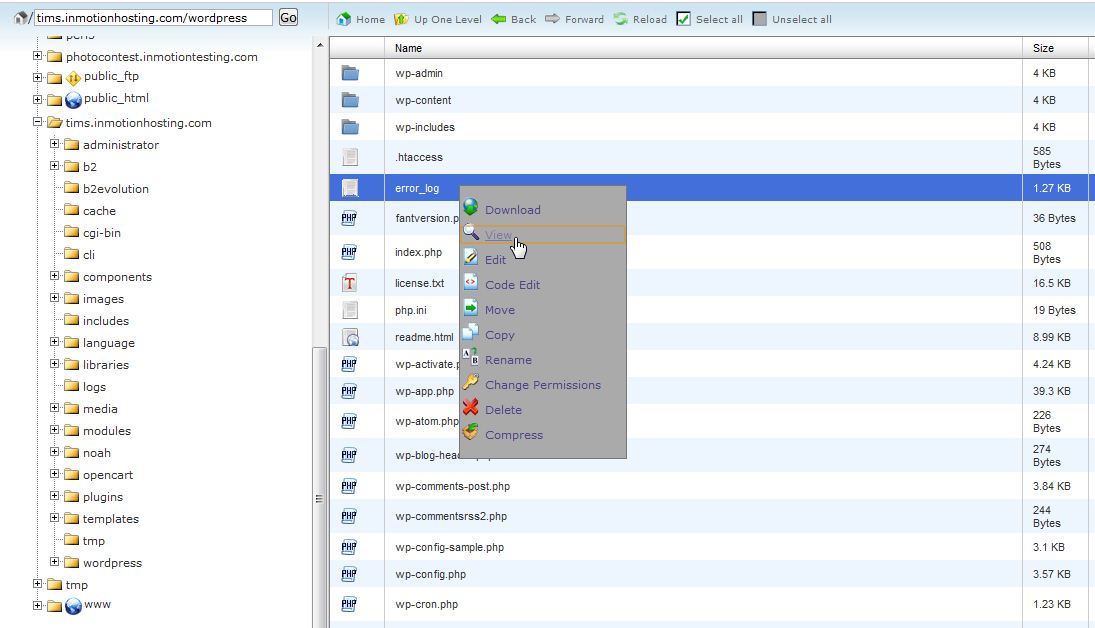
- Login into your cPanel and go to the public_html folder in your File Manager and click Go.
- Find the error_log file with the file manager. Right-click on the error_log file, then select View.
- Now you can see the list of errors that your website is causing. In this case, the syntax error shows because we broke a line of code intentionally.

Being able to view the actual error message causing your blank screen is important when trying to resolve this issue. You can either attempt to debug the issue yourself or pass it on to your designer.



Thank you!!!!!!!!!!!! Found your post and had my site fixed in minutes.
We’re glad it helped Daphne!
I tried it, disable plugin and activated again but no luck, unable to load elementor (only loading)
Hi Bharat, sorry to hear that you’re having trouble. Does the site load with the plugin deactivated and only show a blank page when reactivated, or does the page not load in both situations? Have you tried changing/disabling the WordPress theme, or changing the site’s PHP version? Have you enabled WordPress Debugging, and if so are any errors returned? Also, please check out some of the suggestions in our WordPress Troubleshooting article in case any of those may help.
Hello am Hanson, Please any time I set up my homepage, it became Blank. And this still happens even when I changed the theme
Please read through this guide: https://www.inmotionhosting.com/support/edu/wordpress/wp-white-screen-death-fix/
This helped me a lot. I saw the problem and I fixed!
Thanks!!!
Huge thanks.
I was able to find the error & solved it.
how?
If this guide isn’t helping, I recommend following our WordPress Troubleshooting guide to narrow the specific cause down further.
Hey team, below is the error code im getting. Are you able to help me understand the error and what would be the easiest way to fix.
cheers
Hello, sorry to see that you are receiving that error. From what the error is indicating there is an issue with the location of the file/script app/Mage.php. Is that a script that is required for your website?
my website went blank am stuck right now i dont know what happened this is my url
www.flymags.com
I am unable to duplicate the problem that you are seeing. We can see the website with no issues here. Can you check your website from another device or location? If your site does go down again, please contact our live technical support team (contact info at the bottom of the page) and then provide immediate assistance.
Hello,
In my site home page is blank and rest of page is working as given theme. Please help me.
Thank you
Ayush
It’s difficult for us to help you without at least the URL of your website in order to diagnose the issue. Additional information like the software you are using to build the site (WordPress, Woocomerce, etc.), error messages, or the steps to duplicate the problem are also helpful. If you are an InMotion Hosting customer you can get immediate help using the contact information at the bottom of the screen.
please . my front end is working perfectly but the back end is white, please i need help
I recommend following our WordPress Troubleshooting guide to narrow down the cause further.
Thank you,
John-Paul
ISSUE – BLANK PAGES IN WP PAGE EDITING: “Visual” Tab – contrary to having access to Coding on the “text” Tab… and able to view content on the Website.
Greetings WP users,
My Overview:
Using Firefox browser
Im using a Static WP site.
I’ve transitioned to HTTPS with cloudflare using WP EASY SSL.
Possible Solution:
Go to your WP EASY SSL page (in your WP account) and check the “Mode button…
on the settings page there is a “mode” button which can be “OFF” … switch this to “cloudflare mode” and content should now be viewed in the EDITOR “visual” tab (as well as the “text” tab).
Leave this with you, with enthusiasm.
sincerely
Bruce Bennett
Coordinator – Mens Elective Network.
Seeing complete blank page in hm-enterprises.com in Chrome and Firefox.
In opera it is working fine. Any fix. Cache has been cleared.
Are there any errors reported in the logs of your server when you enable errors as this article suggests?
I am getting a blank screen each time that I try to edit or connect with any other page other than the home page.
My domain is yogaposts.com
Thank you,
Kim Luyckx
Kim, what does your error_log file say?
hi ,
I think my problem is quite differ, Front end display a blank page and Back End working absolutely find. To rectify I simply change the them and it will become perfect.
Plz tell me the permanent soluttion of this problem because everytime i set new theme and same problem repeat with in 3 days.
Hello Shashank,
Hello, sorry for the problem. In order for us to help you, we need more information like your domain name, the version of WordPress you’re using, error messages, and steps to duplicate the problem. If you’re a customer of InMotion, then please provide your URL at least and we can look at the account. If you’re not a customer, I would recommend you simplify the installation to use NO plugins or default themes, then see if the problem persists. Also use make sure that the debug mode for WordPress is turned on. Please provide us more information if you wish for us to investigate issue in more depth.
Regards,
Arnel C.