An XML sitemap is a document that helps Google and other major search engines better understand your website while crawling it.

What is a sitemap and why is it important?

Sitemaps are a protocol that allows the webmaster for a website to inform Google and other major search engines about URLS on a website that are available for crawling. Sitemaps allow search engines to find all of your webpages, that they might otherwise miss when indexing. The XML sitemap allows you to specify additional information about each URL such as:

  • When it was last updated
  • How often the site changes
  • How important the page is in relation to other pages on the site

Having this information within one document helps search engines understand your website and crawl it more intelligently. Sitemaps are an inclusion protocol, where Robots.txt files are exclusionary. For more information on robots.txt files please read our article.

How do I generate a XML sitemap?

Generating a XML sitemap for you website is a simple process, and there are many websites that can help you do so. Google recommends using http://xml-sitemaps.com

Start by visiting the link above in your web browser. On the home page of the website you can follow the 4 easy steps they have listed there.

xml-sitemap

In the third step on the webpage, you'll be downloading the text file from the website to your local computer. Once the file is downloaded to your local computer you'll then need to upload it to your document root of your domain. If you're unfamiliar with uploading files using manager, please read our article. 

Understanding Search Engines and Sitemaps

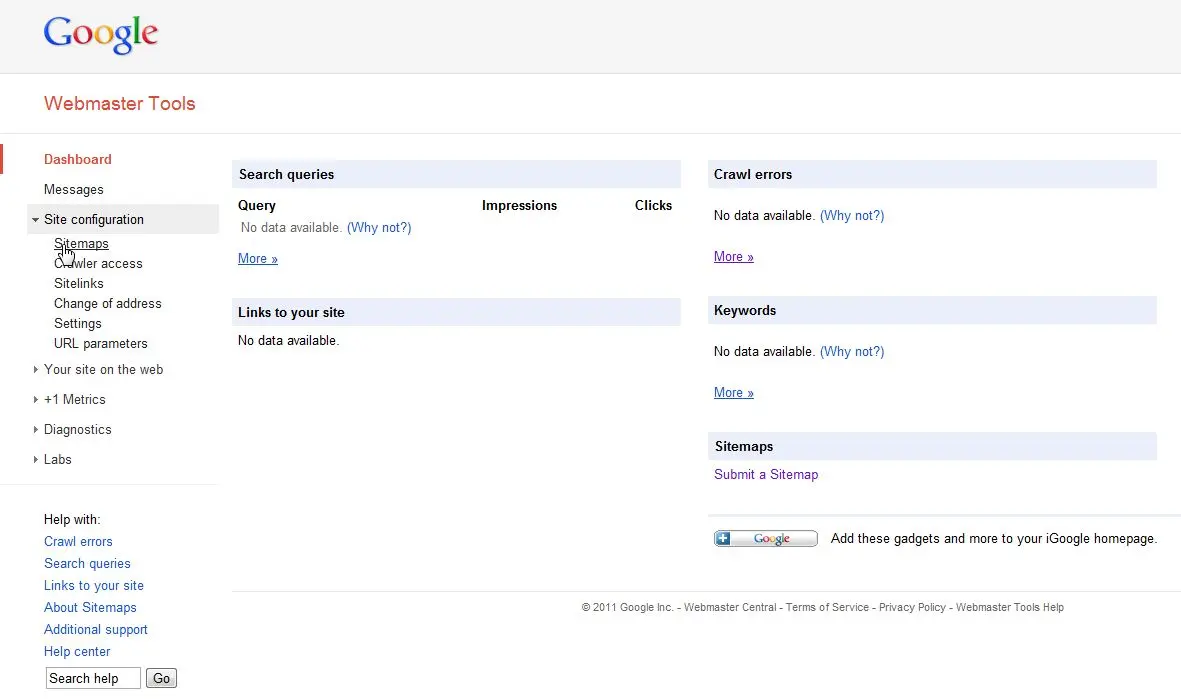
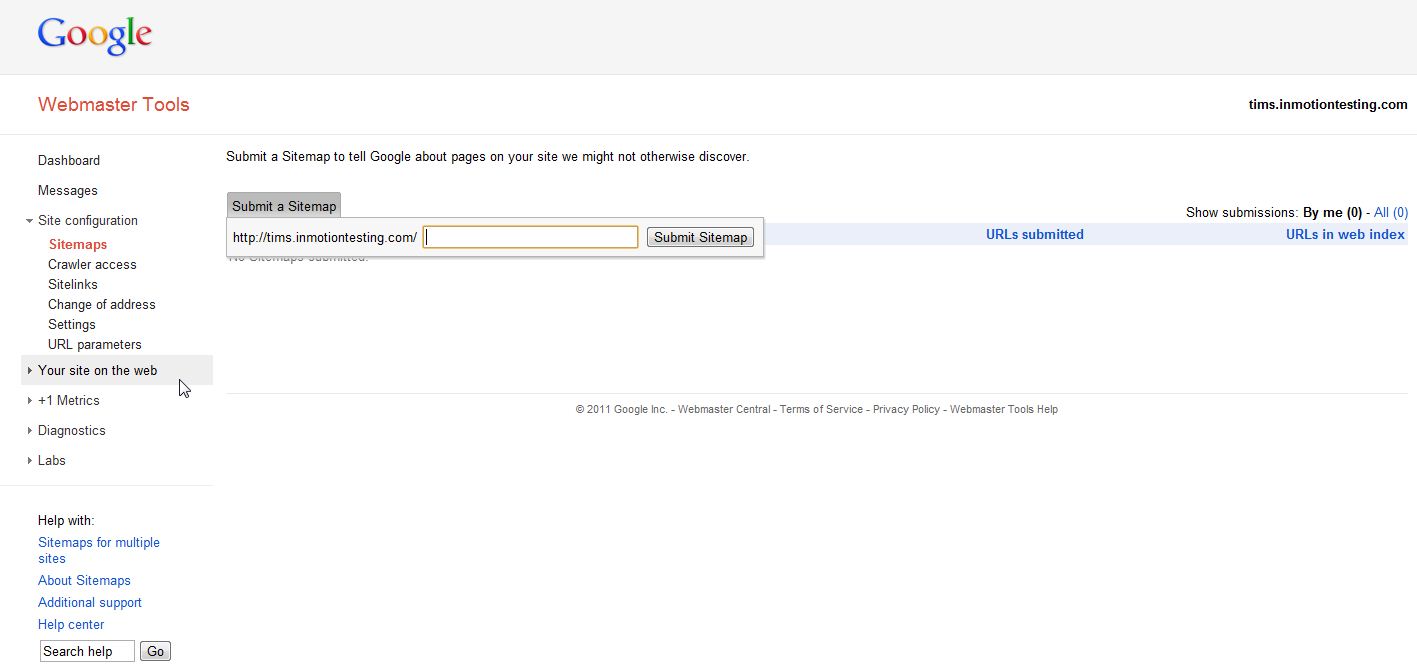
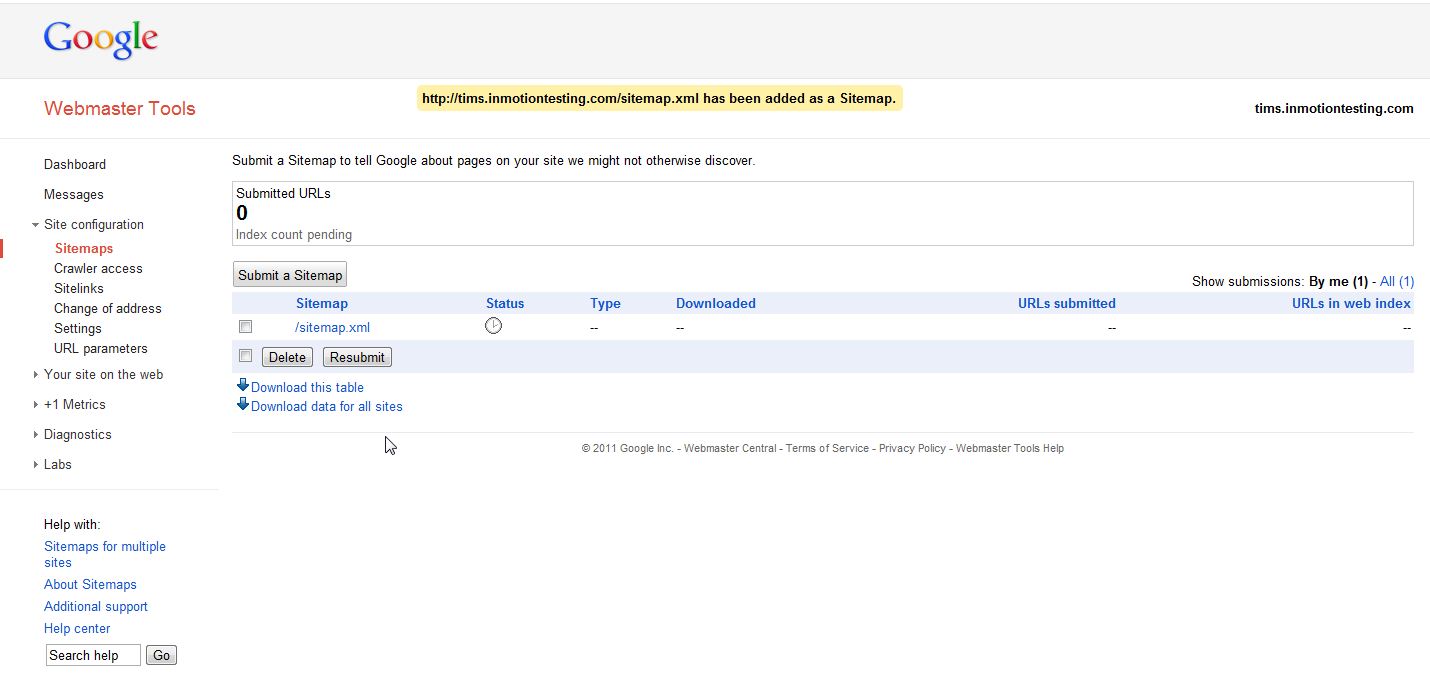
You do not upload your sitemap to the search engines. After you have uploaded the sitemap to the server, you simply have to submit the full URL to your sitemap. After you have submitted the sitemaps to the major search engines, the next time they crawl the website they will have a better understanding of how your website works.

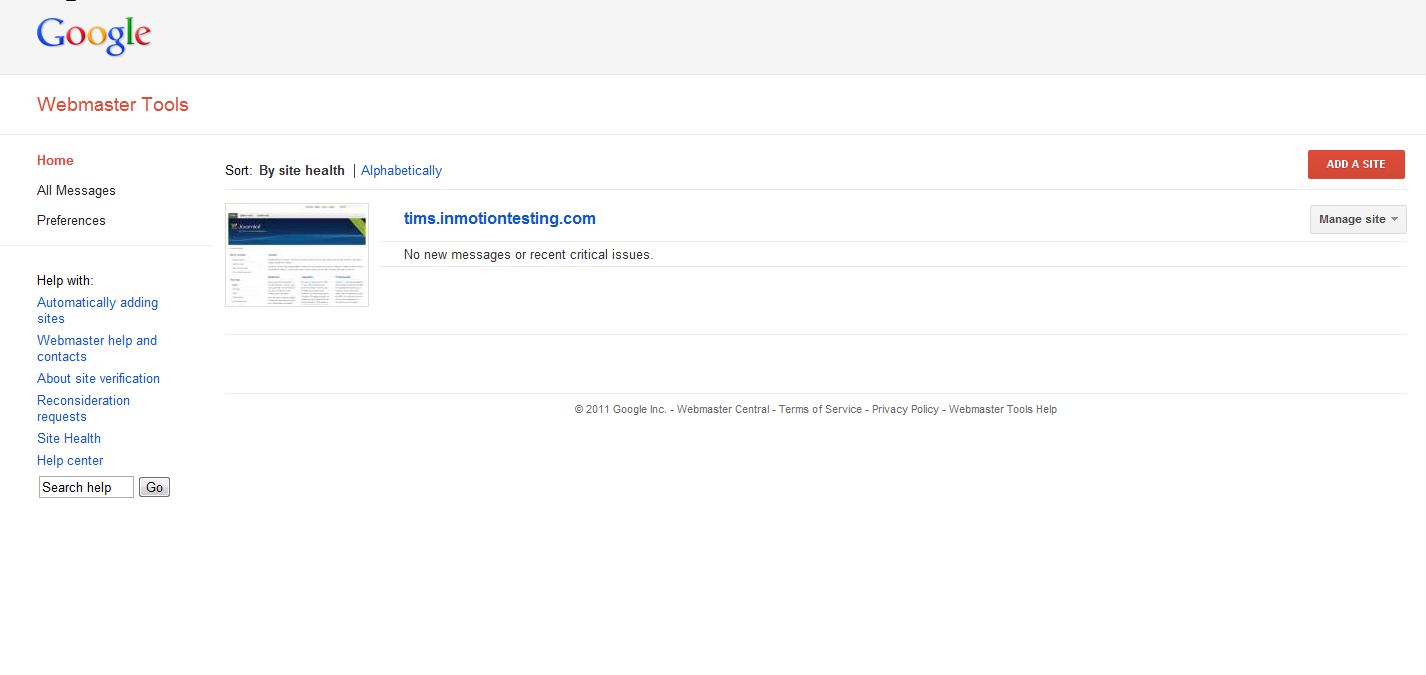
  • Google: You will need to use your Webmaster Tools account to let Google know the full URL to your sitemap.
  • Bing: Bing uses Windows Live accounts under the Webmaster Center section to specify sitemaps.
  • Yahoo: You will need to sign in to Yahoo! and insert the url in the 'Submit Site feed field'

If you need further assistance or have further questions, please feel free to contact our support department

Like this Article?

Login to comment.

Your Opinion Matters

... but we need to know what you're thinking!

I'm Tim Sisson, your friendly Community Support technician, and I wrote the article you're looking at now. I like to think it's perfect, but I'm sure you have some suggestions. Please, let me know what they are!

Feedback
Your Email Address
Because we'd like to talk with you!

Latest Questions

If you need some help, submit your question to our Community!
We guarantee a response within 60 minutes (8am - 9pm EST, Monday - Friday)
Ask a Question!
Recent Questions
  1. New Account - Control Panel Not Available
  2. Connecting email to gmail?
  3. Can I have Oscommerce installed on my site's server?

Need more Help?

Search

Ask the Community!

Get help with your questions from our community of like-minded hosting users and InMotion Hosting Staff.

Current Customers

Chat: Click to Chat Now E-mail: support@InMotionHosting.com
Call: 888-321-HOST (4678) Ticket: Submit a Support Ticket

Not a Customer?

Get web hosting from a company that is here to help. Sign up today!