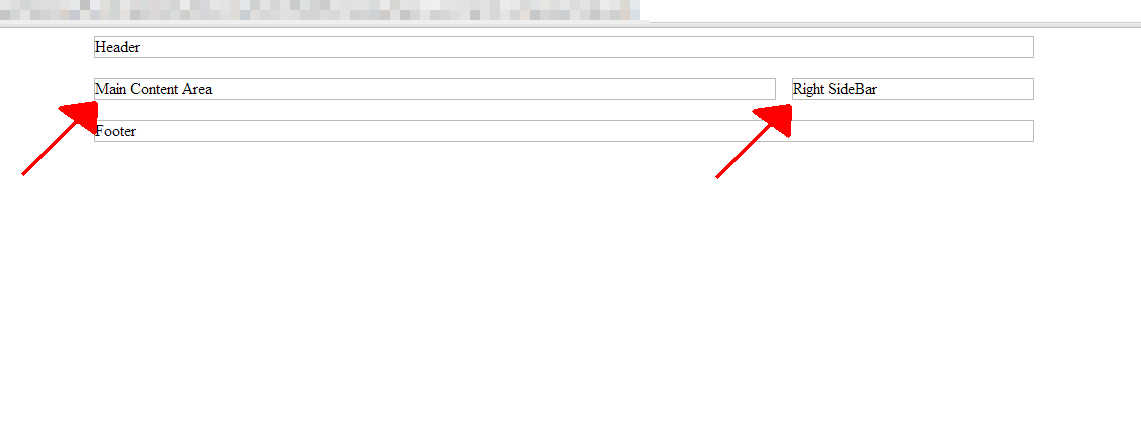
As we continue to create a Joomla 3.0 template, we will begin adding module positions to the index.php file in our simple template. If you noticed in our starting template, we adding place holder text, such as Main Content Area and Right SideBar, as this is where we want the respective content to go.
Joomla Templates also have place holders, and they are referred to as module positions. For example, the right sidebar in most Joomla templates is referred to as position-7. You can actually see where module positions are located within a Joomla template, click here to read our tutorial on how to do this.
Using jdoc to add module positions
So in this tutorial, we are going to replace our place holder text with the code Joomla requires to create a module position.
The following is the code we are going to add to our template:
// This code will create the module positions for our main content area
<jdoc:include type="modules" name="position-3" style="xhtml" />
<jdoc:include type="message" />
<jdoc:include type="component" />
<jdoc:include type="modules" name="position-2" style="none" />


// This code will create the module position for our right sidebar
<jdoc:include type="modules" name="position-7" style="well" />
Our updated index.php file
When we add this code to our index.php file (highlighted in red), it looks like this:
<!DOCTYPE html>
<html>

<head>

    <link rel="stylesheet" href="/support/css/style.css" type="text/css" />
    <script src="/support/js/main.js" type="text/javascript"></script>

</head>

<body>

    <!-- main container -->
    <div class='main_container'>

        <!-- header -->
        <div class='header'>Header</div>

        <!-- mid container - includes main content area and right sidebar -->
        <div class='mid_container'>

            <!-- main content area -->
            <div class='main_content_area'>
                <jdoc:include type="modules" name="position-3" style="xhtml" />
                <jdoc:include type="message" />
                <jdoc:include type="component" />
                <jdoc:include type="modules" name="position-2" style="none" />
            </div>

            <!-- right sidebar -->
            <div class='right_sidebar'>
                <jdoc:include type="modules" name="position-7" style="well" />
            </div>

            <div style='clear:both;'></div>

        </div>

        <!-- footer -->
        <div class='footer'>
            Footer
        </div>

    </div>

</body>

</html>