

When you manage 20, 50, or 100+ client websites, finding the best web hosting plan for your agency isn’t about finding the cheapest option. It’s about matching server resources, management overhead, and support quality to your actual workload. Shared hosting works until resource limreits break campaign landing pages. VPS delivers control but requires configuration expertise. Dedicated servers provide isolation but cost more than some agencies can justify.
This guide compares InMotion Hosting’s agency-focused plans: Shared Pro with WHM access, managed VPS with Premier Care, and dedicated servers with Advanced Product Support. You’ll see which option fits agencies at different growth stages, what each environment actually delivers, and when to upgrade based on measurable hosting constraints rather than sales pitches.
Why Agency Hosting Decisions Differ From Standard Web Hosting
Your reputation depends on every client site staying online during their highest-traffic moments. When a Black Friday sale crashes or a landing page loads slowly during a paid media campaign, clients blame you, not their hosting provider.
Standard hosting advice doesn’t account for this. Most comparison articles assume you run one or two sites. They focus on features that don’t matter when managing client portfolios: unlimited email accounts, free domain names, drag-and-drop builders.
Agencies need different evaluation criteria:
Multi-site management efficiency. Switching between 40 different cPanel logins wastes billable hours. You need consolidated account management or WHM access to provision client sites quickly.
Resource allocation transparency. Shared hosting “unlimited” claims collapse when CPU throttling kicks in during traffic spikes. You need clear resource limits so you can plan capacity before problems occur.
Support that understands agency workflows. Generic ticket responses that take 12 hours don’t work when a client’s ecommerce checkout fails on Saturday afternoon. You need Advanced Product Support with faster response times and technicians who understand multi-tenant hosting.
Staging and development environments. Client sites require testing before changes go live. Plans must support staging workflows without purchasing separate hosting accounts.
HubSpot’s 2024 research shows 82% of marketers say website performance directly impacts campaign results. Your hosting infrastructure either supports that performance or becomes the bottleneck that tanks conversion rates.
The Best Web Hosting Plans for Agencies at Each Growth Stage
InMotion offers three primary paths for agencies: Shared Pro with WHM, managed VPS with Premier Care, and dedicated servers with Advanced Product Support. Each serves different agency sizes and technical capabilities.
| Feature | Shared Pro | VPS + Premier Care | Dedicated + Premier Care |
|---|---|---|---|
| Starting Price | ~$13.99/mo | ~$99/mo | ~$139/mo |
| CPU | 2 virtual cores | 4–16 virtual cores | 4–64 dedicated cores |
| RAM | 4GB | 8–32GB | 64-1024GB |
| Storage | 300GB NVMe SSD | 160GB+ NVMe SSD | Dual NVMe SSD (RAID) |
| cPanel Accounts | Up to 4 (40 websites total) | 5-150 accounts | 100+ accounts |
| Root Access | No | Yes | Yes |
| WHM Access | Yes | Yes | Yes |
| Dedicated IP | 1 included | Yes | Yes |
| PHP Version Control | MultiPHP Manager (7.4–8.4) | MultiPHP + custom PHP-FPM pools | MultiPHP + custom PHP-FPM pools |
| Caching | UltraStack NGINX Reverse Proxy, plugin-based | Full server-level config (Redis, Memcached) | Full server-level config (Redis, Memcached) |
| Custom Software | Softaculous only | Any Linux package via SSH | Any Linux package via SSH |
| Staging Environments | Manual (subdomain/subfolder) | Clone to /staging directory | Clone to /staging directory |
| Git Deployment | Yes | Yes | Yes |
| SSL | Free AutoSSL (Let’s Encrypt) | Free AutoSSL + manual install | Free AutoSSL + manual install |
| CDN Integration | Cloudflare via cPanel | Cloudflare + custom CDN config | Cloudflare + custom CDN config |
| Firewall Control | No | iptables, fail2ban, CSF | iptables, fail2ban, CSF |
| IPMI Access | No | No | Yes |
| Database Tuning | phpMyAdmin only | Direct MySQL/MariaDB config | Direct MySQL/MariaDB config + replication |
| Malware Protection | Monarx | Monarx (Premier Care) | Monarx (Premier Care) |
| Backup Storage | Standard | 300GB (Premier Care), expandable | 500GB (Premier Care), expandable |
| Support Tier | Standard | Advanced Product Support | Advanced Product Support |
| Included Consulting | None | Launch Assist Onboarding Help | 1 hr/mo InMotion Solutions |
| Noisy Neighbor Risk | Yes (shared environment) | No (guaranteed resources) | No (bare metal isolation) |
| Compliance Suitability | Basic | Moderate | PCI DSS |
| Best For | Startup agencies, 5–20 WordPress sites | Growing agencies, 15–50 mixed sites | Enterprise agencies, 50–200+ sites |
| Monthly Mgmt. Time | 2–3 hrs | 5–8 hrs | 6–10 hrs |
Shared Pro: Multi-Site Management Without VPS Complexity
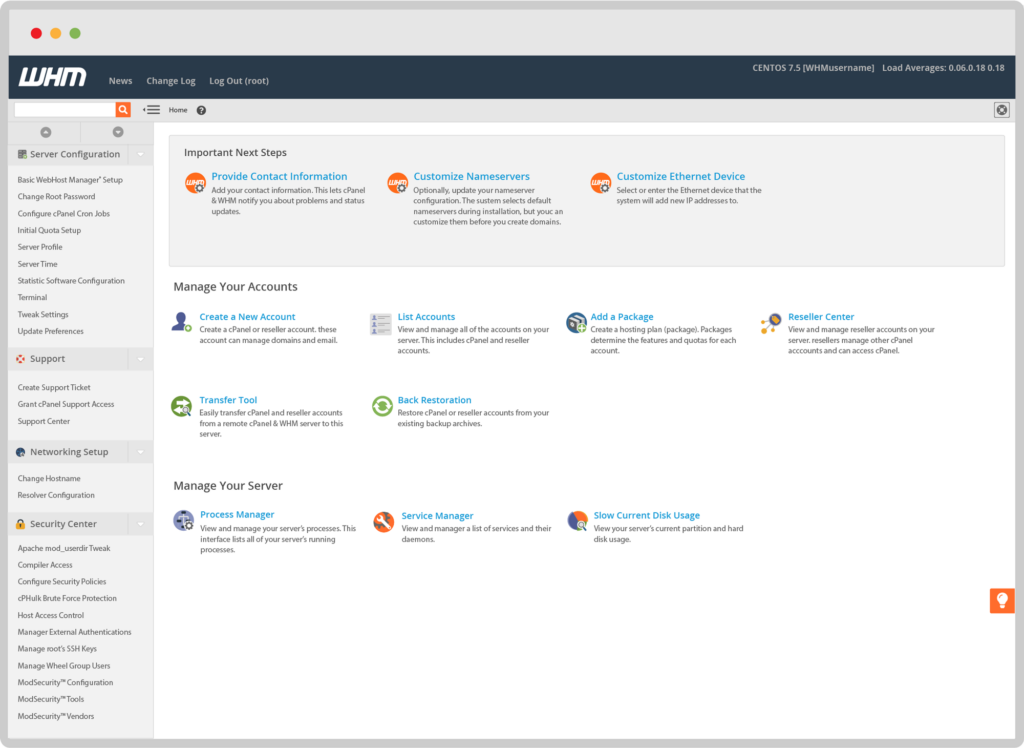
InMotion’s Shared Pro plan targets agencies managing 5-20 client sites without dedicated DevOps resources. Starting at approximately $13.99/month, it provides WHM access within the Account Management Panel (AMP), allowing you to create up to 4 cPanel accounts with a combined limit of 40 websites.
The Shared Pro plan includes one dedicated IP address. This matters for SSL installations and email deliverability when clients need dedicated resources without paying VPS pricing.
What makes this different from standard shared hosting:
You get actual account isolation. Each client site runs in a separate cPanel instance with its own Lightweight Virtual Environment (LVE). CPU and RAM limits apply per account, not across your entire portfolio. When one client site experiences high traffic, it doesn’t drag down other client sites.
Resource profiles range from 150-300% CPU and 1.5-4GB RAM per cPanel instance based on plan size. That’s enough for typical WordPress sites with reasonable plugin configurations and moderate traffic.
When Shared Pro works:
You manage predominantly WordPress sites for local businesses, professional services firms, or content publishers. Traffic patterns stay predictable (5,000-50,000 monthly visitors per site). Clients don’t run complex ecommerce stores or custom applications requiring specific PHP configurations.
Your team lacks deep Linux administration experience. You need hosting that handles server maintenance, security patches, and performance tuning automatically.
When Shared Pro doesn’t work:
Client sites frequently exceed shared hosting CPU limits. You need root access for custom software installations. Clients require dedicated database servers or Redis/Memcached caching with custom configurations. You manage 30+ active client sites needing more than 40 total websites.
VPS with Premier Care: Scalable Control for Growing Agencies
Managed VPS hosting provides dedicated CPU cores, guaranteed RAM, and root access. InMotion’s Premier Care bundle adds Monarx malware defense, 300GB backup storage, and Advanced Product Support priority queue access.
VPS plans start with 4 CPU cores, 8GB RAM, and 90GB NVMe SSD storage. You can scale vertically to 16 cores and 128GB RAM as client portfolios grow.
What this enables:
Complete server environment control. Install custom PHP versions per client site. Configure Nginx reverse proxy caching for high-traffic WordPress installations. Run Node.js applications alongside WordPress sites. Set up Redis or Memcached exactly how your developers prefer.
Resource guarantees eliminate “noisy neighbor” problems. Your 8GB RAM allocation is yours. Other VPS customers don’t affect your performance.
Staging environments become trivial. Clone production sites to /staging directories with different database prefixes. Test plugin updates, theme changes, or server configuration modifications before touching live client sites.
When VPS Premier Care works:
You manage 15-50 client sites with mixed hosting requirements. Some clients need WordPress. Others need custom Laravel or Django applications. A few run WooCommerce stores with 5,000+ products and complex shipping logic.
Your team includes developers comfortable with SSH, Git workflows, and server administration basics. You want to optimize PHP-FPM pools, configure OPcache settings, or implement custom fail2ban rules.
Client sites regularly handle traffic spikes from paid media campaigns, seasonal promotions, or viral content. You need performance headroom beyond shared hosting limits.
When VPS doesn’t work:
You lack in-house Linux administration expertise and can’t dedicate time to server management. Your client portfolio exceeds 100 sites requiring dedicated multi-tenant infrastructure. Clients demand strict resource isolation for security compliance or contractual requirements.
Dedicated Servers: Complete Infrastructure Control

Dedicated servers provide bare metal hardware exclusively for your agency. No virtualization overhead. No shared resources. Complete hardware isolation.
InMotion’s managed dedicated servers start with Intel Xeon (or AMD EPYC when available) processors, 32GB RAM, and dual NVMe SSDs in RAID configuration. Premier Care bundle includes Monarx protection, 500GB backup storage, and 1 hour monthly of InMotion Solutions consulting for custom server optimization.
What dedicated hardware delivers:
Predictable, consistent performance. CPU cycles aren’t shared with other customers. I/O operations bypass virtualization layers. Database queries execute faster because disk access doesn’t compete with other VPS instances on the same physical server.
Advanced security isolation. Client sites run in completely separate environments from other hosting customers. This matters for agencies serving financial services, healthcare, or legal clients with strict compliance requirements.
InMotion’s dedicated servers start with 100 cPanel accounts, with the ability to add more licenses. Provision individual cPanel instances for every client. Implement custom resource limits per account based on client tier or service level agreement.
When dedicated servers work:
You manage 50-200+ client sites requiring enterprise-grade infrastructure. Client contracts include uptime SLAs with financial penalties. You serve industries with regulatory compliance requirements beyond standard shared or VPS security.
Your team includes senior systems administrators who optimize server performance, manage firewall rules, and monitor resource utilization proactively. You want hardware-level control for custom RAID configurations, specific network interface tuning, or CPU affinity settings.
Revenue per client justifies dedicated infrastructure costs. Typical dedicated server pricing starts around $139-199/month depending on configuration, making sense when client hosting fees generate $5,000-15,000 monthly agency revenue.
When dedicated servers are overkill:
You manage fewer than 30 active client sites. Resource utilization analysis shows VPS capacity handles your workload with room to grow. Budget constraints require focusing spending on marketing and client acquisition rather than infrastructure.
Decision Framework: Match Infrastructure to Agency Growth Stage
Stage 1: Startup Agencies (5-15 Client Sites)
Hosting Priority: Cost efficiency and simplified management
Recommended Plan: Shared Pro with WHM
Monthly Hosting Budget: $14-50
You’re building the agency. Every dollar spent on infrastructure reduces funds available for client acquisition and service delivery. Your client sites run standard WordPress with popular page builders, contact forms, and analytics plugins.
Traffic patterns stay modest. Most clients attract 2,000-20,000 monthly visitors. Traffic spikes occur but don’t consistently exceed shared hosting CPU limits.
Your team focuses on marketing strategy, not server administration. You need hosting that works reliably without requiring command-line expertise.
Key Decision Points:
Check resource usage in cPanel’s LVE statistics. If multiple client sites regularly hit CPU limits (showing orange or red warnings), you’re approaching Shared Pro capacity limits.
Monitor TTFB (time to first byte) using tools like GTmetrix or Pingdom. If TTFB consistently exceeds 600ms across multiple client sites despite caching optimization, shared hosting may constrain performance.
Count active client sites and projected growth. When you approach 30-35 websites under management, start planning VPS migration to avoid hitting the 40-site limit.
Stage 2: Established Agencies (15-50 Client Sites)
Hosting Priority: Scalability and performance consistency
Recommended Plan: VPS with Premier Care
Monthly Hosting Budget: $100-400
Your client roster stabilized. Retention rates improved. You’re focused on delivering consistent results that justify monthly retainers.
Client sites vary in complexity. Some remain simple WordPress blogs. Others run membership sites, event calendars, or medium-complexity ecommerce stores. A few clients need custom application hosting beyond standard WordPress.
Your team includes at least one developer comfortable with server management. They don’t need to be Linux experts, but they can SSH into servers, run package updates, and configure caching plugins effectively.
Key Decision Points:
Review current resource utilization. Log into your VPS and check RAM usage, CPU load averages, and disk I/O. If baseline usage consistently exceeds 70% capacity, plan to scale up or migrate to dedicated infrastructure.
Analyze support ticket patterns. Count how many issues stem from resource constraints versus application bugs or client requests. If hosting resource issues dominate your support queue, infrastructure isn’t matching workload.
Calculate time spent on server management. VPS requires maintenance: security updates, service monitoring, backup verification. If your team spends more than 5-8 hours monthly on server tasks, consider dedicated hosting with more included management.
Stage 3: Enterprise Agencies (50-200+ Client Sites)
Hosting Priority: Infrastructure reliability and compliance capabilities
Recommended Plan: Dedicated Server with Premier Care
Monthly Hosting Budget: $200-2,000+
You run a serious operation. Client contracts include uptime guarantees. Some clients operate in regulated industries requiring audit trails and security documentation.
Infrastructure failures create cascade problems. When hosting goes down, multiple clients complain simultaneously. Your agency reputation depends on rock-solid hosting reliability.
Your team includes dedicated DevOps or systems administration expertise. You optimize server performance actively, implement custom monitoring, and maintain documented disaster recovery procedures.
Key Decision Points:
Evaluate compliance requirements. If clients require PCI DSS documentation, dedicated servers simplify compliance by providing complete environment isolation and control.
Analyze profit margins per client. Dedicated hosting makes financial sense when average client lifetime value exceeds $10,000-15,000. Infrastructure costs become negligible compared to revenue generated.
Review growth trajectory. If you’re adding 5-10 new clients quarterly, dedicated infrastructure provides expansion room without architectural changes.
Real Cost Analysis: Total Investment Beyond Monthly Hosting
Monthly hosting fees represent the obvious cost. Hidden expenses determine actual total cost of ownership.
Shared Pro Total Cost
Monthly Hosting: $13.99-49.99
Setup Time: 1-2 hours for initial WHM configuration
Monthly Management: 2-3 hours for backup verification, client provisioning
Support Dependency: Moderate (routine issues handled via standard support)
Total Monthly Investment: $14-50 hosting + 2-3 hours internal time
This works when your hourly rate stays reasonable and client count remains below 30 sites. Once you exceed this threshold, management overhead increases non-linearly.
VPS Premier Care Total Cost
Monthly Hosting: $99-399 depending on resources
Setup Time: 4-8 hours for initial server hardening, client migration
Monthly Management: 5-8 hours for updates, monitoring, optimization
Support Dependency: Lower (Advanced Product Support handles complex issues faster)
Total Monthly Investment: $99-399 hosting + 5-8 hours internal time + Premier Care bundle value
VPS requires more technical expertise but provides operational flexibility. Your team controls performance tuning, caching configuration, and custom software installations without opening support tickets.
Dedicated Server Total Cost
Monthly Hosting: $200-599+ depending on hardware specs
Setup Time: 8-16 hours for initial configuration, security hardening, migration
Monthly Management: 6-10 hours for monitoring, optimization, capacity planning
Support Dependency: Lowest (InMotion Solutions provides 1 hour monthly consulting for custom work)
Total Monthly Investment: $200-599+ hosting + 6-10 hours internal time + Premier Care bundle value + InMotion Solutions time
Dedicated servers shift cost from hosting fees to internal expertise. You pay more for hardware but gain complete operational control. This makes sense when internal management time costs less than infrastructure alternatives or when compliance requirements mandate dedicated environments.
Technical Capabilities Comparison
Different hosting tiers enable different technical workflows. Understanding these limitations helps match infrastructure to your actual development process.
What Shared Pro Supports
- PHP Versions: Switch between PHP 7.4, 8.0, 8.1, 8.2, 8.3 via MultiPHP Manager
- Caching: UltraStack with NGINX Reverse Proxy (built-in), plugin-based caching (W3 Total Cache, WP Rocket)
- Staging: Manual staging via subdomain or subfolder installations
- Git Deployment: Direct git deployment from repositories to production
- Database Access: phpMyAdmin via cPanel, remote MySQL connections with whitelist
- SSL: Free AutoSSL (Let’s Encrypt), manual SSL certificate installation
- CDN Integration: Cloudflare free tier via cPanel, manual CDN configuration
- Custom Software: No root access (limited to software available in cPanel Softaculous)
You can build professional WordPress sites, configure advanced caching, and implement reasonable performance optimizations. You cannot install custom system packages, modify Apache/PHP core configurations outside cPanel options, or run applications requiring root-level software installation.
What VPS Premier Care Enables
Everything from Shared Pro, plus:
- Root Access: Full server control via SSH
- Custom Software: Install any Linux package (Redis, Memcached, Elasticsearch, etc.)
- Web Server Control: Configure NGINX, Apache, or hybrid setups
- PHP-FPM Optimization: Custom pool configurations per client site
- Database Tuning: Modify MySQL/MariaDB configuration files directly
- Firewall Rules: Configure iptables, fail2ban, or CSF security rules
- Git Workflows: Direct git deployment from repositories to production
- Process Monitoring: Install custom monitoring (Netdata, Prometheus, etc.)
- Automated Backups: Configure custom backup scripts and off-server storage
VPS provides the flexibility to optimize for your exact workflow. Run custom deployment pipelines. Implement advanced security configurations. Install CDN, image optimization, or database caching software not available in shared hosting.
What Dedicated Servers Add
Everything from VPS, plus:
- Software RAID: Configure storage redundancy with mdadm RAID 1 for drive mirroring
- Network Tuning: Modify network interface settings, jumbo frames, TCP parameters
- IPMI Access: Remote server management even when OS fails
- Custom Kernel: Compile and run custom Linux kernels if needed
- cPanel Accounts: Provision hundreds of cPanel accounts within hardware capacity
- Load Balancing: Configure multiple web servers behind load balancers
- Database Replication: Implement master-slave MySQL replication for read scaling
Dedicated servers enable infrastructure architectures beyond single-server limitations. Most agencies never need these capabilities, but when you do, nothing else works.
Migration Considerations: Moving Between Hosting Tiers
Upgrading hosting as your agency grows requires planning. Migrations introduce risk: downtime, broken configurations, DNS propagation delays.
Migrating from Shared Pro to VPS
Planning Time: 2-4 weeks
Execution Time: 1-3 days depending on site count
Downtime Risk: Low with proper preparation
Use migration tools or reach out to our support team for cPanel-to-cPanel transfers. Most WordPress sites migrate cleanly. Common issues: hardcoded database credentials, absolute file paths in custom code, caching configurations that break in new environments.
Test each migrated site thoroughly. Verify forms submit correctly. Check payment gateways process transactions. Confirm email sends properly from new server IP addresses.
Update DNS gradually. Migrate client sites in phases (5-10 sites per weekend) rather than all simultaneously. This limits blast radius if problems occur.
Migrating from VPS to Dedicated
Planning Time: 4-8 weeks
Execution Time: 3-7 days
Downtime Risk: Moderate without staging server
Dedicated server migrations offer opportunities for infrastructure improvements. Implement better security hardening, optimize software stack, reorganize client account structure.
Provision the new dedicated server weeks before migration. Mirror production configurations. Test thoroughly with cloned client sites before touching production.
Use a staging migration weekend. Friday evening: initiate migrations. Saturday: verify sites work correctly. Sunday: update DNS. Monday: monitor for issues. This schedule provides recovery time if unexpected problems emerge.
When to Choose InMotion’s Agency Partner Program
If you manage 10+ client sites and bill hosting separately from services, InMotion’s Agency Partner Program provides an upfront commission structure and dedicated account management.
How it differs from standard hosting:
Earn a one-time commission based on the full first-year value of every eligible referral — 5% to 12% depending on your tier. Commissions apply to both new and renewal hosting purchases. Dedicated account manager who understands agency workflows. Private Slack channel for partner-only support and product updates.
When this makes sense:
You present hosting as a line item in client proposals. Clients pay you directly; you pay hosting costs. You want to earn margin on hosting without marking up services excessively.
Most agencies using the partner program operate in the 15-75 client range. Smaller agencies often include hosting in service bundles. Larger agencies typically need custom enterprise agreements with negotiated pricing.
Making the Decision: Start With Your Current Workload
Don’t choose hosting based on where you want to be in three years. The best web hosting plan for your agency is the one that matches what you manage today, with clear room to scale when workload demands it.
If you manage 5-15 WordPress sites for local businesses and professional services:
Shared Pro with WHM provides everything you need. You’ll save $100-300 monthly compared to VPS while delivering identical client experience. Upgrade when resource limits or site count constraints become actual problems, not theoretical concerns.
If you manage 15-50 mixed sites including custom applications or ecommerce:
VPS with Premier Care delivers the control and performance headroom growing agencies require. You’ll spend more on hosting but save time on support tickets and performance troubleshooting. The Advanced Product Support priority queue alone justifies cost when client emergencies occur.
If you manage 50-200+ client sites or serve regulated industries:
Dedicated servers provide the infrastructure reliability and compliance capabilities enterprise agencies require. You’ll invest significant setup time and ongoing management effort, but complete control and performance isolation eliminate entire categories of hosting problems.
The right choice matches your current technical capabilities and client workload, not vendor recommendations or competitor comparisons. Start conservatively. Upgrade based on measurable hosting constraints: CPU throttling logs, resource exhaustion errors, client performance complaints.
Your hosting infrastructure should support client success quietly and reliably. When you’re spending more time managing hosting than delivering client results, you’ve chosen wrong. When clients never experience hosting-related downtime or performance issues, you’ve chosen correctly.