---
title: "osCommerce 404 base href Googlebot error"
description: "This article explains how to correct the Googlebot error below on your osCommerce site: 404 -..."
url: https://www.inmotionhosting.com/support/edu/oscommerce/404-base-href-googlebot-error-in-oscommerce/
date: 2013-04-26
modified: 2021-08-16
author: "InMotion Hosting Contributor"
categories: ["OsCommerce"]
type: post
lang: en
---
# osCommerce 404 base href Googlebot error
This article explains how to correct the Googlebot error below on your osCommerce site:
404 - https://www.example.com/http%3A%2F%2Fwww.example.com%2Fproduct_info.php%3Fproducts_id%3D104&layout=standard&show_faces=false&width=125&action=like&colorscheme=light&height=35
(found at https://www.example.com/product_info.php?products_id=104)
[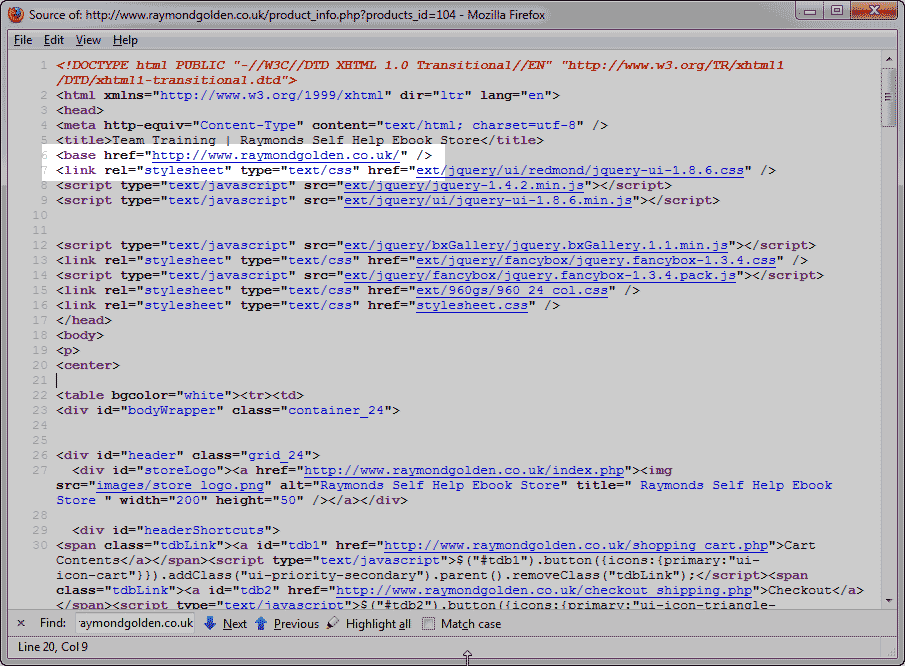](/support/wp-content/uploads/2013/04/edu_oscommerce_302_base-href.png)
You will need to fix your osCommerce site to remove the `` from the code in the head section. See the snapshot to the right.
## Removing the `` from your osCommerce
1. [Login into your cPanel](/support/edu/cpanel/how-to-log-into-cpanel/).
2. [Go to the File Manager](/support/edu/cpanel/using-file-manager-in-cpanel/). Select your osCommerce install directory and click **Go**.
3. **Go to** the following file and [edit](/support/website/how-to-edit-a-file/) it. /includes/template_top.php
4. [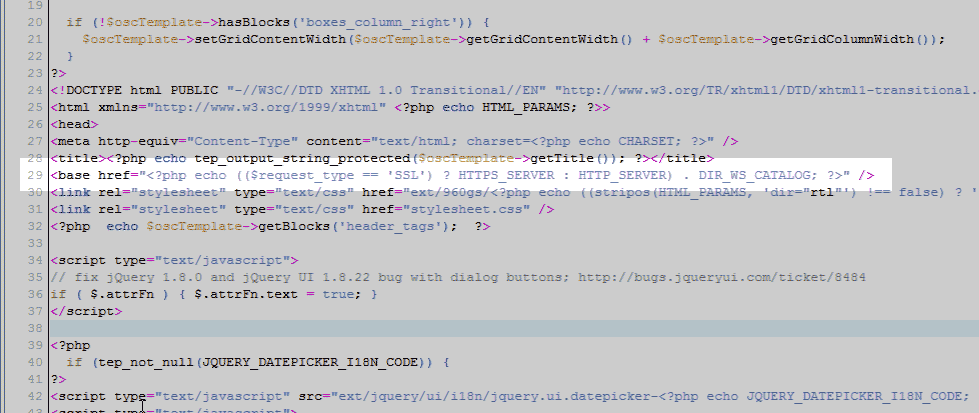](/support/wp-content/uploads/2013/04/edu_oscommerce_302_base-href-1-code.png) **Find** the `` code in the file. [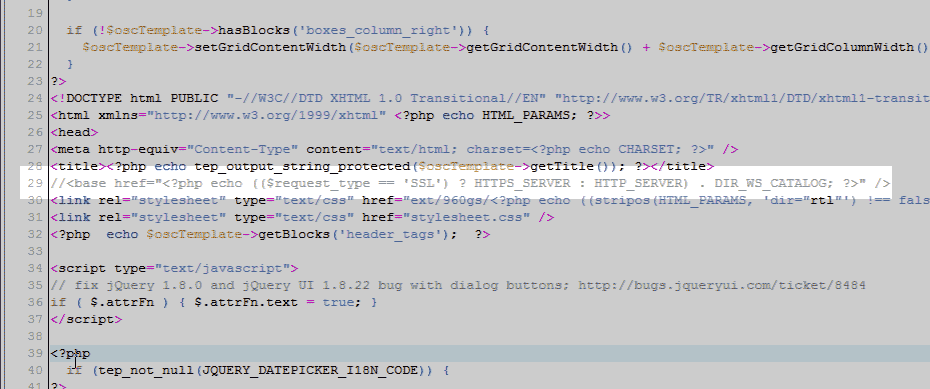](/support/wp-content/uploads/2013/04/edu_oscommerce_302_base-href-2-commentd-code.png) **[Comment](/support/website/comment-php-javascript-html-css-code/)** out the code using a PHP comment.
5. **Save** the change.
Google will now read your website correctly without the `` code being rendered.