---
title: "How to change the Offline Message in Joomla 3.1"
description: "When you set your Joomla 3.0 site to be in offline mode, the following message by default is shown to users: This site is down for maintenance. Please check back again soon. In this Joomla 3.0..."
url: https://www.inmotionhosting.com/support/edu/joomla/joomla-3/change-offline-message/
date: 2012-08-02
modified: 2021-11-19
author: "Brad Markle"
categories: ["Joomla", "Joomla 3"]
tags: ["Joomla v3"]
type: post
lang: en
---
# How to change the Offline Message in Joomla 3.1
[](/support/wp-content/uploads/2012/08/edu_joomla-3_global-configuration_site-offline-message.gif)
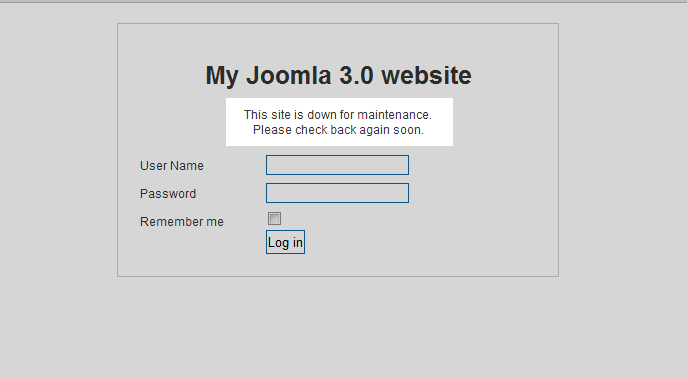
When you [set your Joomla 3.0 site to be in offline mode](/support/edu/joomla/joomla-3/site-offline/), the following message by default is shown to users:
**This site is down for maintenance.**
*Please check back again soon.*
In this Joomla 3.0 tutorial, we’ll show you how to change this offline message.
**To change your Joomla 3.0 maintenance mode message:**
1. [Log into your /administrator dashboard for Joomla 3.0](/support/edu/joomla/joomla-3/how-to-log-in-to-administrative-dashboard/)
2. In the left menu, click the **Global Configuration** link
3. Ensure you are on the Site tab by clicking **Site**
4. Under the **Site Settings** header, find the **Custom Message** setting. By default, it is set to: This site is down for maintenance.
Please check back again soon. As you can see based upon the use of
, HTML code is allowed in the Custom Message. Change your **Custom Message** and then click **Save** in the top left of the page. In our testing, we changed our offline message to: This site is currently in offline mode.
We apologize for any inconvenience.
After saving this setting, you can see in the screenshot below how this changed our offline page: [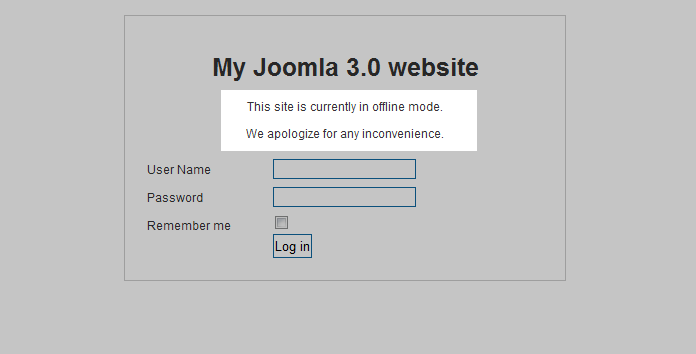](/support/wp-content/uploads/2012/08/edu_joomla-3_global-configuration_after-custom-message-has-been-set.gif)