---
title: "Basic parameter types in a Joomla 2.5 plugin"
description: "Joomla 2.5 has reached its end of life as for 12/31/2014. Please be advised this may be a security risk to your website. You can view more information about the end of life here. When adding..."
url: https://www.inmotionhosting.com/support/edu/joomla/joomla-2-5/parameter-types/
date: 2012-06-21
modified: 2021-08-16
author: "Brad Markle"
categories: ["Joomla", "Joomla 2.5"]
tags: ["Joomla v2.5"]
type: post
lang: en
---
# Basic parameter types in a Joomla 2.5 plugin
Joomla 2.5 has reached its end of life as for 12/31/2014. Please be advised this may be a security risk to your website. You can view more information about the end of life [here](https://docs.joomla.org/Joomla!_CMS_versions).
When adding parameters to Joomla 2.5 plugins, there are various input types you can use. In our testing thus far, we have only [used the text input type](/support/edu/joomla/joomla-2-5/add-parameter/). In this Joomla 2.5 tutorial, we’ll cover some of the various other plugin parameter types that you can use.
## Radio type plugin parameters
[](/support/wp-content/uploads/2012/06/edu_joomla25_create-plugin-tutorial_setting-up-a-radio-parameter.gif)
### Example Code:
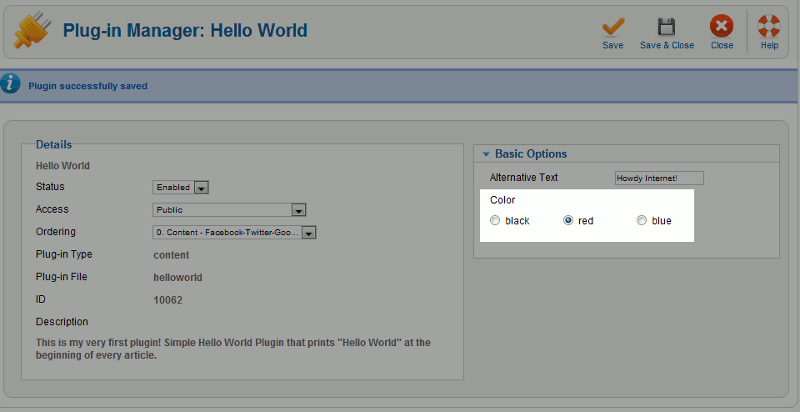
The code to add a radio button as a plugin parameter is very similar to the standard code for using radio buttons in HTML.
Accessing the value of a radio button within your plugin’s php file is similar to getting the value of a standard text type field. As our field’s name above is color, we’ll get the value of the user’s color using that name, as in:
$this->params->get(‘color’)
## List type plugin parameters
[](/support/wp-content/uploads/2012/06/edu_joomla25_create-plugin-tutorial_adding-a-list-plugin.gif)
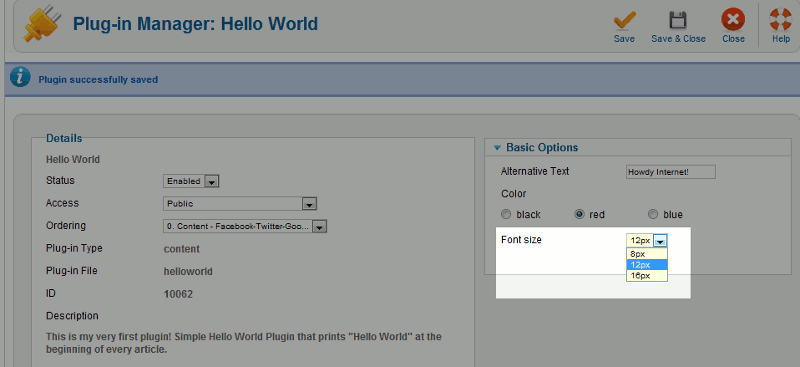
A list parameter refers to a drop down list. In our hello world plugin, we added the following list to allow users to choose what font size they would like the message displayed using.
### Example Code:
Again, accessing the parameter value itself is done in the same manner:
$this->params->get(‘font-size’)
## Text parameter input type
[](/support/wp-content/uploads/2012/06/edu_joomla25_create-plugin-tutorial_standard-text-type-input.gif)
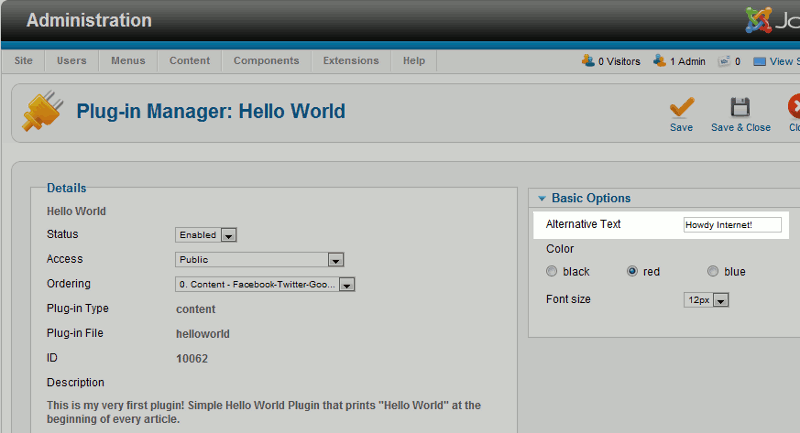
To make this a well rounded tutorial, we’ll also include the text input type (even though we referenced it in a previous article).
### Example Code:
To access this value, again use the following code in your plugin’s php file:
$this->params->get(‘alt-text’)