---
title: "Indent the first line of a paragraph in Joomla 2.5"
description: "Joomla 2.5 has reached its end of life as for 12/31/2014. Please be advised this may be a security risk to your website. You can view more information about the end of life here. Joomla 2.5 does not..."
url: https://www.inmotionhosting.com/support/edu/joomla/joomla-2-5/indent-first-line/
date: 2012-06-13
modified: 2021-08-16
author: "Brad Markle"
categories: ["Joomla", "Joomla 2.5"]
tags: ["Joomla v2.5"]
type: post
lang: en
---

# Indent the first line of a paragraph in Joomla 2.5

Joomla 2.5 has reached its end of life as for 12/31/2014. Please be advised this may be a security risk to your website. You can view more information about the end of life [here](https://docs.joomla.org/Joomla!_CMS_versions).

Joomla 2.5 does not include a way to indent the first line of a paragraph, but you can still accomplish this by using css. In a previous article we showed you [how to indent an entire paragraph](/support/edu/joomla/joomla-2-5/indent-entire-paragraph/), and in this article we’ll show you how to indent only the first line of the paragraph.

## How to Indent the first line of a paragraph in Joomla 2.5

1. Open the article you would like to edit
2. View the HTML code of your article by clicking the [toggle editor](/support/edu/joomla/joomla-2-5/wysiwyg-html-editor/) button
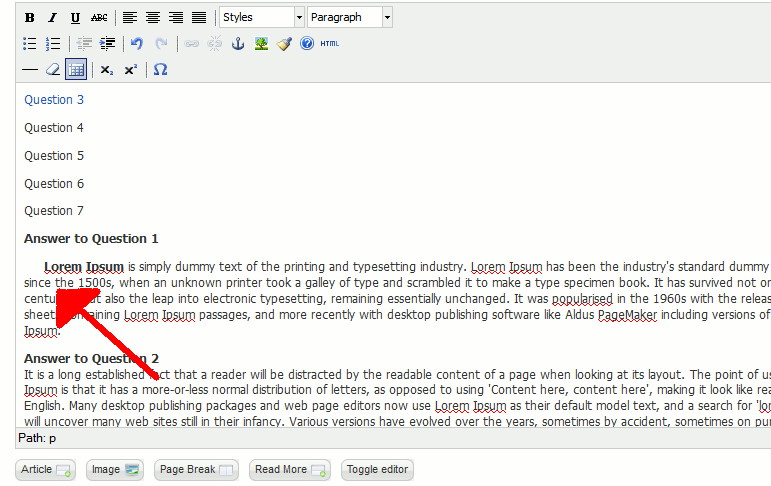
3. Find the paragraph you would like to edit. You should see either a <p> tag or a <div> tag. Make the following adjustments: Paragraphs <p> Divs <div> Change:<p> To:<p style=’text-indent:20px;’> Change:<div> To:<div style=’text-indent:20px;’> As you can see in the screenshot below, we have successfully indented the first line of a paragraph in a Joomla 2.5 article.[![indenting-the-first-line-of-a-paragraph-using-css](https://www.inmotionhosting.com/support/wp-content/uploads/2012/06/edu_joomla25_indent-first-line_indenting-the-first-line-of-a-paragraph-using-css.gif)](/support/wp-content/uploads/2012/06/edu_joomla25_indent-first-line_indenting-the-first-line-of-a-paragraph-using-css.gif)